Specify cancellation policy for Trip.com by providing:
- The number of days before the arrival (inclusive) when the penalty applies
- Late cancellation penalty calculated as a percentage of the stay price
Step by step:
- In Rentals United platform, open Channel Settings. Follow the steps here.
- A list of available custom policies opens.
- Navigate to Trip.com cancellation policy section.
- Adjust the number of days before the arrival when the penalty is applied and the penalty amount.
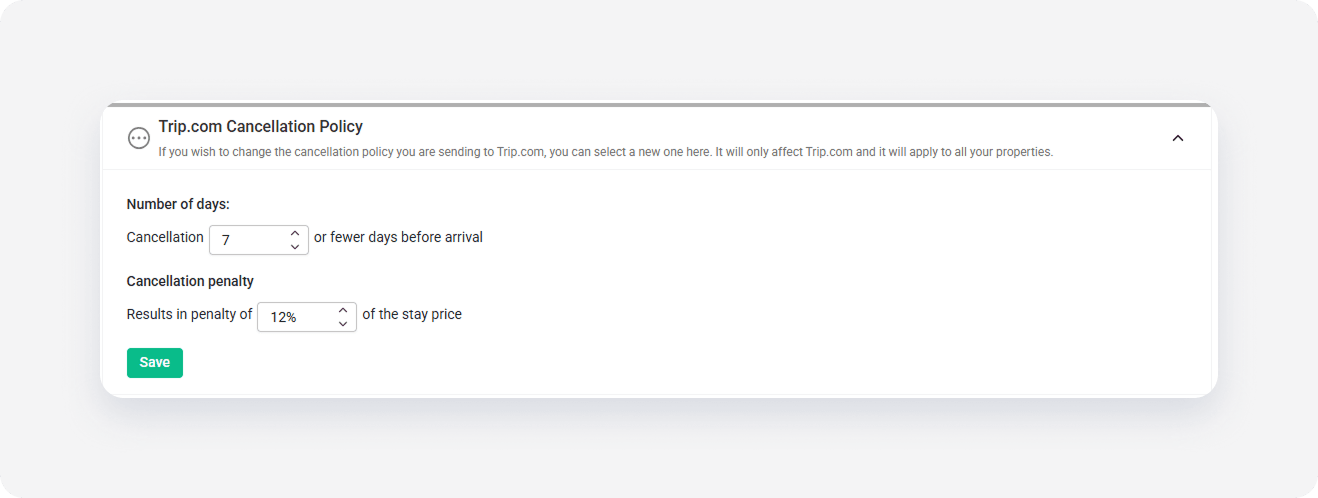
- Click Save.
x