Naming properties effectively helps you stand out on sales channel websites. Vague descriptions often fail to attract guests and can lower your revenue. Since some channels require specific naming conventions to accept your listings, Rentals United provides a tool to auto-generate optimized property names.
The auto-generated name follows this formula:
number of bedrooms + property type + street address
Step by step:
-
Sign in to your Rentals United account.

- Select the All properties tab and click Go to advanced settings.
-
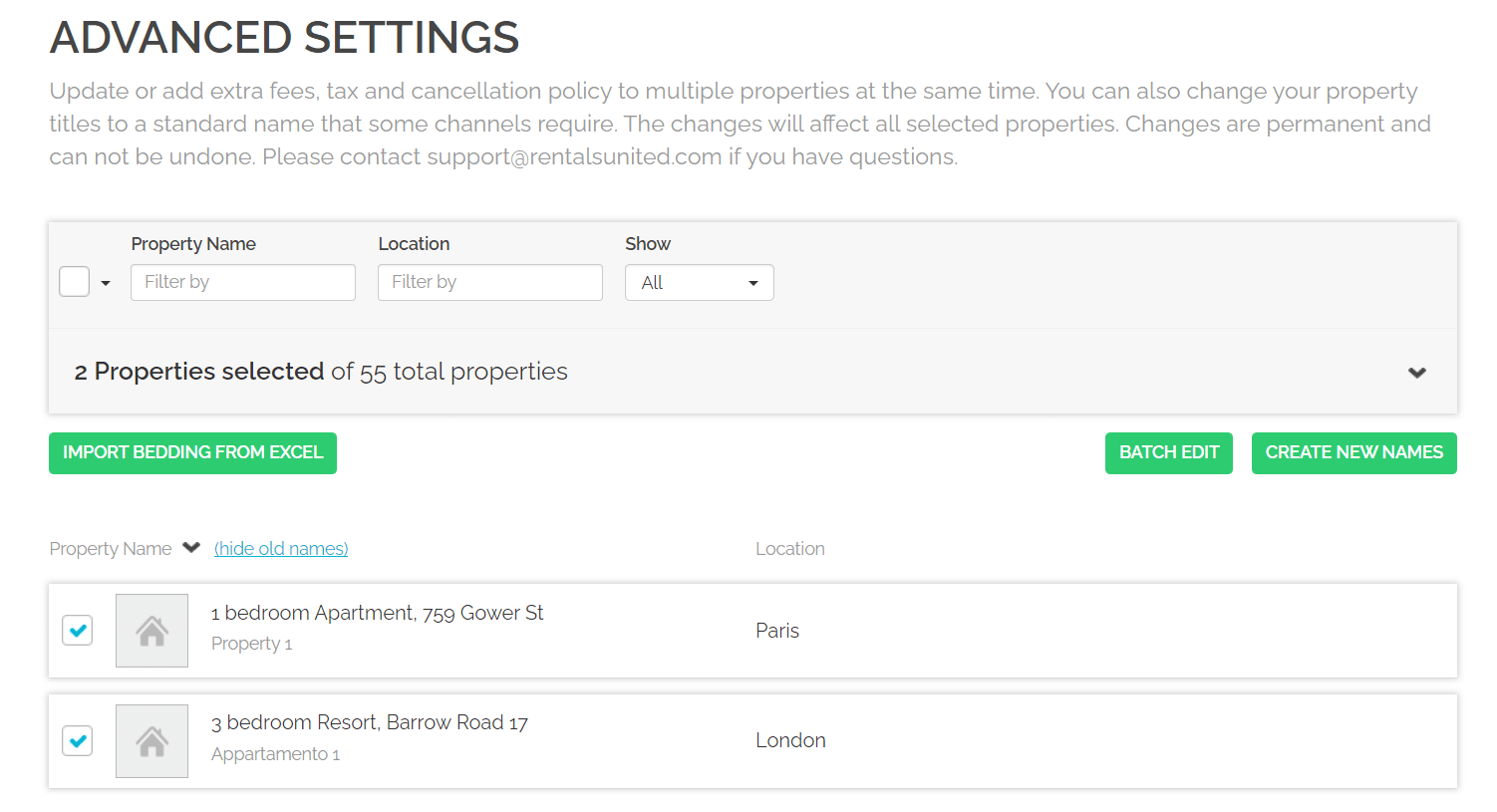
Select the properties you wish to update and click Create new names.

-
Review the selected properties. To adjust this list, click Change selection to return to the previous screen.
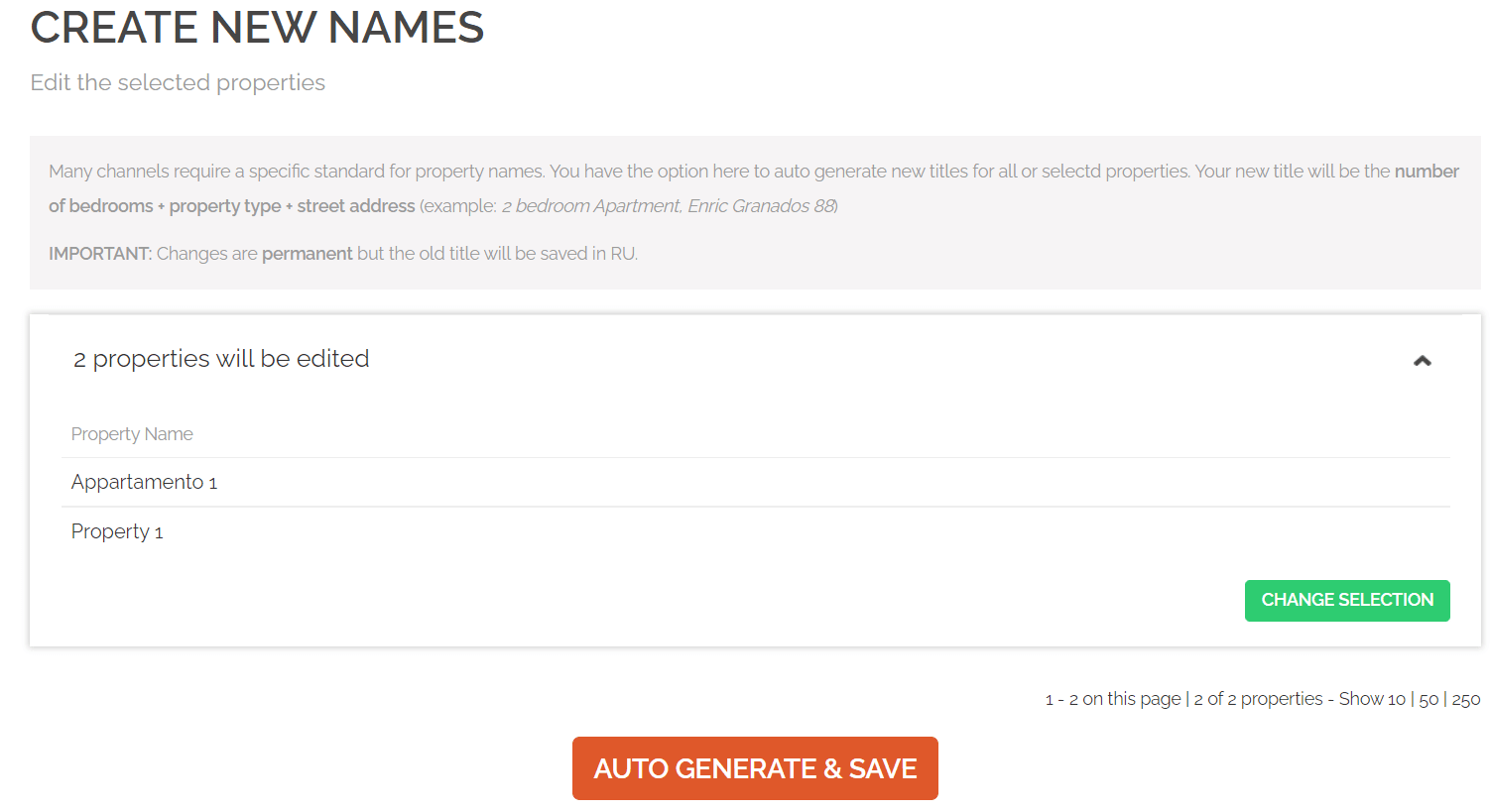
- Click Auto-generate & Save. Confirm the operation when prompted to refresh your property list.
Tip:
This change is permanent and requires manual reversal. However, you can view the previous names in All properties by clicking Show old names above the property names.
Note:
Using this feature replaces old names across all areas, including channel connections. Some channels require a manual content update or a scheduled sync. Visit Channel Integrations and select your channel to learn more.