To connect your Streamline VRS account to Rentals United, follow the steps below.
Streamline VRS configuration
To enable the properties sync between Streamline VRS and Rentals United, you need to follow the below instructions.
Connect to Rentals United
Follow the steps below to connect your Streamline VRS to Rentals United.
Step by step:
- Log in to Streamline VRS.
- In the top menu, select Tools and select Integrations Dashboard.
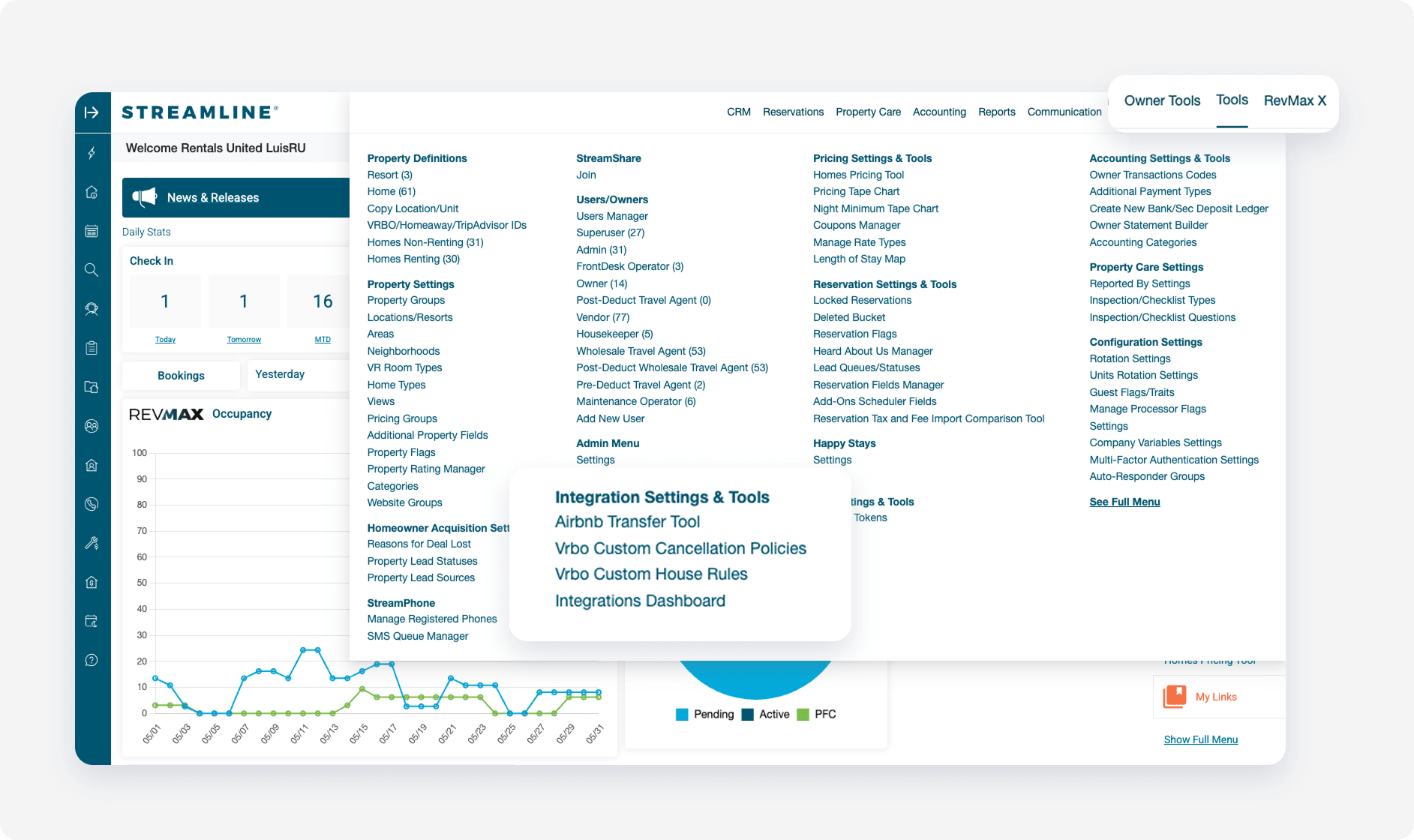
- Click Marketplace.
- Find the Rentals United integration and click Connect.
Mark units as commissionable
Mark units as commissionable in Streamline VRS
Step by step:
- Go to Home > Tools > Users/owners > User’s managers.
- Find the RentalsUnited-WHL and the RentalsUnited-PDWTA reservation types and edit them.
- Navigate to the Wholesale Agent Settings tab and make sure that the Commissionable checkbox is checked for each property you want to synchronize with Rentals United.
- Make sure to do this for both the Wholesale and Post-Deduct Wholesale agents for Rentals United.
- Once you have checked the boxes, ensure you press the Complete modification button before closing the window, so that the settings are saved.
Tax and fee calculation
During the onboarding call, the Onboarding Specialist asks you to confirm the tax and fee calculation in Streamline VRS. You need to share your Streamline VRS account and go through all taxes and fees and their set-up.
In Streamline VRS, go to Tools > Homes > Taxes & Fees. There are all the taxes and fees. If you click the edit icon on the left side you can see the value, how it is calculated and if it is taxable or not.
You can enable or disable taxes and fees sync to Rentals United.
Step by step:
- Click the edit icon next to the tax/fee.
-
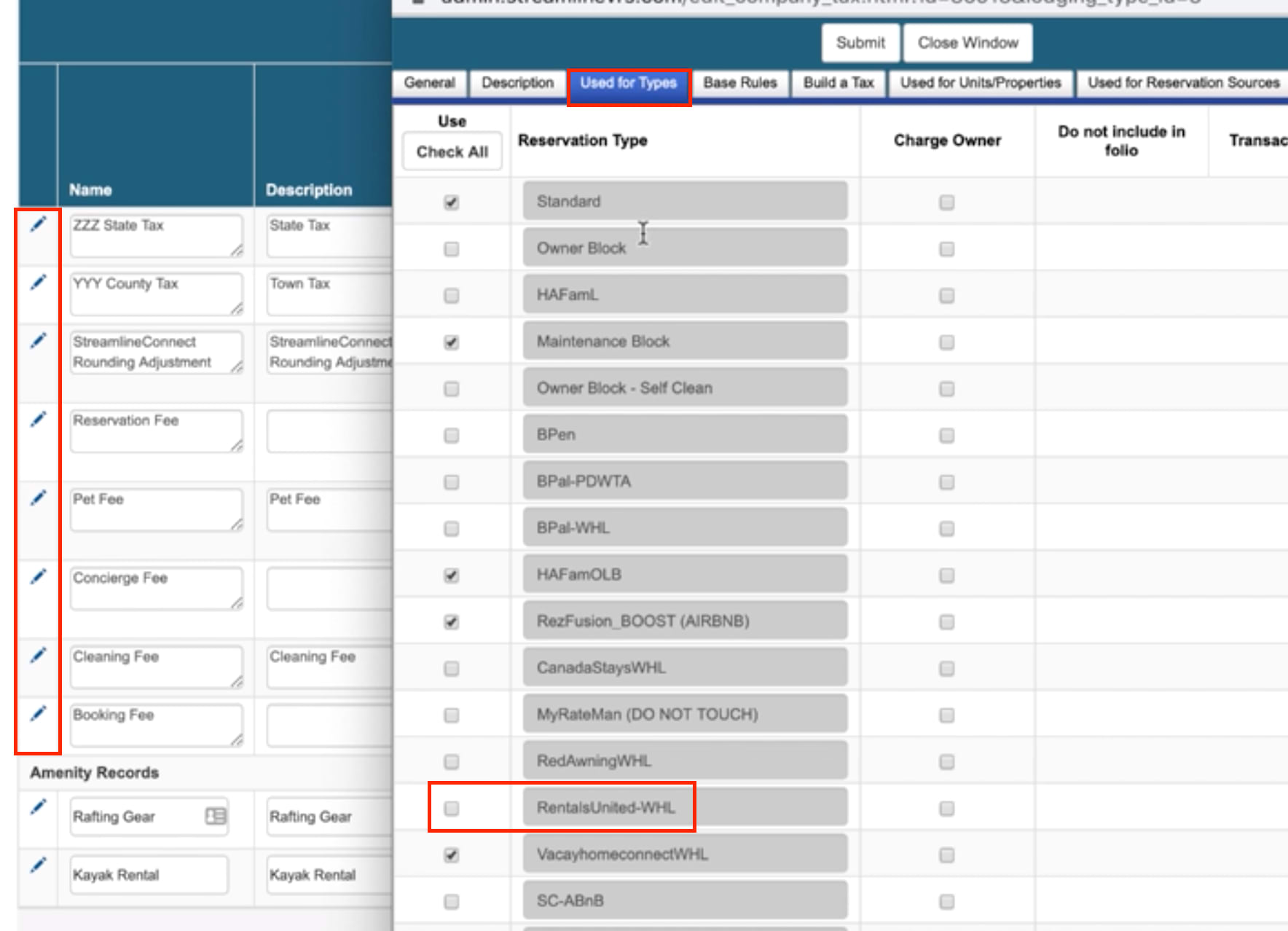
Click Used for types tabs and select all boxes containing Rentals United in order to sync the tax/fee to Rentals United. This ensures the future incoming reservations will contain fees and taxes. You can also deselect tax/fee to remove them from Rentals United.
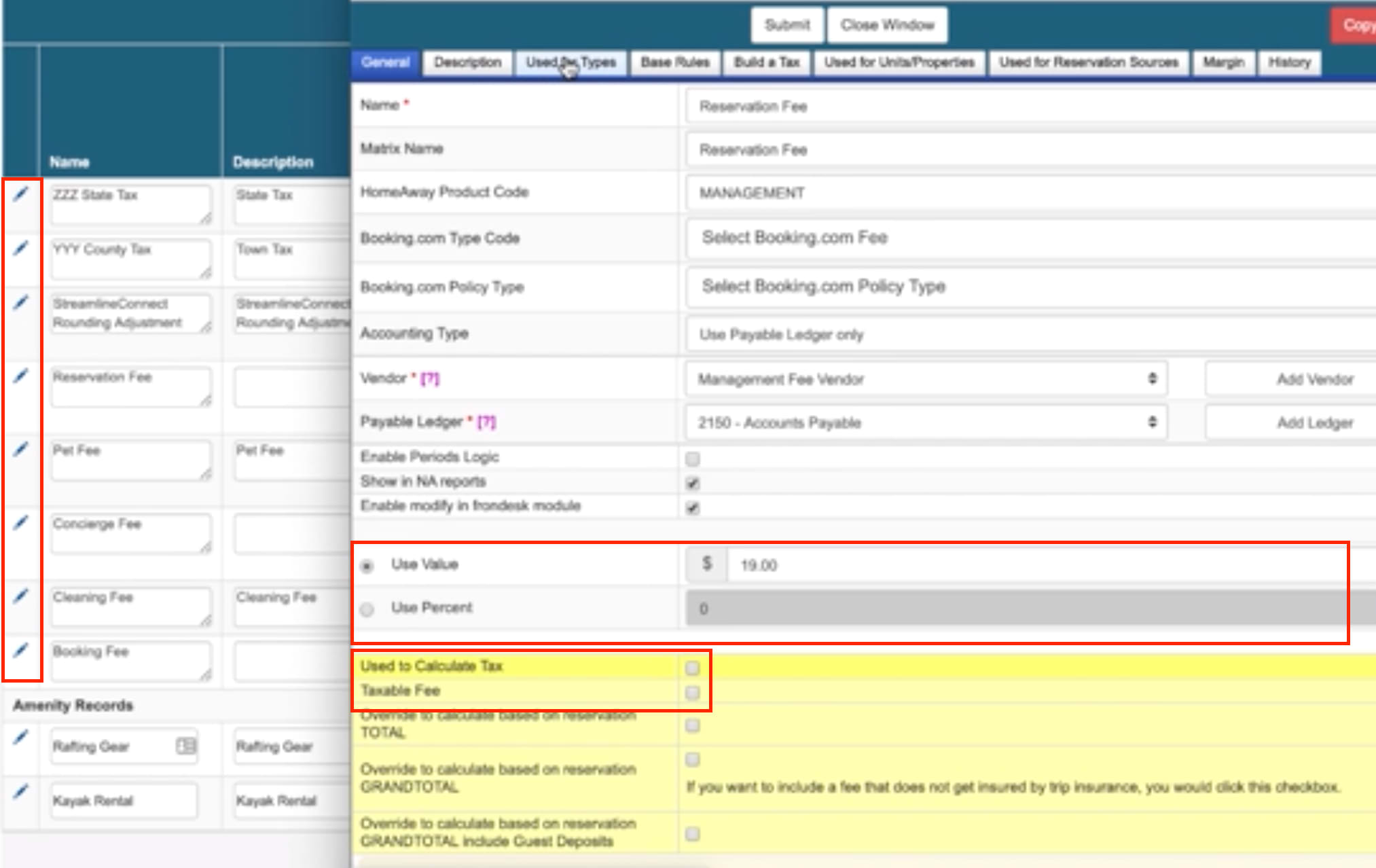
Currently, you need to check the following reservation types:
- RentalsUnited-WHL
- RentalsUnited-PDWTA
- RentalsUnited-Marriott
Take note of each fee and their calculation. Then, ensure that it matches the Rentals United calculation by adding an exemplary Rentals United property ID at the end of this link:
https://new.rentalsunited.com/FeeTaxService/FeesTaxes?apartmentid=[RUpropertyID]
Units to be listed on HVMB
If you want to connect to HVMB, you need to confirm which units will be listed on HVMB via Rentals United in order for the reservations to enter the system correctly.
Step by step:
- Go to Tools > VRBO/Homeaway/TripAdvisor IDs.
- Select RentalsUnited-Marriott in the dropdown next to Enable Units per Channel.
- Click Generate Report.
- Select units that you want to integrate.
-
Scroll down and click Update Settings.
Note: If you cannot see the RentalsUnited-Marriott Travel Agent, please contact Streamline VRS to enable it for you.
Reservation price
The default way that prices are inserted into Streamline VRS is that Rentals United sends Streamline VRS the total price of the reservation. Streamline VRS then separates the total price into rent, taxes and fees.
Fee and tax mapping
To sync fees and taxes with Rentals United, you need to provide fees and taxes mapping to your Onboarding Specialist.
Taxes and fees are added in Streamline VRS as free text. This means you can choose whatever name they want for their charges. This does not work with majority of sales channels, since only mapped taxes and fees are recognized.
LOS pricing
In order for LOS pricing to be sent correctly to Trip.com and Vrbo, LOS pricing needs to be enabled by the Rentals United representative. Report that you use LOS pricing to your Onboarding Specialist.
Connect to Streamline VRS in Rentals United
Step by step:
- Log into your Rentals United account.
-
Hover over Your profile in the main menu and select PMS Settings
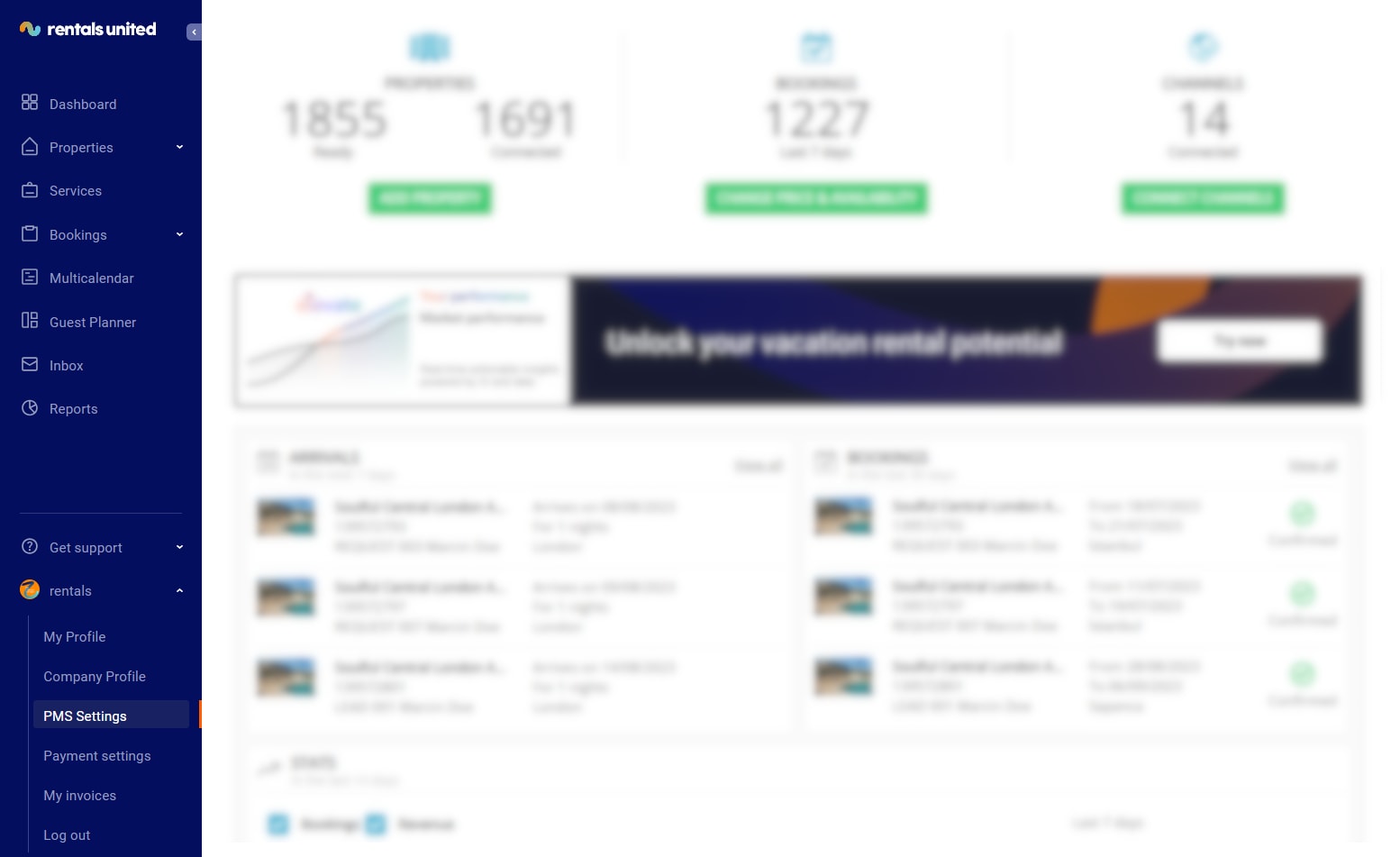
- In the Choose a PMS field, select Streamline H421.
-
Provide the required information: Advertiser ID, Token Key and Token Secret.
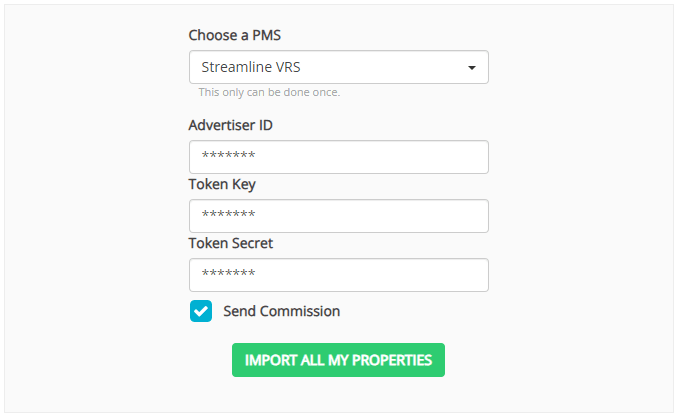 Tip: You can get the Advertiser ID, Token Key, Token Secret from your Streamline VRS account. In the Streamline VRS homepage go to the Third party integrations and select Self-service onboarding. The required information should be available there. If you cannot find them, please contact Streamline VRS Support. See Contact details.
 - If you want Rentals United to pass the booking's commission to Streamline VRS, check in the Send Commission checkbox. Then, the commission amount will be available for a reservation in your PMS (if the channel provided it). You can change this setting anytime you want. See the list of channels which by default will not provide the commission to Streamline VRS here.
- Click the Import all my properties button. All properties that fulfil Rentals United requirements to connect will be now imported from Streamline VRS into your Rentals United account.