This article explains the differences between different property types, configuration details and sync to the channels.
Single-unit
Single-unit (an individual property) is a separate, independent property rented as a whole, such as an apartment, villa or bungalow.
Multi-unit
Multi-unit consists of several units located at the same address and with the same features, such as a hotel with multiple rooms. Multi-units can be booked by many guests at the same time.
- Units represent the actual number of rentable units, such as 10 identical rooms.
- Unit types indicate different types of units, such as "2-bedroom suite" or "Studio".
Multi-unit property types
We have two basic multi-unit property set-ups. Different multi-unit property set-ups can be treated differently in the sales channels.
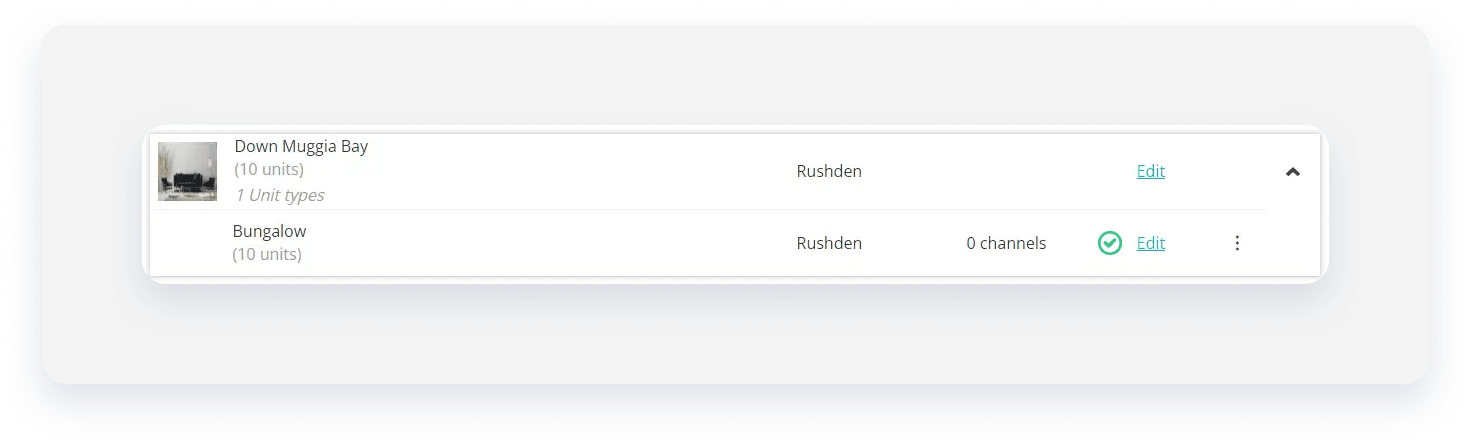
| Simple setup |
A building consists of 1 multi-unit. All units in the building are of the same type. Example: A parcel with 10 identical bungalows with identical amenities, views and each sleeps two people. |
 |
|---|---|---|
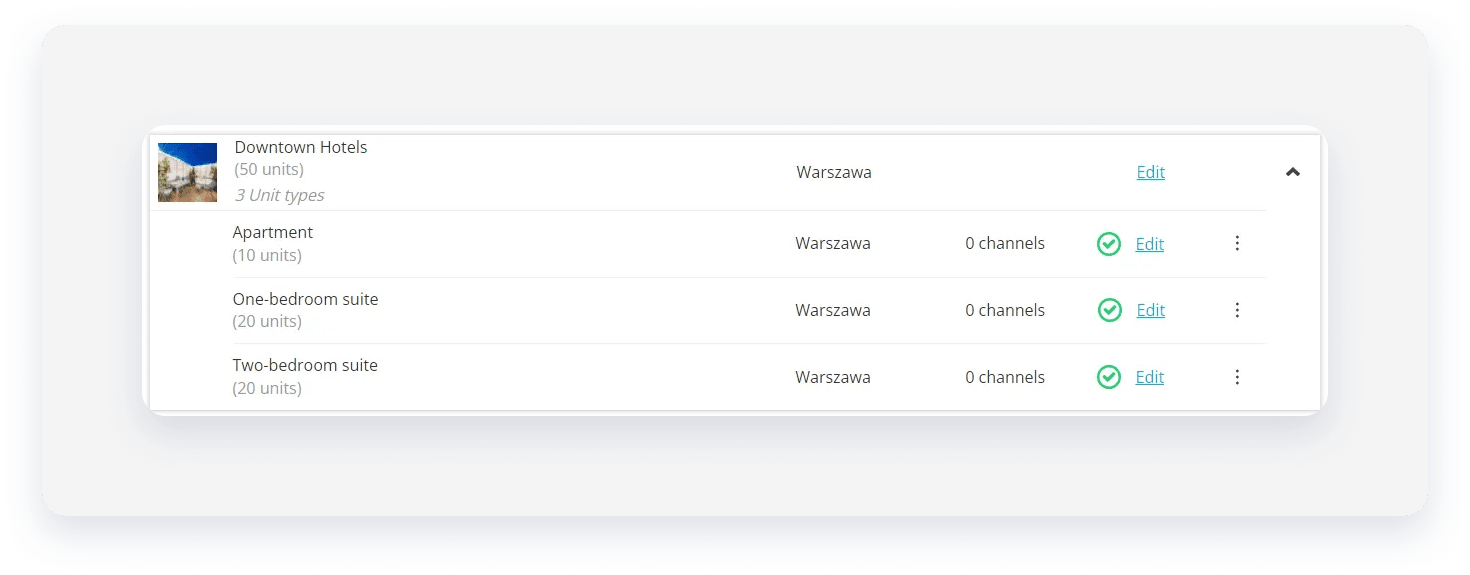
| Mixed setup |
A building consists of 3 multi-units, each of different unit type. Example:
|
 |
Building
Building acts a container for your properties, but it's not a property itself. Buildings consists only of properties that are located at the same location or parcel to group them together.
- To create a multi-unit property in Rentals United account, you must add it inside a building. Creating standalone multi-units is possible only through API.
- Building can include both single-units and multi-units.
- Single-unit within a building is identical as an individual property. Sales channels treat them equally.
Channels and different types of inventory
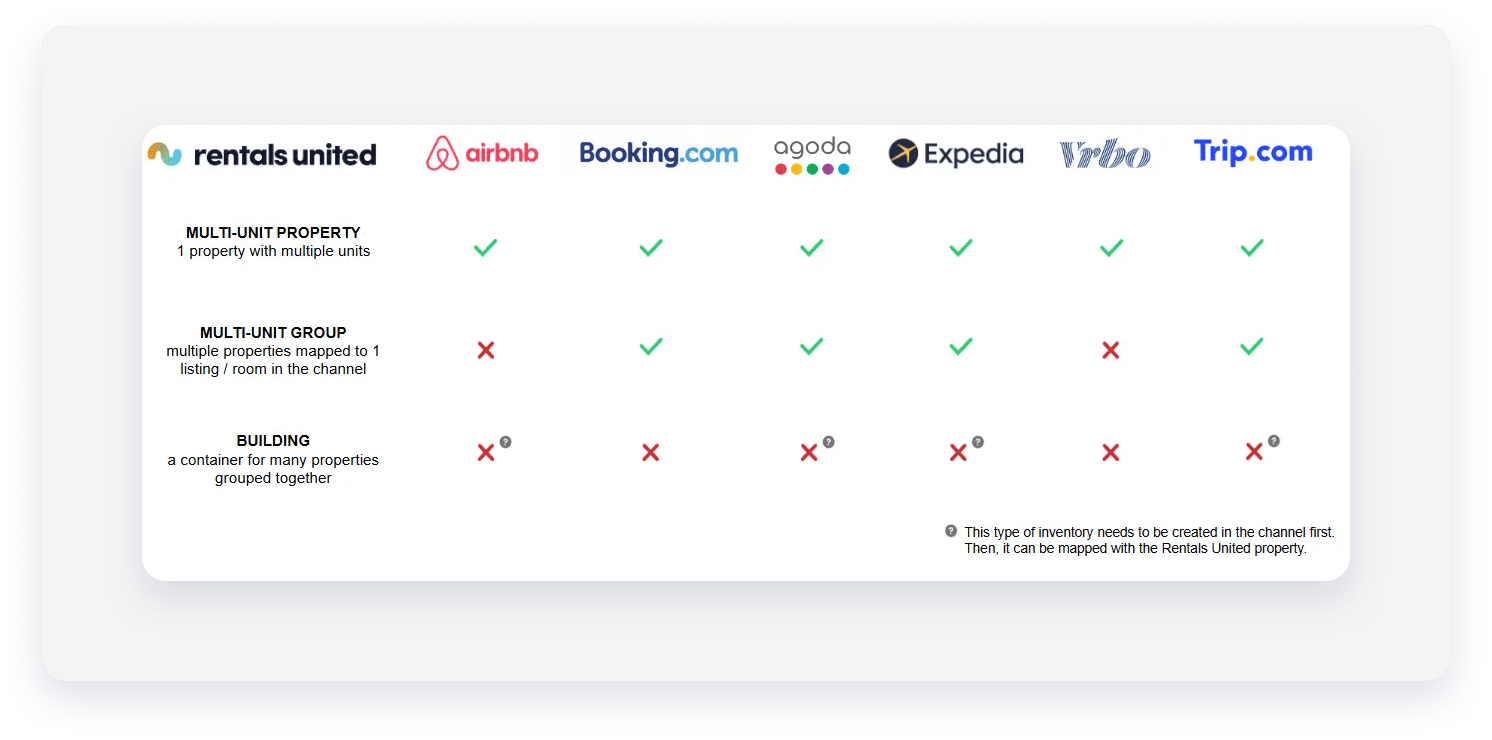
Different channels support different property types. See the table below.
- Unit visibility: Airbnb creates one listing per unit type. Airbnb receives information about the increased number of units (10), but doesn't display it in their dashboard or website.
- Multiple reservations: You can receive up to 10 bookings for this property. All reservations made for this listing assign the same property multiple times (not units).
- Units availability: Each confirmed reservation decreases the available units. After all units are booked, the system blocks the availability and the listing isn't offered in connected channels.
Note:
Airbnb doesn't sum up the availability from all units. The listing doesn't show up in search results exceeding the maximum number of guests per unit. To avoid that, you can create individual properties in Rentals United and group them into multi-units in the Airbnb dashboard.
- Listings: Booking.com creates one listing per multi-unit with 1 room type and 1 rate. The number of units indicates the number of rooms to book in Booking.com (10). Booking.com displays the number of available units in the Booking.com extranet and on the Booking.com website.
- Multiple reservations: Guests can book more than one room at once. A reservation assigns to a random unit in the multi-unit property. You can later move your guests to another unit within the multi-unit.
- Units availability: Each confirmed reservation decreases the available units. After all units are booked, the system blocks the availability and the listing isn't offered in connected channels.

Multi-unit group
Multi-unit group indicates the integration type where listing's room types are mapped to multiple properties.
- Guests can view and compare all listing's room types at the same time
- The system collects reviews from all room types
To create a multi-unit group:
- Map the room type to multiple Rentals United properties while mapping a new listing.
- Edit existing room type mapping and select multiple properties.
- Add a new room type to an existing listing and map it to multiple properties.
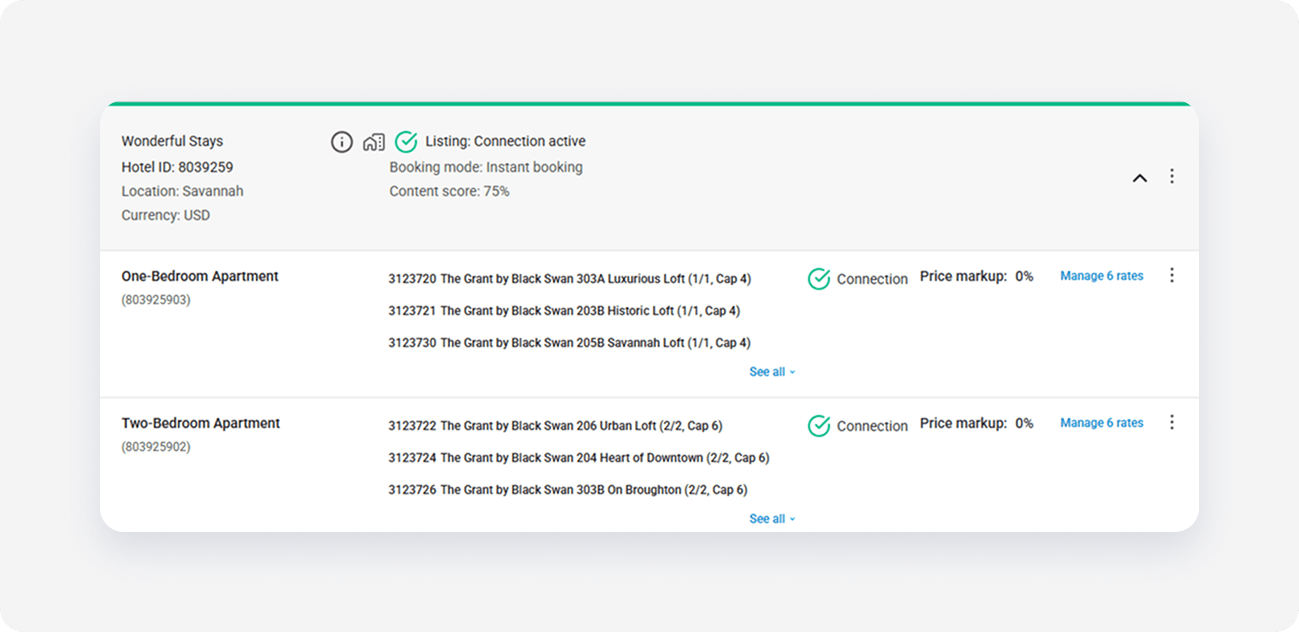
Such mappings create room types configurations similar to ones in the below screenshot.
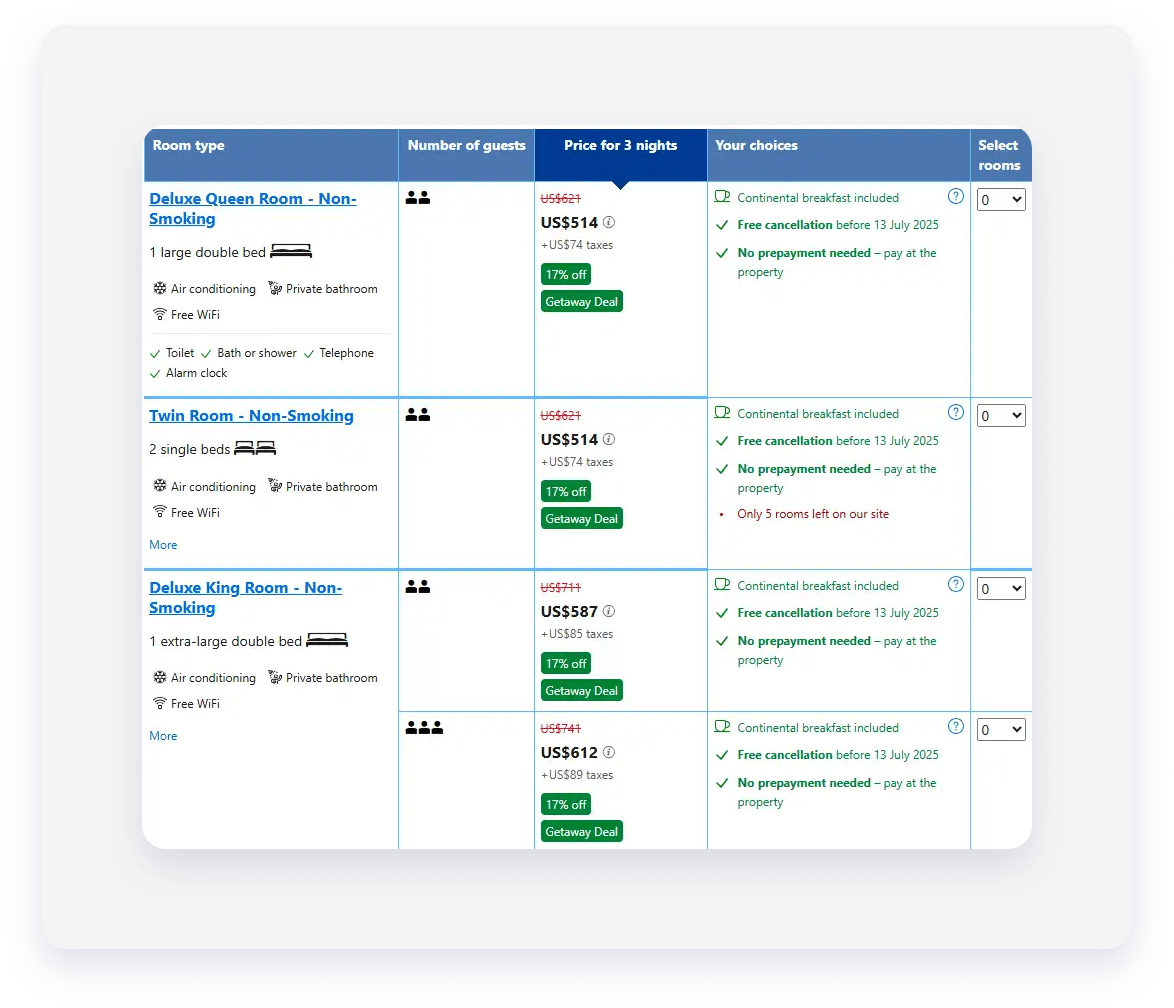
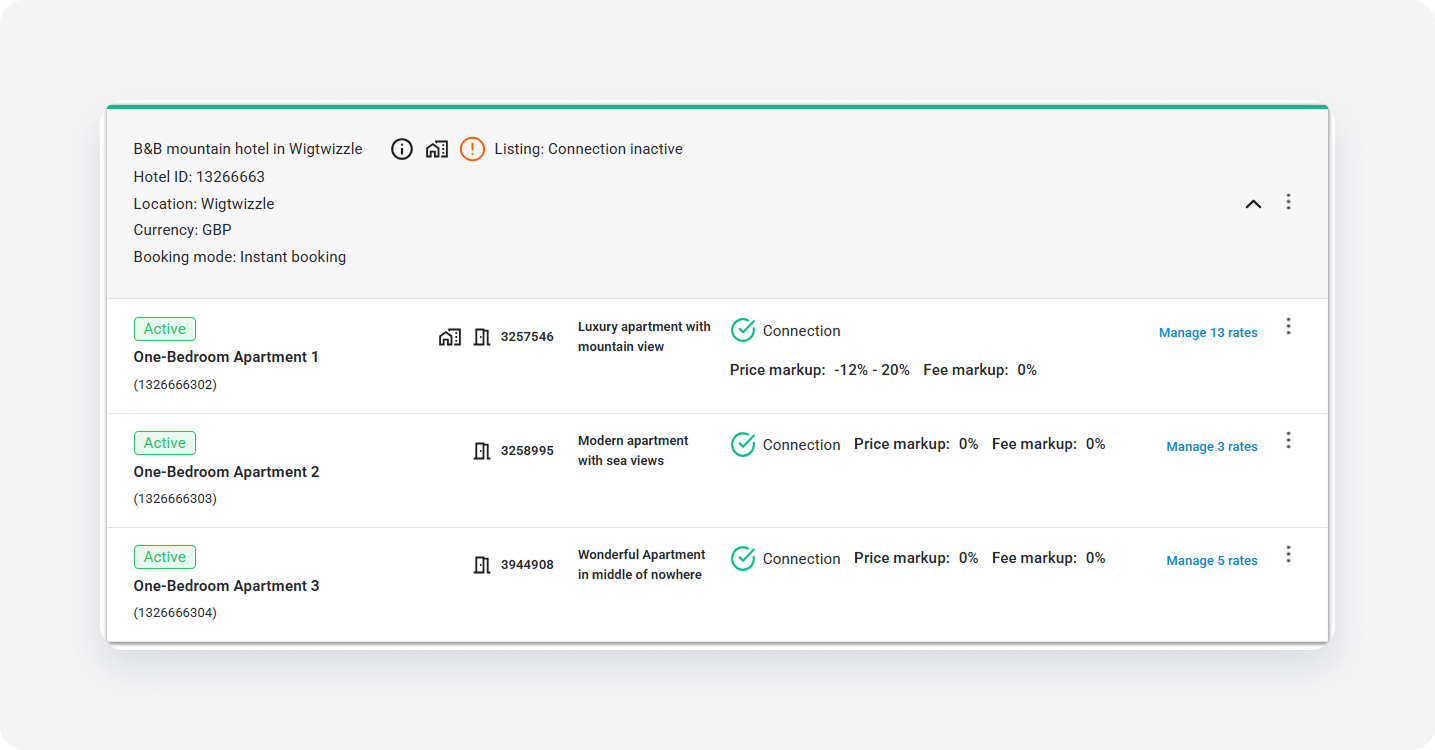
Alternatively, you can map each room type to exactly 1 property.
Related articles
- All rate plans from Booking.com sync to Rentals United. You can view, edit or deactivate them directly in Rentals United.
- Read how availability, prices and minimum stay sync in multi-group.