You may have done some unwanted changes to the property content directly on My Website that are difficult to revert. In this case you may sync your properties again and overwrite your custom edits. All you need to do is to resync your properties in Rentals United.
Resyncing overwrites all property information (description, images, etc.) that you currently have in My Website with data you have in Rentals United. In case you edited individual property content on My Website, these changes will be lost. Any pages that you created or style changes will be left intact.
Step by step:
Follow the steps below to resync your listings for My Website.
- In Rentals United account, open Channel Settings for My Website. Follow the steps here.
-
Navigate to the Reset website section.
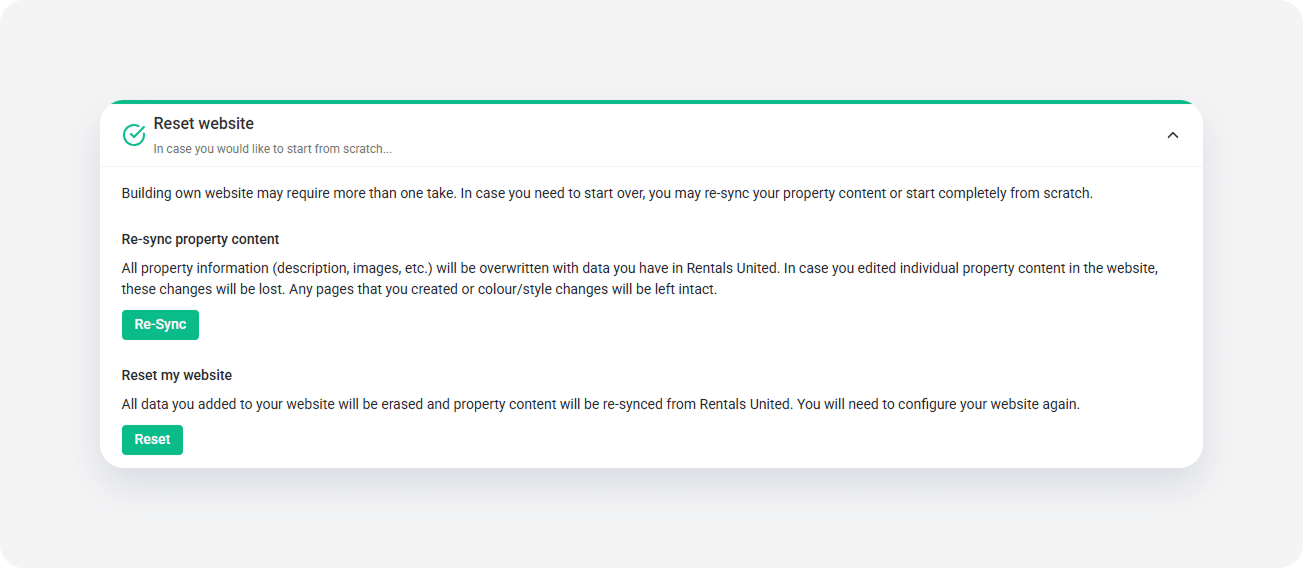
- Click Resync. The notification window pops up. Confirm your action to proceed. You will see a pop-up window once the process is complete.
- You will see a popup once the process is complete. Your website displays only the data that you have in Rentals United.
x