With Automatic listing content update, you can turn on an automatic property descriptive content update and make your connection to Booking.com seamless. This means that whenever you edit your properties in Rentals United, the listings in Booking.com will be automatically updated.
- Settings level: Automatic content update is managed at the account level. Once enabled, it applies to all eligible listings connected to the channel.
- Sync frequency and timing: Changes are pushed to channels every four hours. Most updates appear on the booking channel within 24 hours, though the exact timing depends on the specific channel's processing speed.
- Scope of updates: The automatic update covers property content only (descriptions, photos, fees and taxes). The automatic content update includes data that can influence your pricing, such as taxes and fees. However, it doesn't sync standard rates and availability.
- Minimum requirements to connect: Listings that don't meet minimum requirements to connect don't update. If your changes don't reflect on the channel, make sure that your properties meet minimum requirements to connect. Note that you will not see any notification in Booking.com Property Settings if the property does not meet minimum content requirements.
Step by step:
- In Rentals United account, open Channel Settings. Follow the steps here.
- Search for the Automatic listing content update section.
- Select Automatically update Booking.com listings when content change is identified.
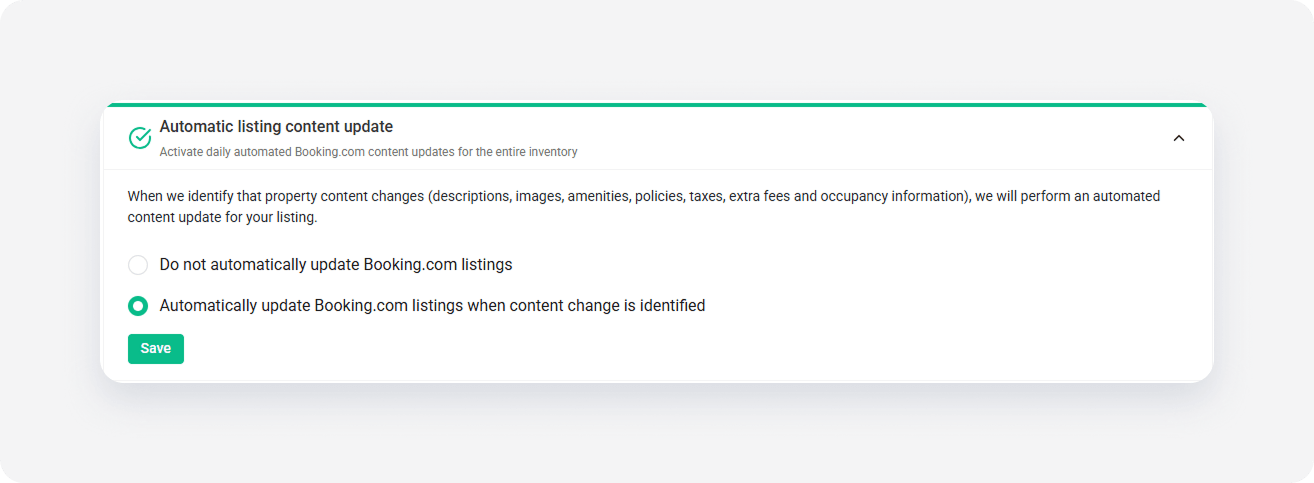
- Click Save.
If the update is unsuccessful, you will see an update error in the Booking.com Property Settings.
Supported configurations
For Booking.com, updates are possible in the following configurations:
- One hotel - one room type - one rate plan
- One hotel - one room type - multiple rate plans
- One hotel - multiple room types - one rate plan
- One hotel - multiple room types - multiple rate plans
Main property requirement
Selecting a main property for a hotel and a room type is mandatory. Not having a main property selected will not allow you to update the listing content.
Automatic listing content update scope
The scope of automatic listing content update is identical as partial content update (with all options selected).
The following information is not updated in the automatic listing content update:
- Property name
- Invoicing details
- Check-in amenities
- Cancellation Policy
Changes in extra guest price or discounts do not trigger an update. Note that changes in fees, taxes, standard number of guests and maximum occupancy can influence your pricing.
Failed property pushes
If you attempted to add a new property to Booking.com in the past and it was failed for some reason, the automatic listing content update feature will try to push the failed properties to the channel. If you do not wish these failed property pushes to be processed, make sure to clear the error that shows up after the initial push failed.