This article explains how to manually trigger prices and calendar sync if the prices in Rentals United are correctly set up, but you see incorrect pricing or no pricing on the channel booking page. This solves the price and calendar discrepancy in case of a data sync delay.
Follow these steps to update your rate settings and sync your pricing data with your sales channels.
Step by step:
- In your Rentals United account, open Property Settings. Follow the steps here.
-
Click the Manage rates button.
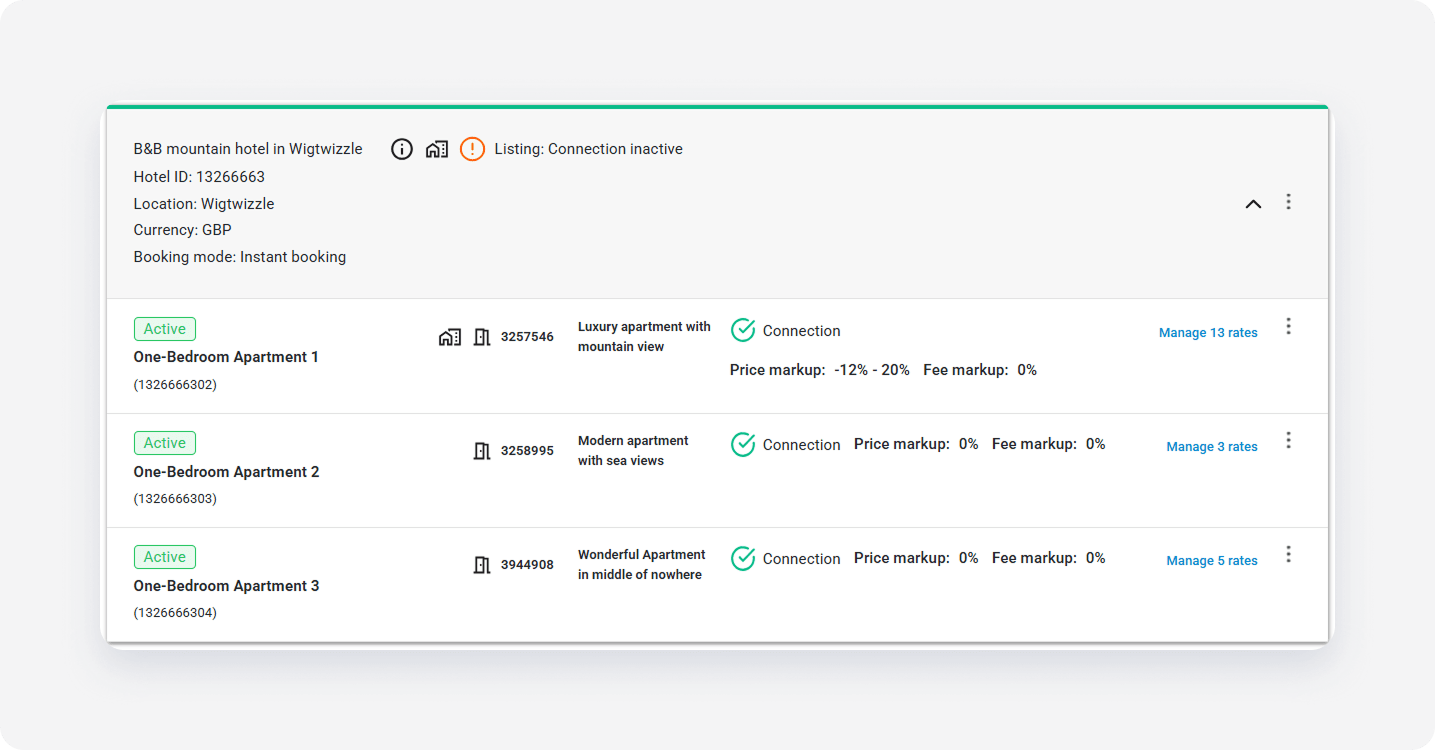
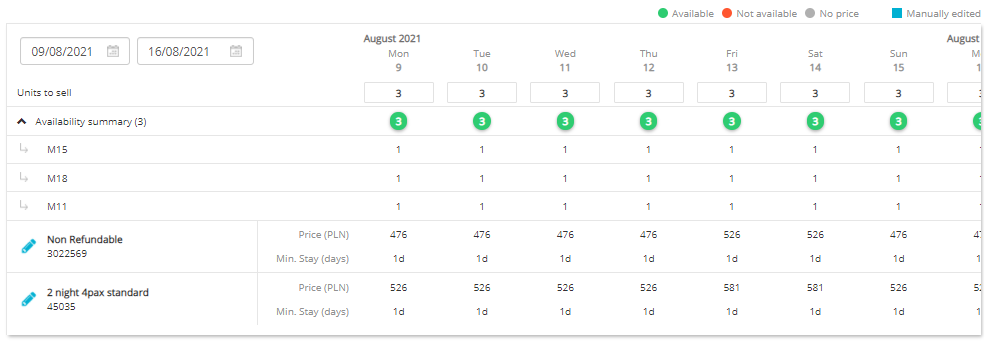
- Scroll down to the Manual options section and click the Activate manual options button.
-
Select the time range from the current date to 365 days in advance, for example from 15th September 2017 to 15th September 2018, and click the Batch edit button.
-
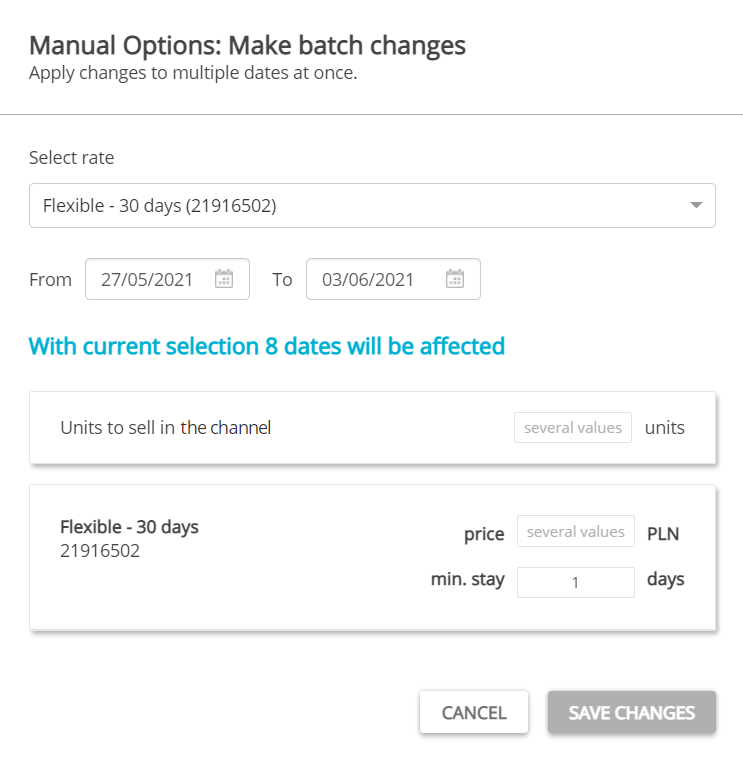
Select the rate you wish to trigger an update for.
-
Don't make any changes.
- If prices are correct in Rentals United, click Save changes. This triggers prices and availability sync with the channel. Prices should update on the channel booking website within 10 minutes. If they don't not, contact the Rentals United Support Team.
- If prices in Rentals United are incorrect, click Cancel. Instead verify markup in Rentals United, fees and discounts setup in Rentals United or in the channel. If all the prices are correctly set up, contact support.
x