Before changing the booking mode, keep the following in mind:
- Airbnb consistency: Airbnb requires that if a listing is available for instant bookings on other platforms, you must not switch it to the “Request to book” mode on Airbnb. If you ignore this requirement, Airbnb may disable the “Request to book” mode in your account.
- Synchronization model: You can’t change the booking mode if the listing is on “Limited Sync”. To change the booking mode, switch to "Sync Everything". You can switch back to "Limited Sync" later. To check the current synchronization model of your listing, see here.
- Pending requests: You can’t change the booking mode if there is a pending booking request. Accept or decline any active requests before changing the booking mode.
Step by step:
- Sign in to your Rentals United account.
- Go to Property Settings for Airbnb. Follow the steps here.
-
Locate the specific listing and click
 icon. From the dropdown, click the Change booking mode option.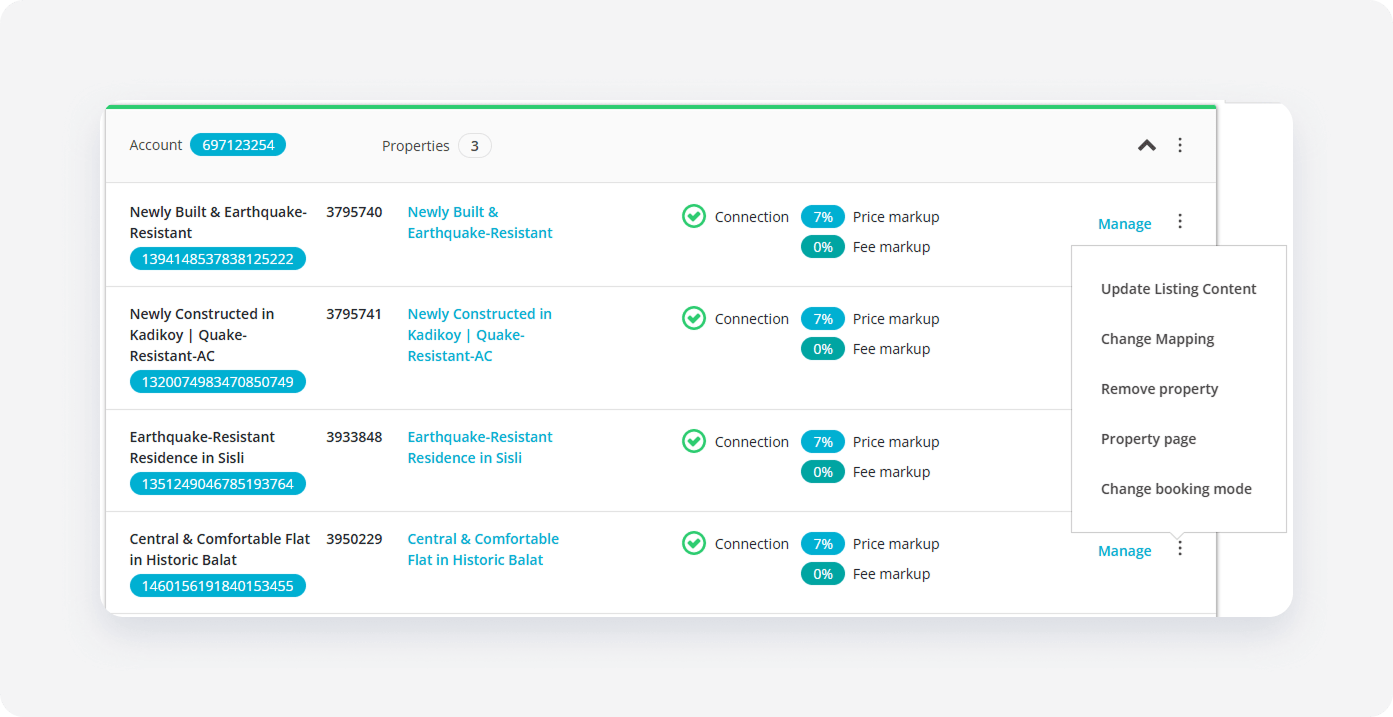
-
We check if the hotel is eligible for the booking mode change. In the pop-up, review the current booking mode status. Click Switch to confirm the change.
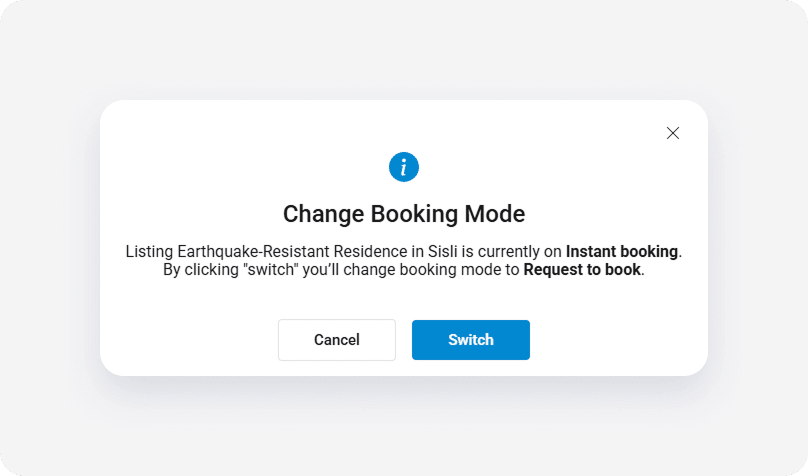
- Wait for the confirmation notification and close it to come back to Property Settings.
Note: Switching booking mode only affects the specific listing selected. It does not apply changes in bulk to other listings.
x