Before changing a booking mode, keep the following in mind:
- Booking.com policies: To enable “Instant booking” on Booking.com, ensure the property has a valid cancellation policy.
- Pending requests: You can’t change the booking mode if there is a pending booking request. Accept or decline any active requests before changing the booking mode.
Note: If you can’t see the option in the menu, a specific property type or configuration isn't eligible for booking mode changes.
Step by step:
- Sign in to your Rentals United account.
- Go to Property Settings for Booking.com. Follow the steps here.
-
Locate the specific hotel and click
icon. From the dropdown, click the Change booking mode option.
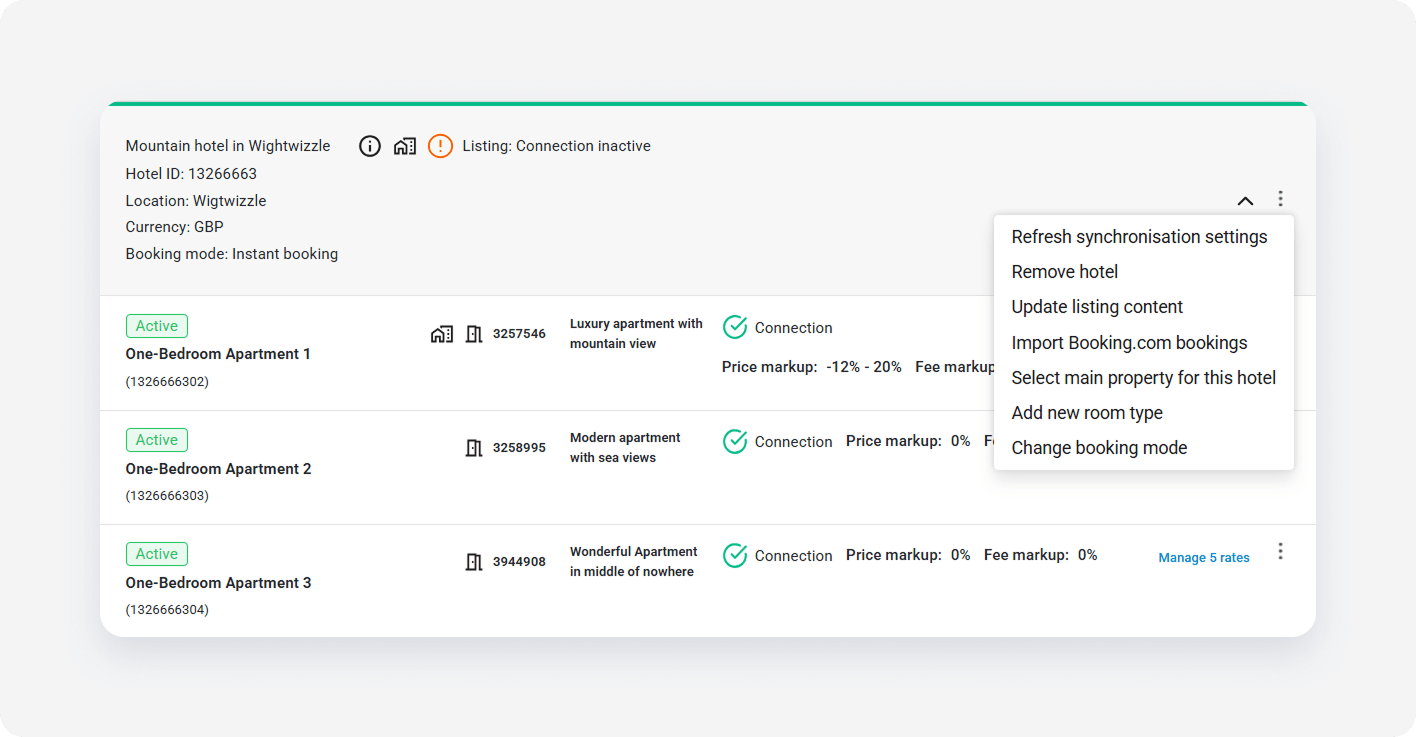
- We check if the hotel is eligible for the booking mode change. In the pop-up, review the current booking mode status. Click Switch to confirm the change.
- Wait for the confirmation notification and close it to come back to Property Settings.
Note: Switching booking mode only affects the specific hotels selected. It does not apply changes in bulk to other listings.
x