Your cancellation policy defines the refund amount a guest receives based on when they cancel.
You can change these settings at the Advertiser ID level. They will apply to all properties assigned to this Advertiser ID.
Vrbo predefined policies
You can choose your cancellation policy from the list of standardized Vrbo cancellation policies..
- Strict: 100% refund if reservation is cancelled at least 60 days before check-in (no refund after 60 days)
-
Firm: 100% refund if reservation is cancelled at least 60 days before check-in
50% refund if reservation is cancelled 30-60 days before check-in (otherwise, no refund) -
Moderate: 100% refund if reservation is cancelled at least 30 days before check-in
50% refund if reservation is cancelled 14-30 days before check-in (otherwise, no refund) -
Relaxed: 100% refund if reservation is cancelled at least 14 days before check-in
50% refund if reservation is cancelled 7-14 days before check-in (otherwise, no refund) - No refund
Step by step:
- In Rentals United account, open Channel Settings. Follow the steps here.
- Locate the Vrbo cancellation policy section.
-
Select the Use one of Vrbo pre-defined policy for all properties option.
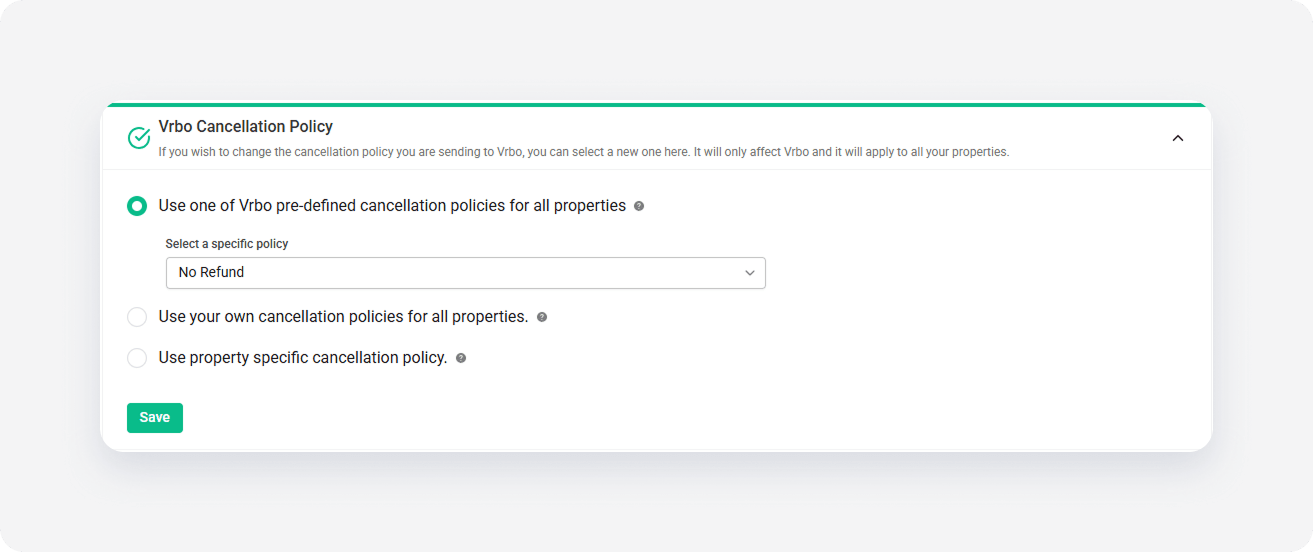
- Choose your preferred policy from the dropdown menu.
- Click Save.
Own policies
If the predefined options don't fit your business model, you can build a custom policy. Vrbo allows up to three specific refund levels.
Step by step:
- In Rentals United account, open Channel Settings. Follow the steps here.
- Locate the Vrbo cancellation policy section.
- Select the Use your own cancellation policies for all properties option.
-
Optionally, set a Cancellation fee and Currency if you want to charge a flat fee regardless of when the guest cancels.
Note: Guests always pay cancellation fee. Set this to "0" for cancellations without fee.
-
Provide the percentage amount to be charged in Charge costs and the required notice period in Days before arrival.
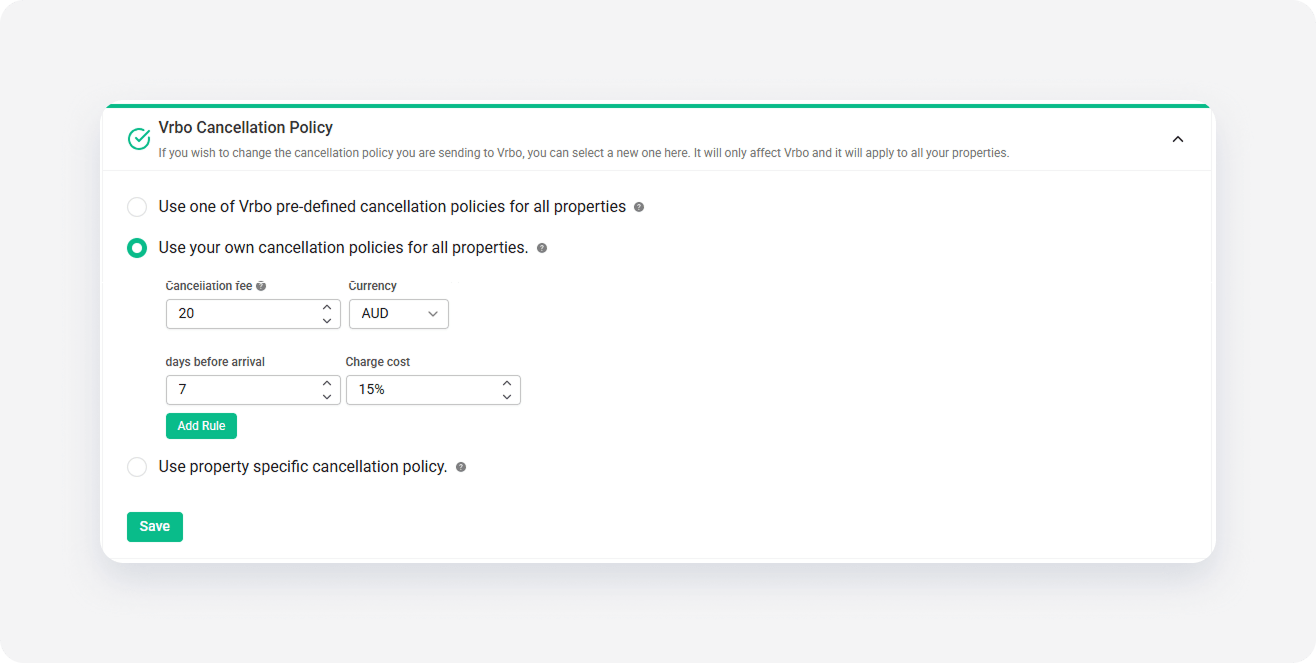
- Click Add rule to define more cancellation policy rules. You can define up to three rules.
- Click Save.
Property-specific policies
If you have different requirements for specific listings, you can choose to use property-level settings.
Vrbo allows up to three specific refund levels and one no-refund level. If you have more cancellation policy levels defined, we will only sync three most restrictive ones.
Step by step:
- In Rentals United account, open Channel Settings. Follow the steps here.
- Locate the Vrbo cancellation policy section.
- Select the Use property specific cancellation policy option.
- Click Save.