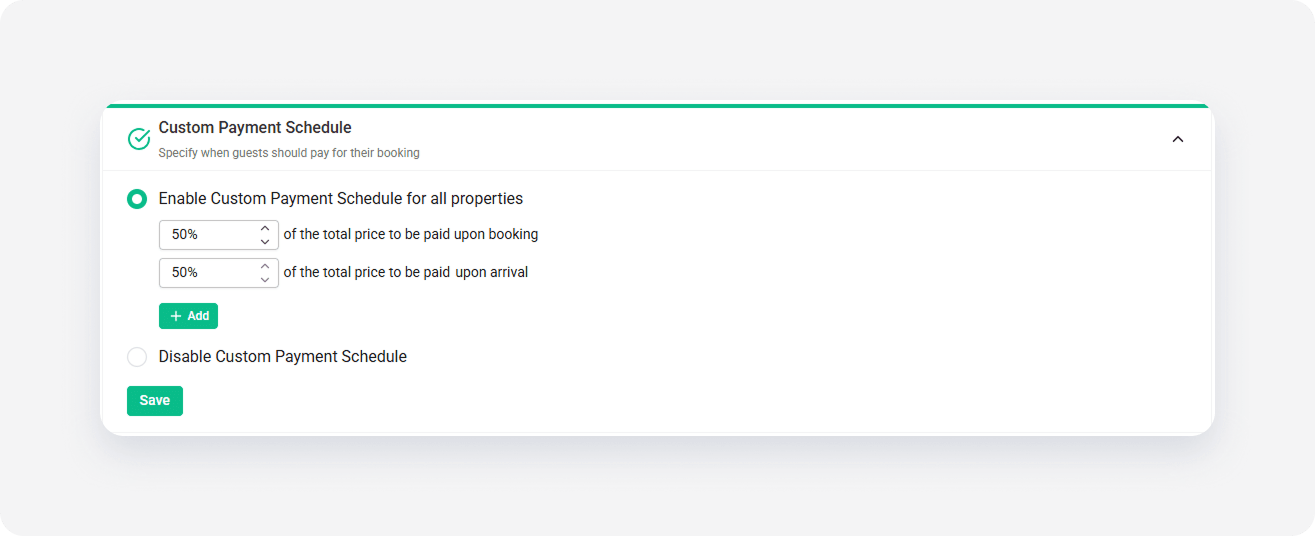
Down payment settings are not fully customizable in Step 5: Price and availability, as Vrbo expects to have this information set in Channel Settings.
For Vrbo, there are two ways to set the Down payment.
- During the Connecting to Vrbo or Establishing connection in new design procedure, you are prompted to select one of the available Down payment policies.
- Down payment policy can be specified any time in the Channel Settings.
Note: The Down payment policy set in Channel Settings takes precedence over the one set in the Connection Wizard. Hence, if you completed the Connection Wizard with incorrect or no Down payment policy, it is still possible to set it. Nonetheless, if no policy is set in Channel Settings, mind that whatever was set in the Connection Wizard will be applied.
In Channel Settings, the you can decide whether Down payment should be enabled or not. If enabled, note that it will be identical for all your properties advertised on Vrbo. Then, it is possible to define at least minimum 2 and maximum 5 levels of Down payment policy.
Step-by-step:
- In Rentals United platform, open Channel Settings. Follow the steps here.
-
Select the Custom Payment Schedule option. By default, the setting is disabled.

-
Enable the Custom Payment Schedule option. Specify the percentage of the total price to be paid upon booking.
Note: The outstanding percentage to be paid upon arrival is updated automatically. -
If needed, add more levels to the Custom Payment Schedule. Click the Add another rule button. Provide the percentage and the number of days before the arrival when the payment must be made.
Note: It is possible to have maximum 5 rules defined for Vrbo. - Click the Save button.
x