Updating the channel is important to keep your listing up-to-date. It is not necessary to update all listing content after making a minor change in your property in Rentals United. Instead, you should update only selected content areas. In this article, you will learn what updates are included in each content area.
Note: To learn where to trigger the content update for selected areas, see here.
Hotel-level content update areas
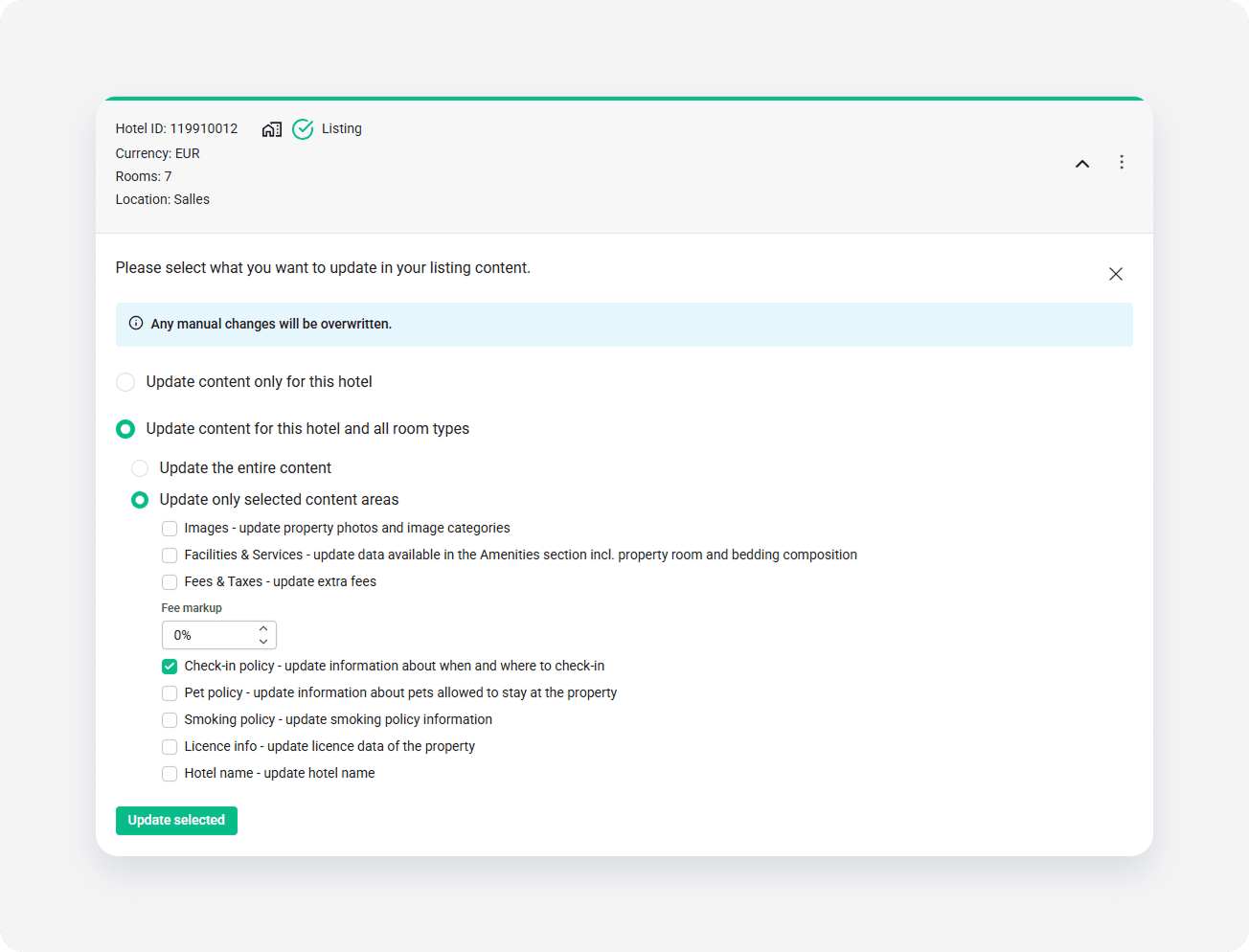
- Images: Photos, image captions and image categories
-
Facilities & Services:
- Amenities
- Total number of units
- Number of bedrooms
- Number of bathrooms
- PM code
-
Fees & Taxes:
- Mapped fees and taxes on the hotel level - see here
- Pricing model
- Security deposit
- Pricing model (per day, occupancy)
- Fee markup
-
Check-in policy:
- Check-in from time
- Check-in to time
- Check-out time
- Check-in place
- Time you should contact the host prior to advance (Step 6: Check-in and check-out)
- Pet policy: Pet amenities
- Smoking policy: Smoking policies
- License info: License number (only available to update when selecting the Hotel level and all rooms option
- Hotel name: Property name
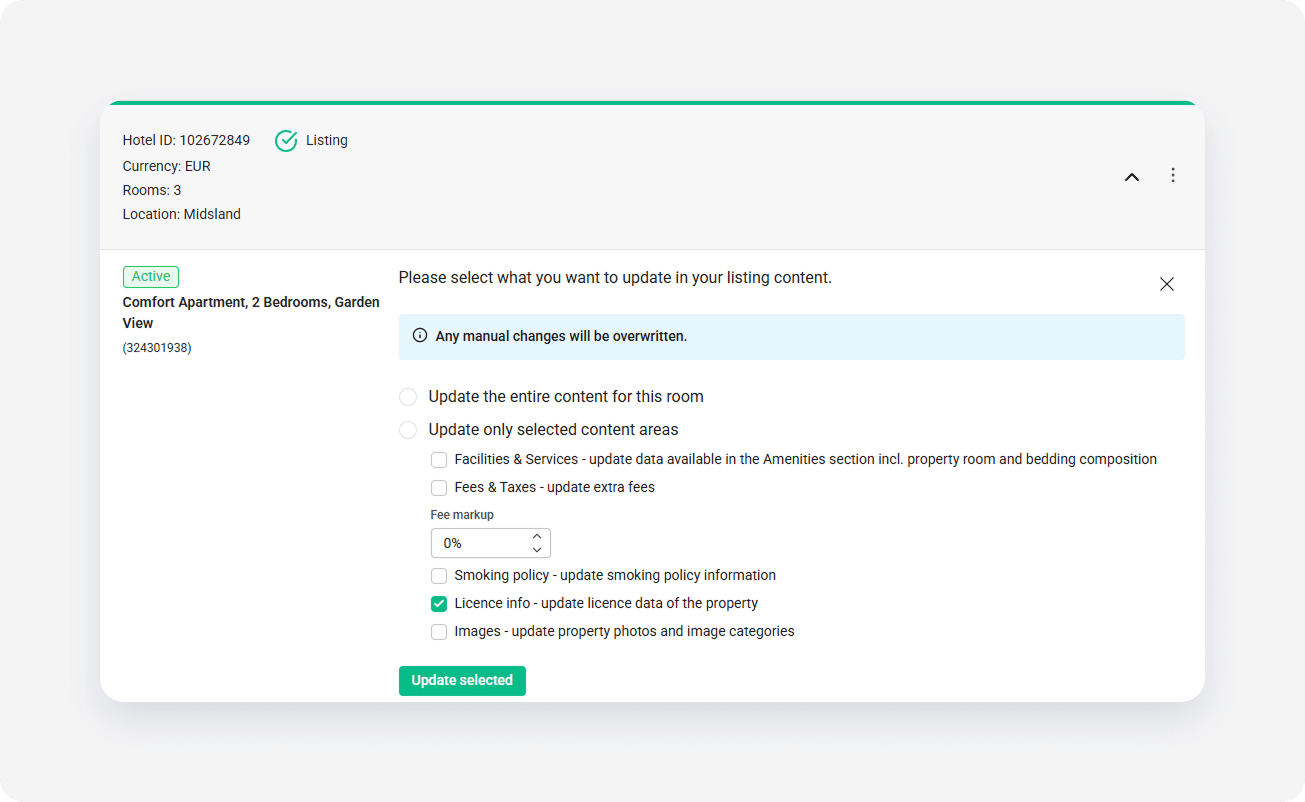
Room-level content update areas
-
Facilities & Services:
- Property type
- Bed types
- Amenities
- Room composition
-
Fees & Taxes: After repush, note that fees and taxes sync only in the main standard rate plan. Other rate plan must be updated manually.
- Mapped fees and taxes on the room level - see here.
- Standard number of guests
- Cancellation policy
- Pricing model (per day, occupancy)
- Fee markup
- Smoking policy: Smoking policies
- License info: License number
- Images: Photos, captions and image categories
x