Importing future bookings ensures your Rentals United account remains up to date, for example after you switch from another channel manager. While Rentals United automatically retrieves new bookings after you establish the connection, use the manual import tool to bring in existing future reservations.
Importing existing bookings
Manually import bookings that were made before connecting Expedia to Rentals United or any future bookings that don't yet appear in the integration page.
Step by step:
- In Rentals United account, open Property Settings for Expedia. Follow the steps here.
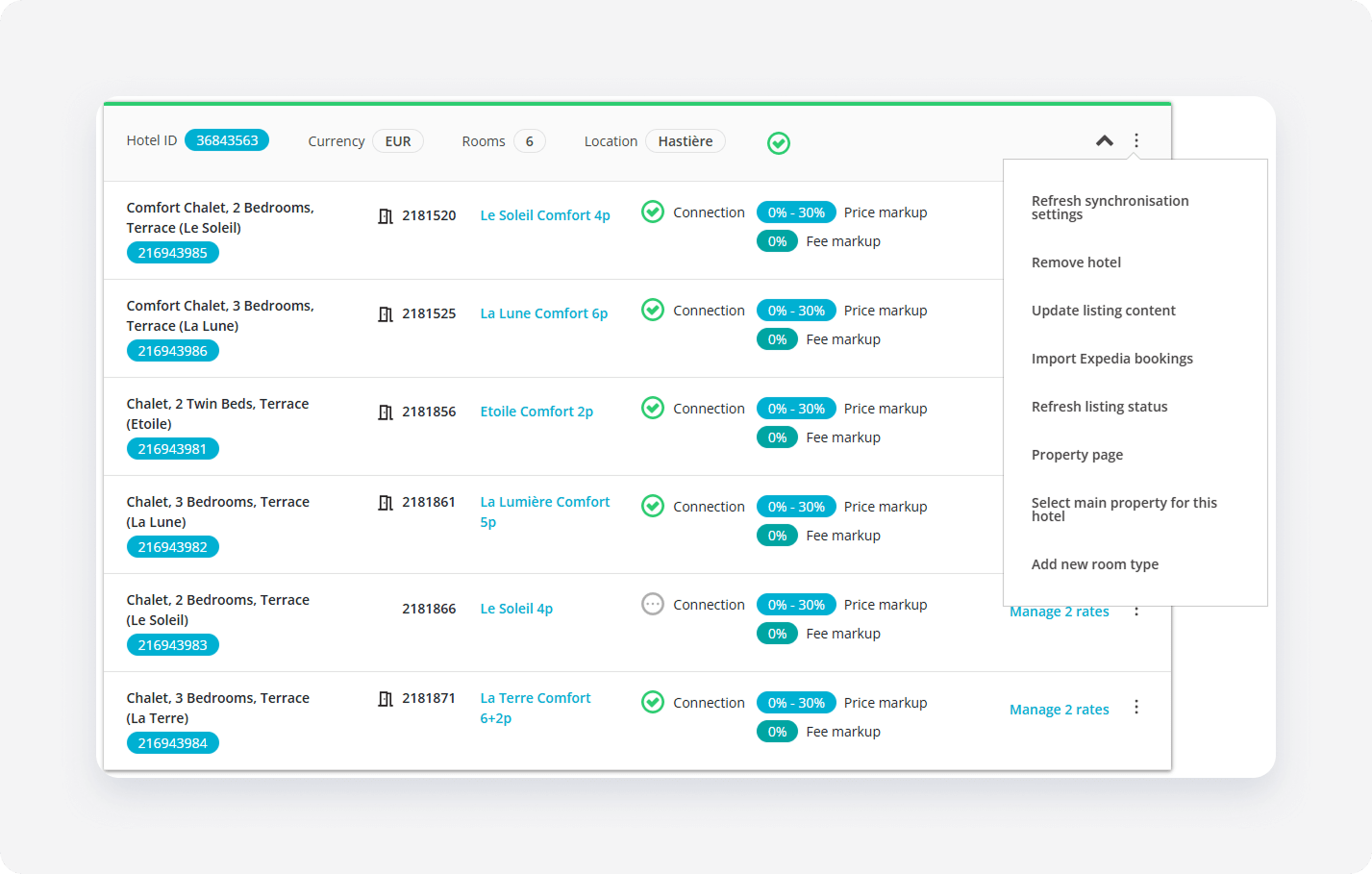
Locate the relevant hotel and click
 on the hotel level section.
 Select Import Expedia bookings from the dropdown menu.
In the pop-up, review the information and click Proceed & Import.
Verify that new bookings appear in Guest Planner.
Note: If you import bookings during periods blocked in your Rentals United account, the system places these reservations within those blocked dates. This may cause them to appear as overbookings. This is a visual discrepancy only.