Adding new listing to the channel allows you to manage availability, rates, and content from Rentals United.
Step by step:
- In Rentals United account, open Property Settings for Airbnb. Follow the steps here.
- Click the Add property button.
- When the question "Is your property already published in Airbnb?" appears, select No.
-
Choose the properties to add to this channel. Click Continue.
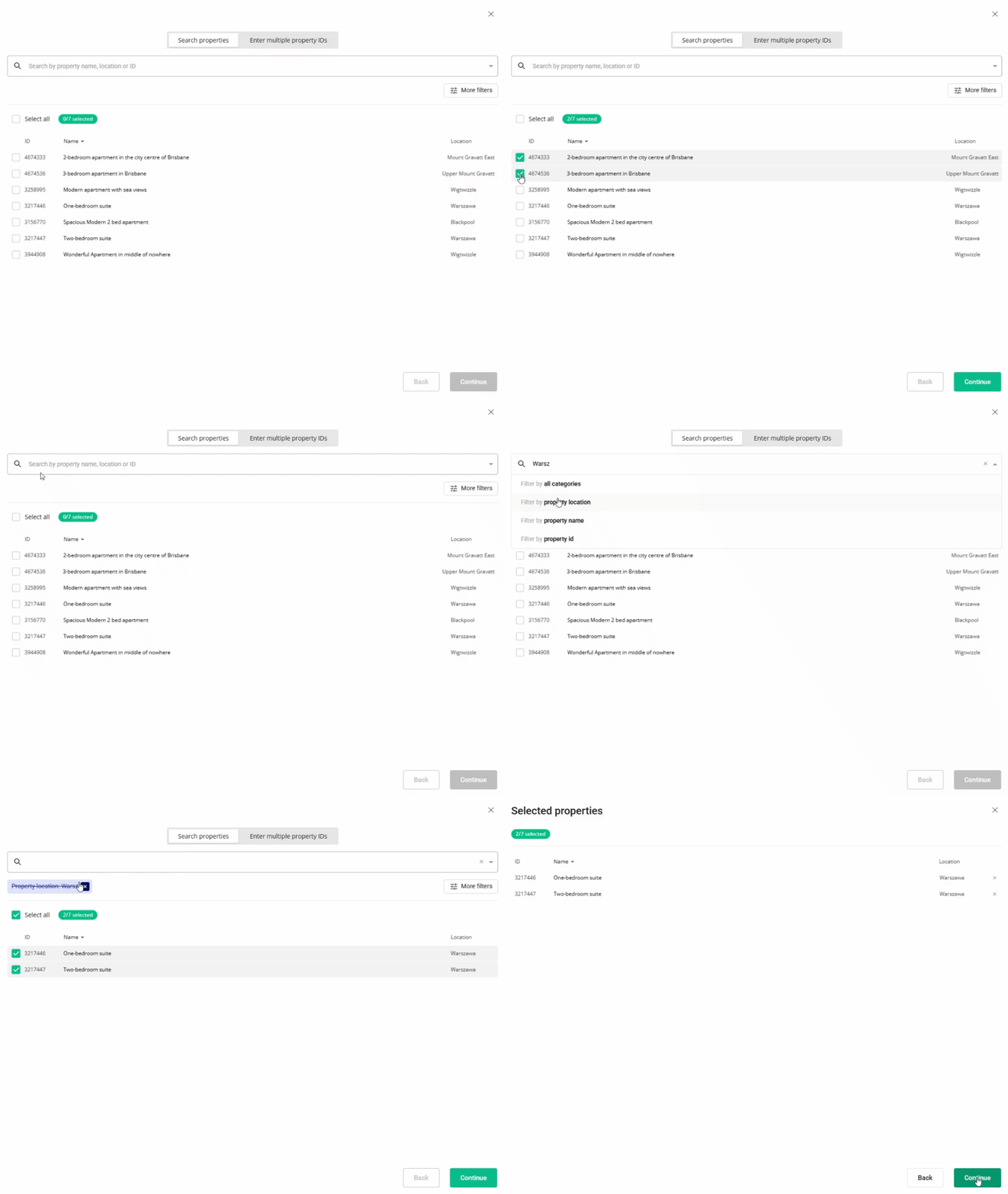
- Review the selected properties. Click Continue.
- We check the property against listing requirements and display the check summary for you. If some properties are not ready to publish, improve them.
- Adjust the price markup and fee markup settings.
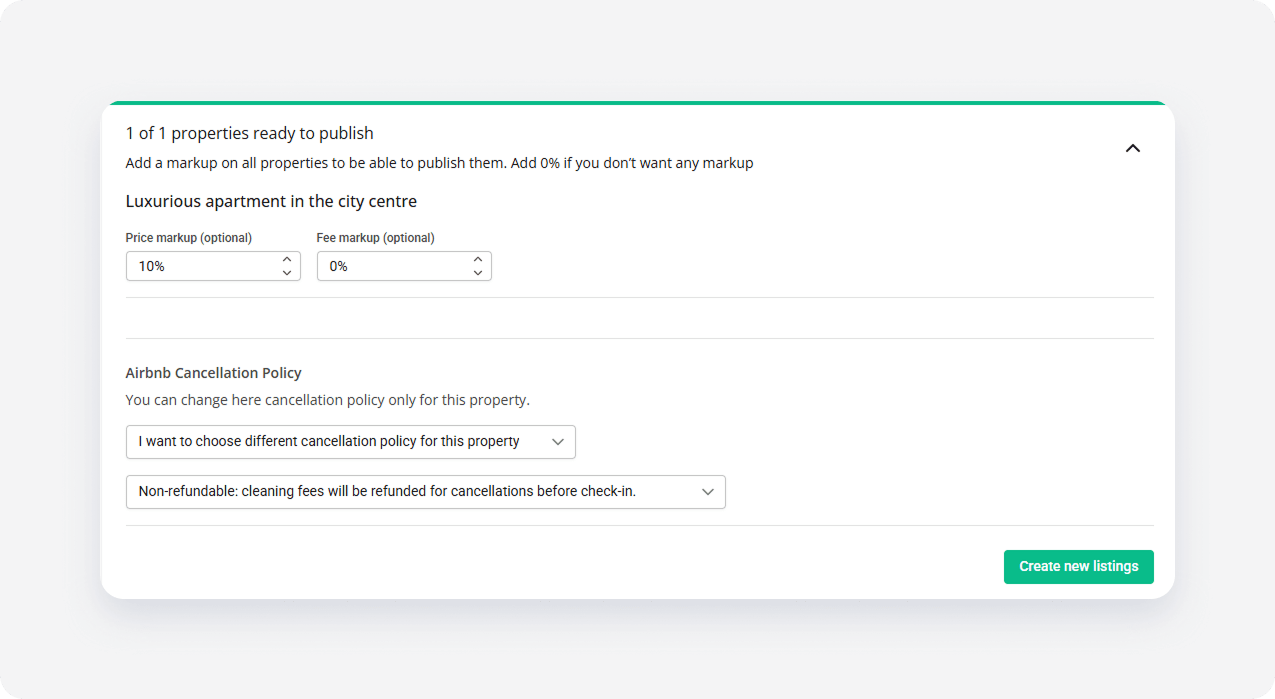
- Click the Create new listing button. The listings enter the
 Pending status.
 - Airbnb reviews the listings. This process is usually quick and the new listings appear on the Airbnb website in a few minutes. The listings status changes to
 Active.
x