Managing license registration numbers across a large portfolio is essential for maintaining compliance. To save time and ensure listings stay up to date, use the Bulk edit tool to add, update, or clear licensing information for multiple properties simultaneously.
Manage property licenses
Regulatory requirements often change, requiring quick updates to your property data. Instead of editing each listing individually, manage registration numbers efficiently to keep all properties compliant.
Choose your update method
When you start the bulk edit process for licensing, you have two options:
- Add new information: Adds the license details to the selected properties without removing existing data.
- Overwrite existing information: Replaces all current licensing data on the selected properties with the new information you provide.
Update licenses in bulk
Follow the steps below to update or clear regulatory license numbers for multiple properties.
Step by step:
- Sign in to your Rentals United account.
- In the main menu, click Properties.
- From the dropdown menu select All properties.
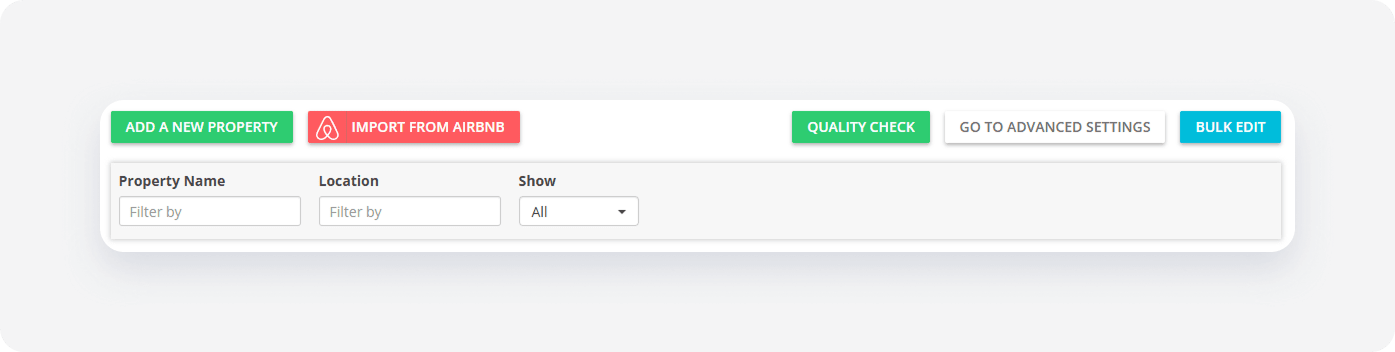
Click Bulk edit.
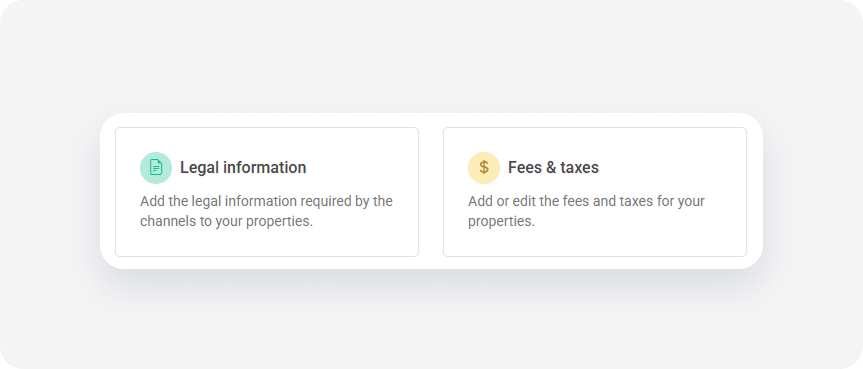
Select Legal information.
- Choose to add new information or overwrite existing data and click Next.
- Click + Add legal info.
Select the license items from the list and enter the required details in the form.
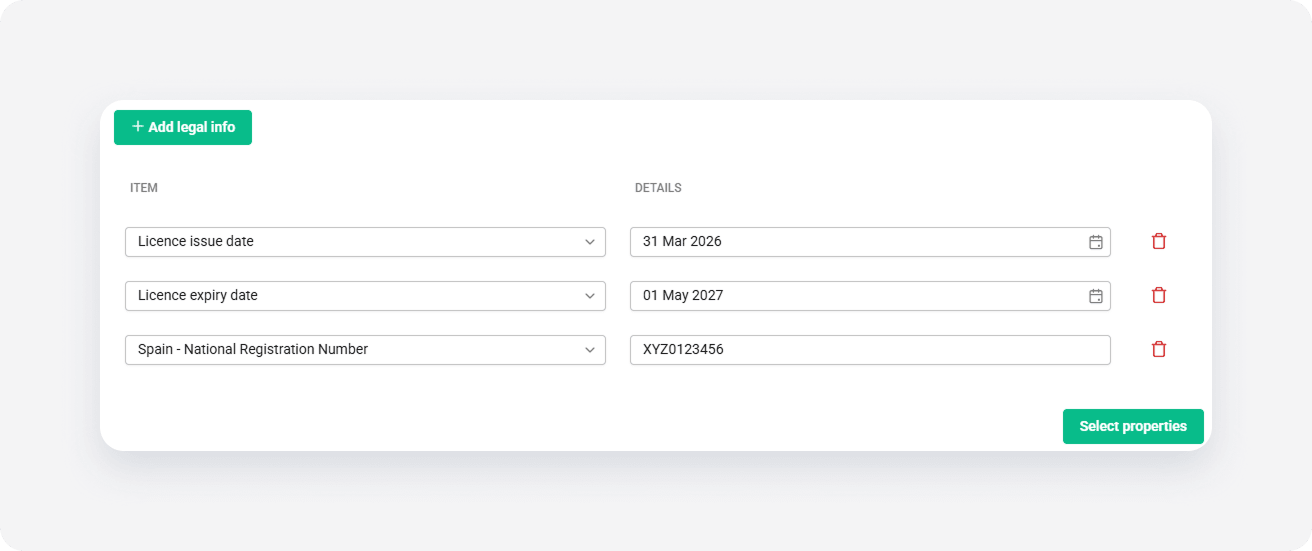
- Click Select properties.
From the list, select the properties you want to update. Click Continue.
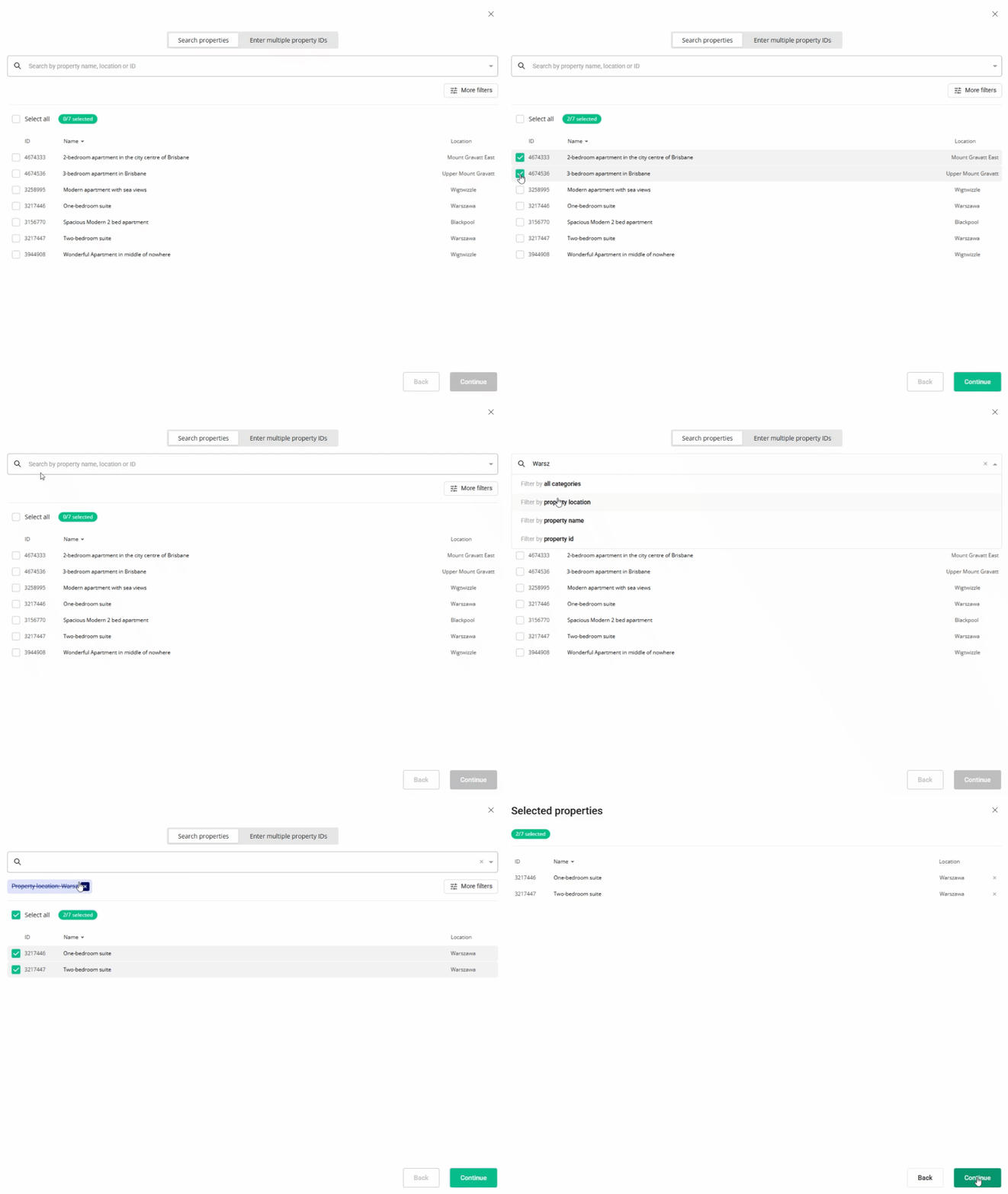
- Review the summary of selected properties and the licenses being added.
- Click Continue to start the process.
- Review the final summary once the process finishes. This screen displays:
- Success: Properties successfully updated.
Failed: Properties didn’t update. Click Retry next to a failed property to attempt the update again.
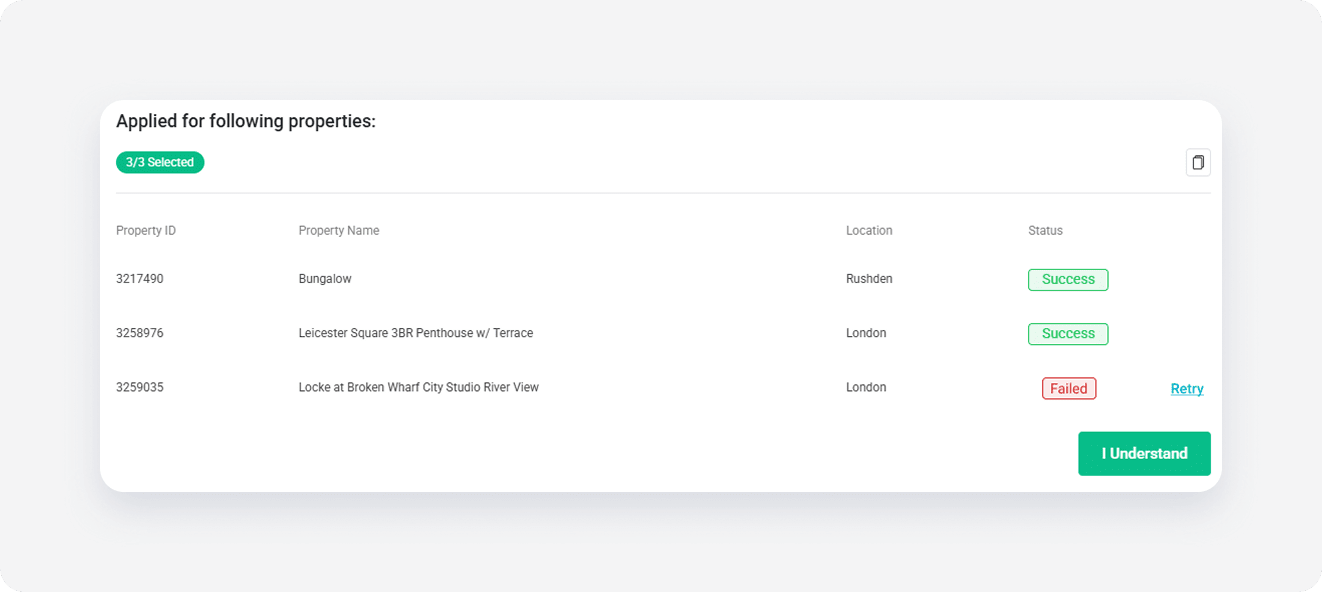
- Click I understand to complete the process and return to the Properties page.
FAQs
What happens if a license update fails? If a property fails to update, it will appear with a "Failed" status in the final summary. You can click Retry directly on that screen to attempt the update again without restarting the entire process.
Can I clear license numbers with bulk edits? Yes. By choosing the Overwrite existing information option and leaving the license fields blank, you can clear existing license data from the selected properties.