This bulk action allows you to quickly update your inventory in Rentals United with the last changes you made in the channel's extranet. Have you added or edited rate plans, room types or changed the pricing model? Fetch data from the channel and sync your inventory in Rentals United to the state from the channel. Save time on making the same changes twice (in the extranet and Rentals United) and avoid synchronization errors.
Use this bulk action in the following cases:
- You noticed discrepancies between Rentals United and the sales channel
- You want to ensure that your configuration in sales channel is reflected in Rentals United
- You made updates directly in the sales channel and you want to bring them to Rentals United
- You receive an error when performing an update from Rentals United to the sales channel
Step by step
In Rentals United platform, go to Property Settings.
- In the top-right corner of the page, click Bulk actions.
-
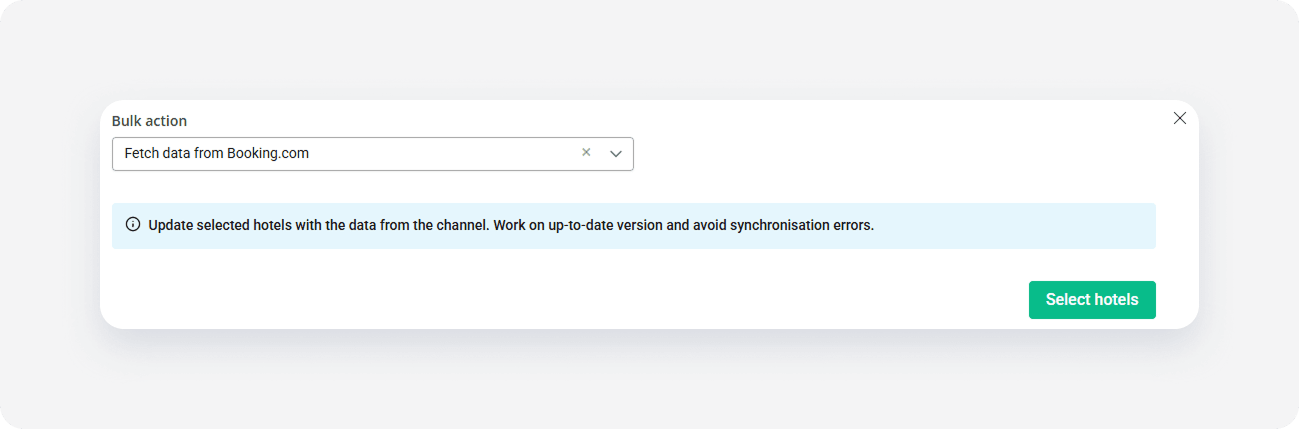
Select Fetch the data from channel from the dropdown. Click Select hotels.
-
Choose the hotels and click Continue
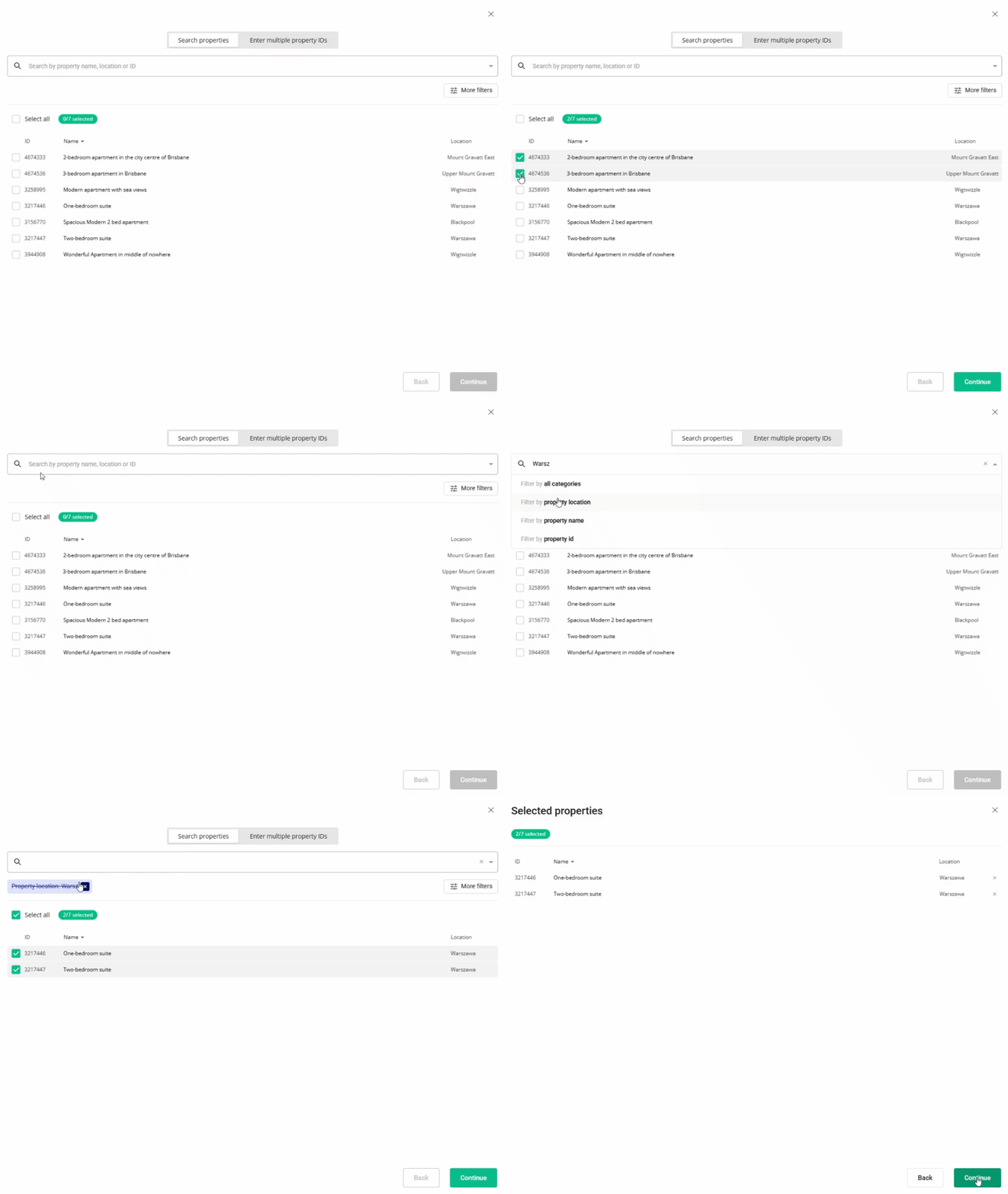
- Review the summary of all selected properties and click Fetch.
- Once the process is complete, you see the summary of actions. Click I understand to complete.
Fetch data summary
If there were any changes fetched from the sales channel, you will see a detailed description in the summary of actions
- If no changes were detected between the hotel's status in the sales channel and in Rentals United, you will see 'Nothing to display'.
- If an error occurred during the process, you will see a detailed description of the error message.