Save time and maintain consistency across your portfolio by updating property content for multiple hotels simultaneously. Use the bulk action tool to push your latest property details, room information, and descriptions to your connected channels in one go.
Before you start
- This action is available for channels that support content update (e.g. Booking.com, Expedia, Airbnb).
Update content in bulk
Step by step:
Follow the steps below to update content for multiple hotels in Booking.com.
In Rentals United platform, go to Property Settings.
- In the top-right corner of the page, click Bulk actions.
-
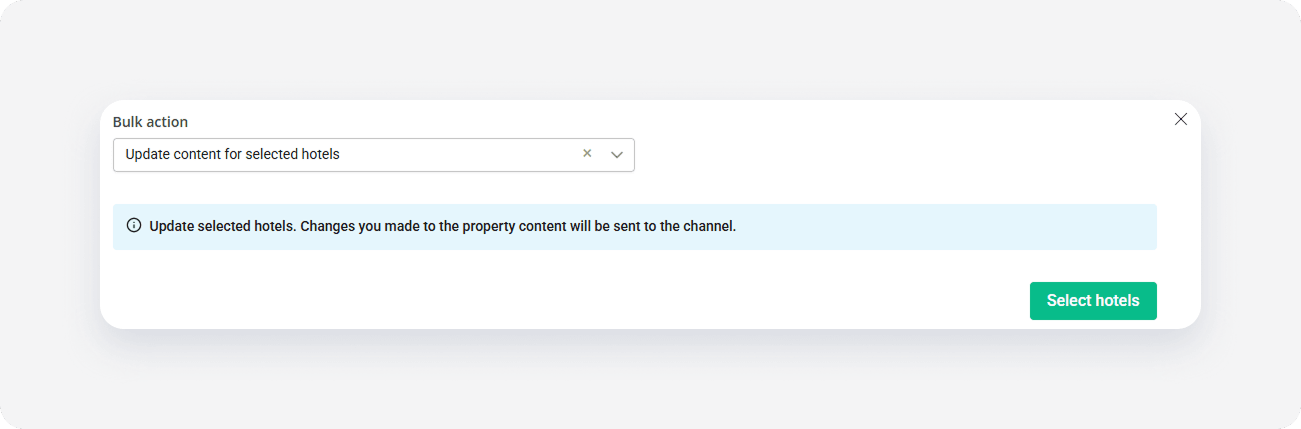
Select Update content for selected hotels from the dropdown. Click Select hotels.
-
Choose the hotels that you want to update and click Continue.
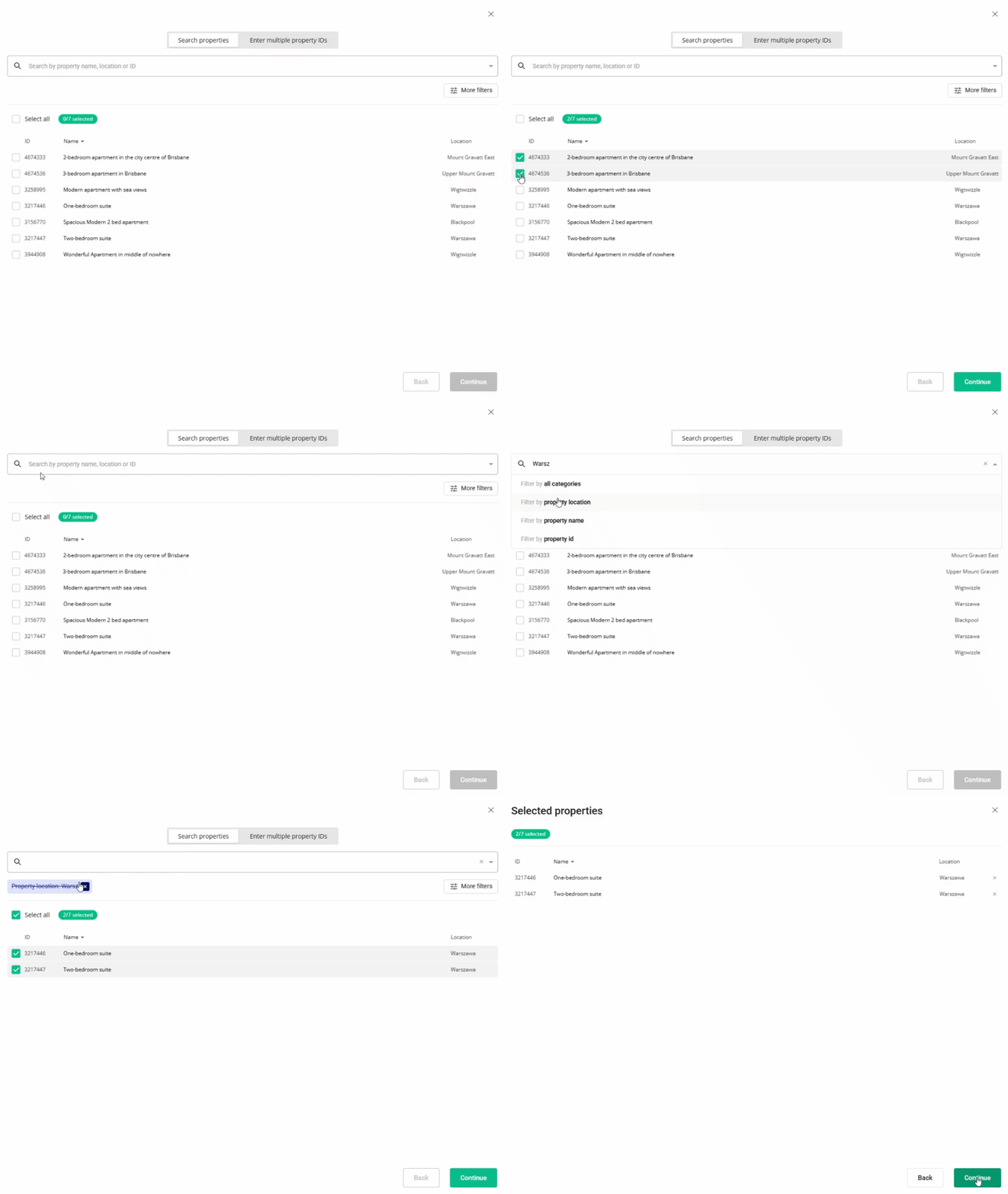
- Review the list of selected hotels. Click Continue.
- Optionally, if the channel supports partial updates, choose the content parts you want to sync. You can look up what's being updated in each option here. If not, the system will run a full content update. Click Update selected.
- Monitor the progress bar as the content is sent to the channel.
Once finished, the content is updated in the channel. Review the summary page to see the success or failure details for each hotel. Click Copy details  if you need to save the summary for your records.
x