To list properties on certain channels, you must provide valid legal and regulatory information. If this information is missing or formatted incorrectly, the channel will display an error and block the connection.
You can resolve these license errors directly in Property Settings without navigating away from your workflow. This feature allows you to input the required data in a dedicated modal and automatically triggers a sync to update the data in the channel.
Fix license errors
Rentals United dynamically pulls the license requirements from the channel and automatically fills them with the data available in our system.
When a listing publishing fails due to missing regulatory data, you need to fill only the outstanding details. A Fix now button appears next to the error message and the system guides you directly to the specific fields that needs attention.
Step by step:
- Sign in to your Rentals United account.
- In Rentals United account, open Property Settings for Booking.com. Follow the steps here.
-
Locate the listing with the license error.
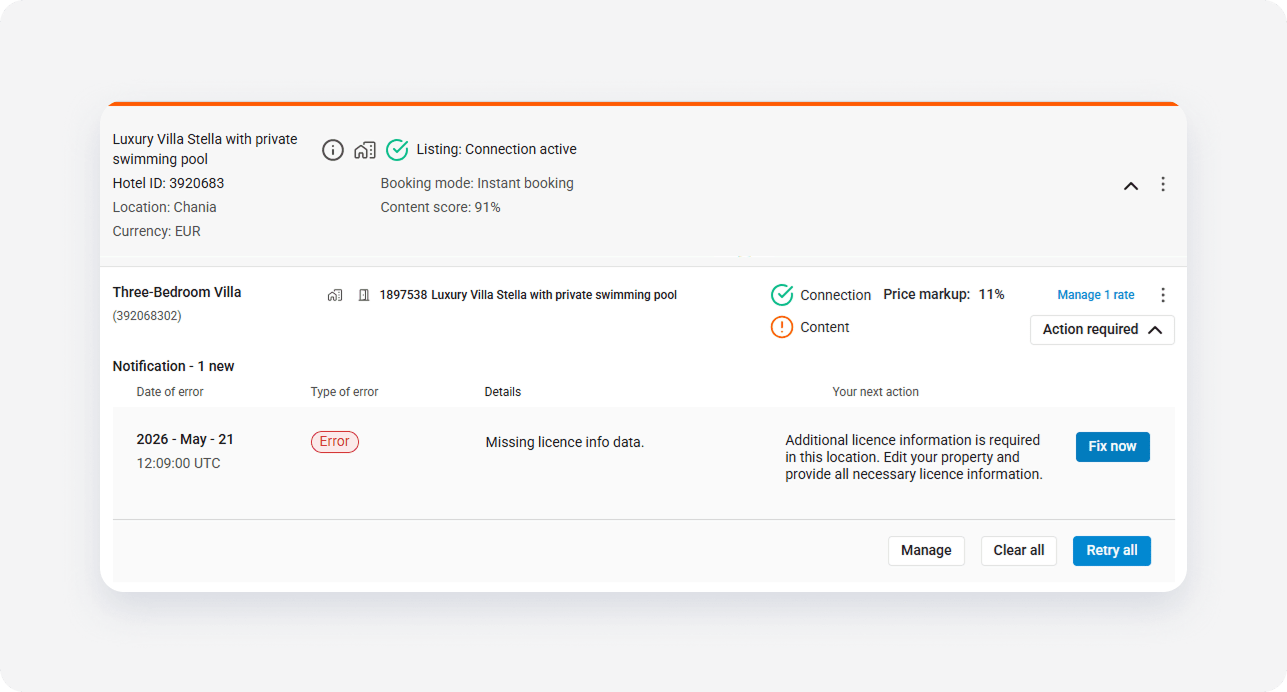
- Click Fix now next to the error message.
-
In the "Legal information for property" pop-up, fill in the missing license details.
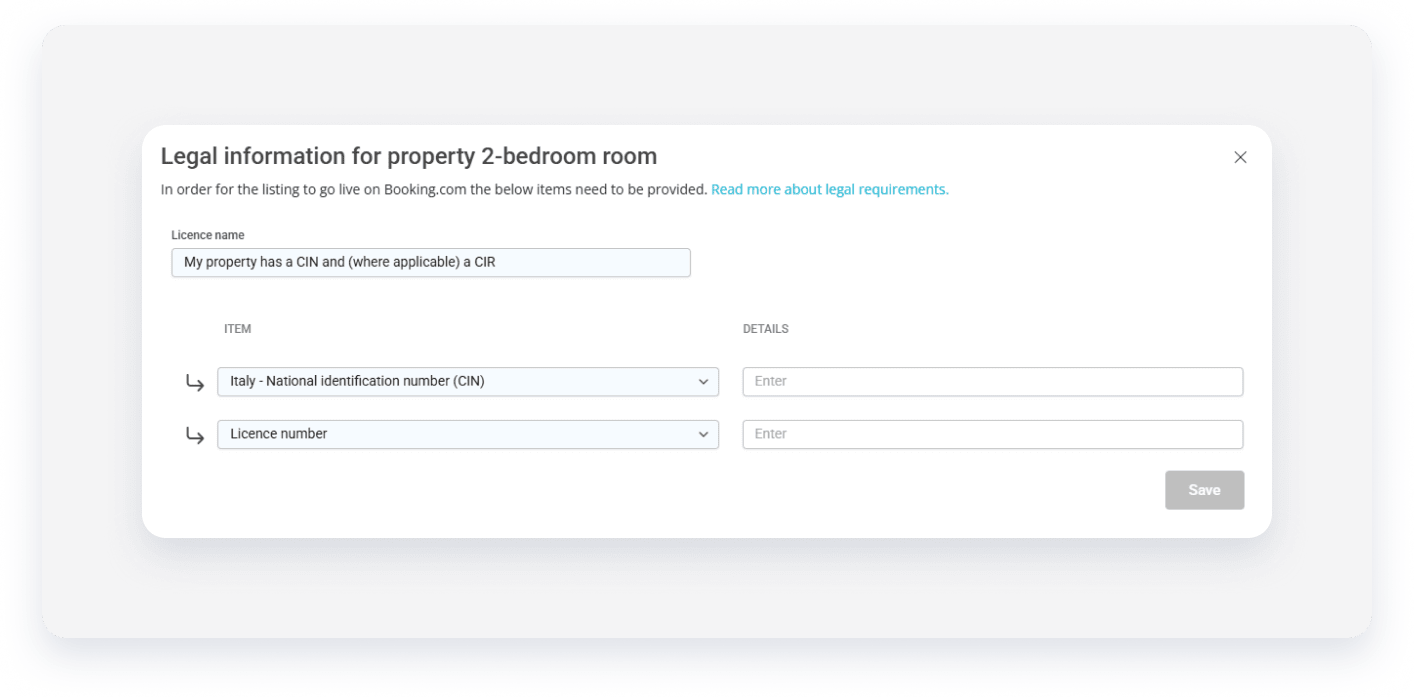
- Click Save.
Monitor the update
Rentals United saves the provided details for this property in "Edit property" page and automatically pushes the new information to the given channel. The listing enters the Pending status while the channel processes the update. The error message disappears once the sync is successful.
License variants
Depending on the listing's location, you may see multiple license lists separated by "OR" or "AND". Each requires a different action to correctly sync your data with the channel.
Choose applicable requirements
If the license lists are separated by "OR", it means only one of the options is mandatory for your specific business case. For example, in France, Booking.com might show one list for a required license number and another for a license exemption.
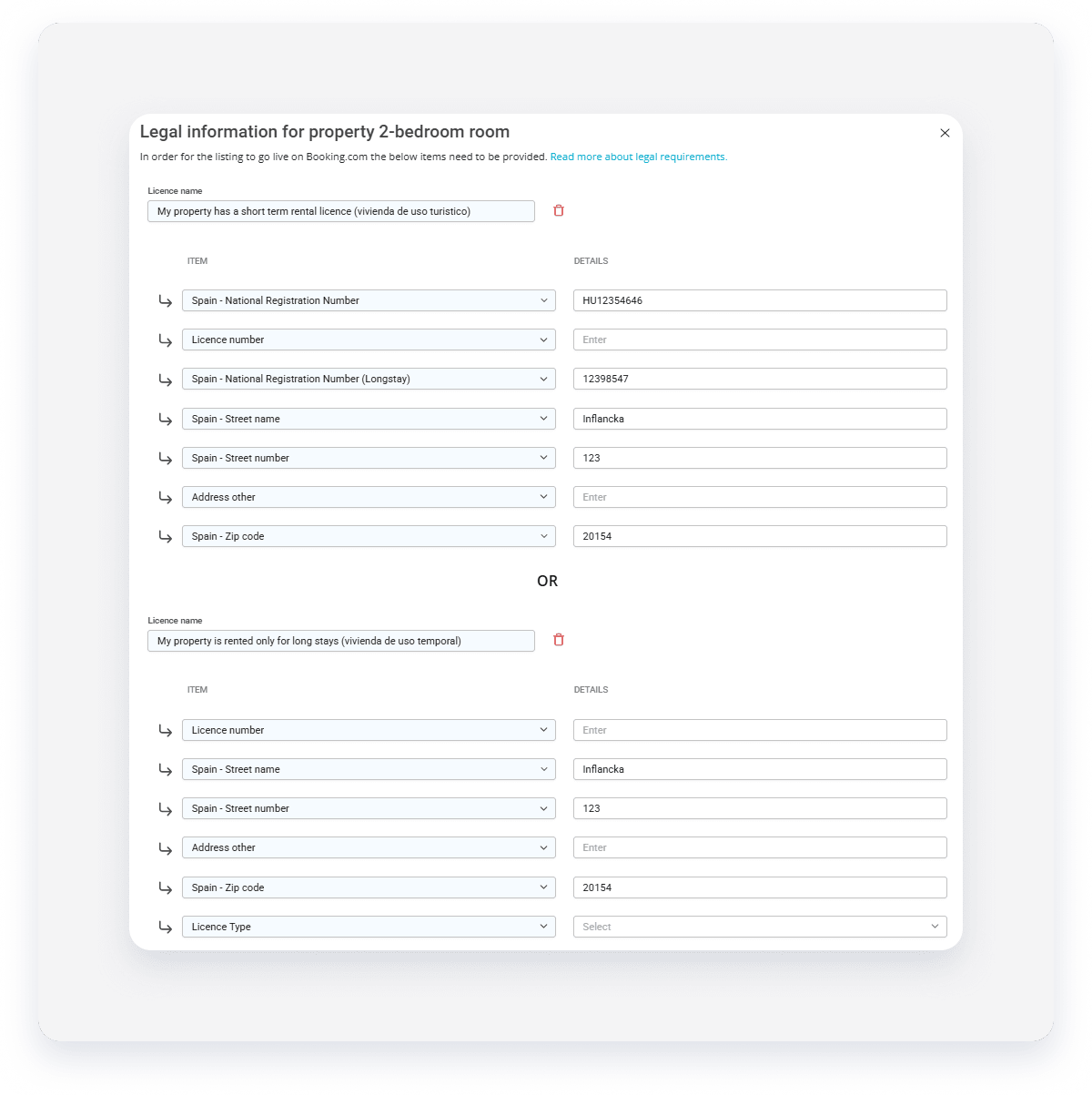
Multiple requirements
If the license lists are separated by "AND", it means both sets of information are required. In this scenario, you must provide valid details for both sections to meet the connectivity requirements.
Important notes
Missing "Fix now" button
If you can’t see the Fix now button, we may have not recognized the license requirements in this region.
- Consult our documentation here
- Check license requirements in your region, such as government websites
- Contact the sales channel about the requirements
- If none of the above helps, contact the Support Team
Validation errors during save
If you save changes and see an inline message stating "This field is required" or "The value entered is not a valid license format," double-check the character count and format requirements for that specific region. The data won't save until the format is corrected.
General legal errors
Sometimes a channel sends a general error without specifying which field is wrong. In this case, the modal highlights the + Add legal info button. Use this to add a new entry with the correct regulatory details for that listing.