Down payment (sometimes called prepayment) is a charge the guest needs to pay to confirm the reservation at this property. The outstanding balance will be charged upon the guest’s arrival or according to the property manager's payment schedule.
- API endpoint: Pull_ListSpecProp_RS/Property/Deposit
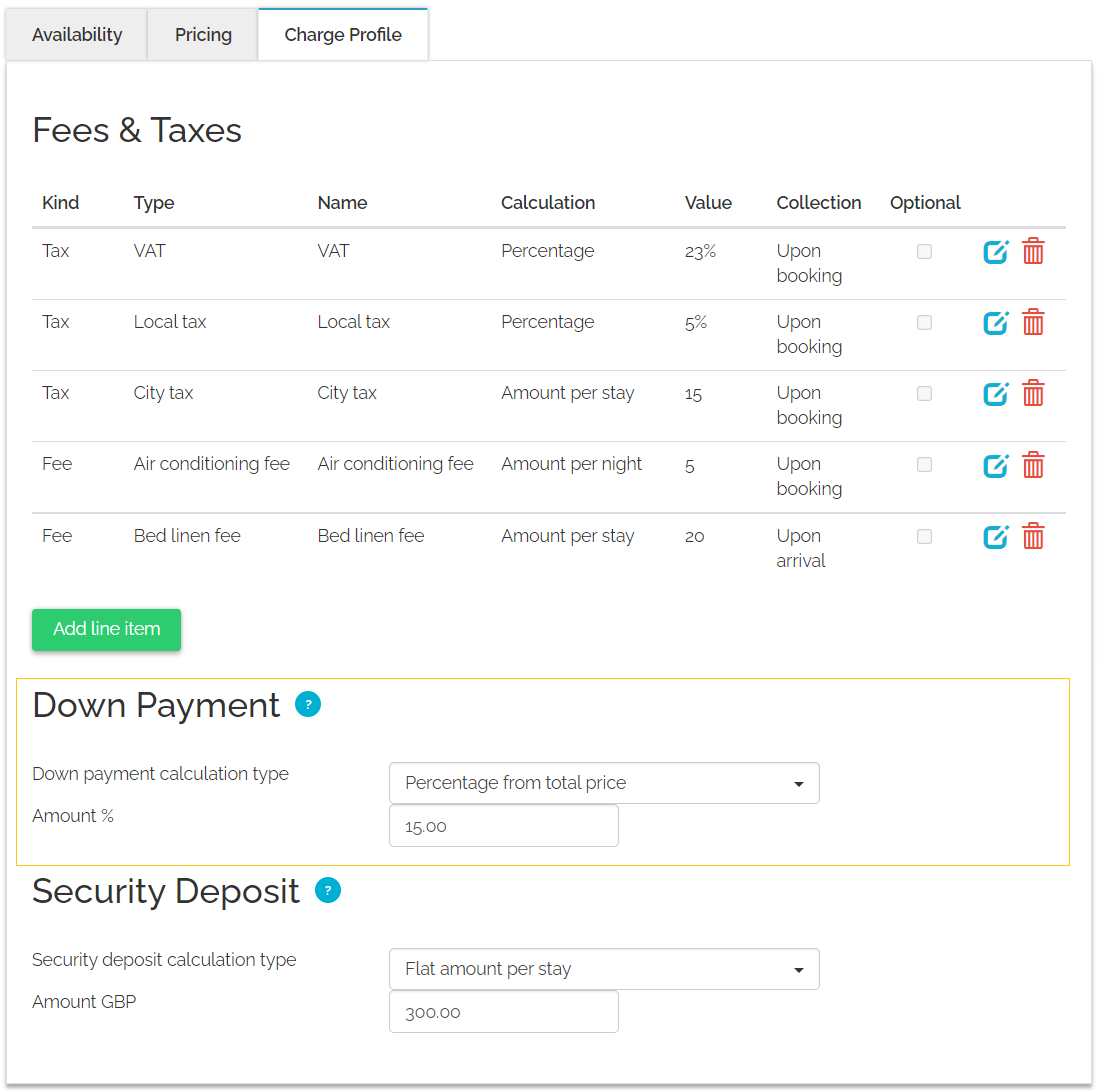
Configure down payment
Follow the steps below to set up down payment for a property.
Step by step:
- Access Charge Profile according to the steps here.
- From the Calculation type dropdown list, choose how the system calculates the down payment.
-
Specify the Amount in accordance with the selected calculation type.
 Tip: We recommend a down payment of 100% since not all channels can work on customized down payment.
 - Click the Save & Next button.
x