Access through Property Settings
You can download the quality report for specific channel using the new Property Settings. This method can be shared with the clients.
Ste by step:
- In Rentals United account, open Property Settings. Follow the steps here.
- Start adding a new listing.
- Select all properties that are not yet connected.
- The quality report runs checking selected properties against the channel's requirements. If some properties don't meet the requirements, you'll see the following information:
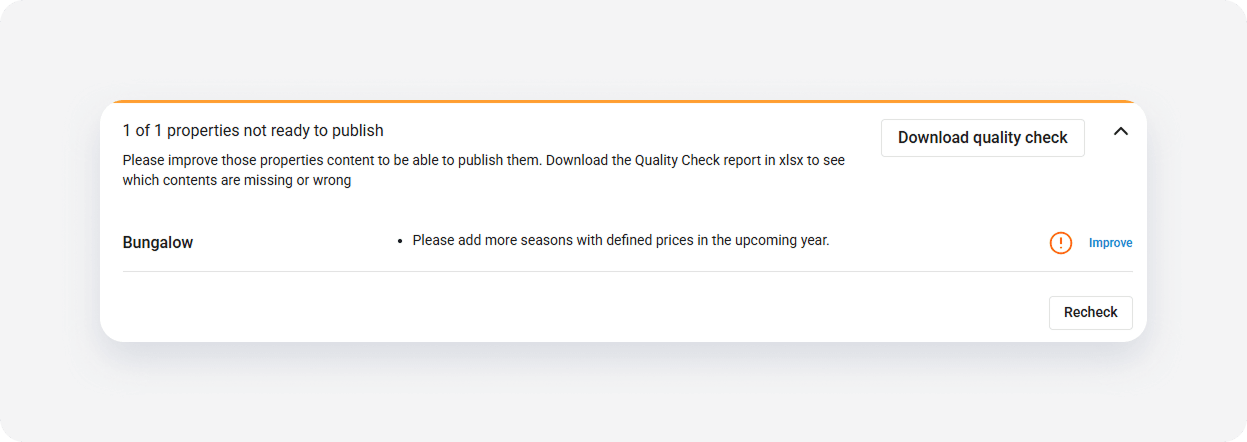
- Click Download Quality Check button.
Quick method
You can use the following method to download the quality report.
Ste by step:
- In Rentals United account, open Property Settings. Follow the steps here.
- Copy the channel ID number from the URL. For example, Airbnb ID is 426592.
- Go to All properties and add ?sc=[channel ID] to the URL. For example, https://new.rentalsunited.com/MyProperties?sc=426592.
- Hit Enter.
You can see now how the properties' statuses changed. This is because you're viewing the properties through the Airbnb minimum requirements to connect. You can download the quality report as described here. Note that it works for any channel.