You guests may need to confirm some of your payments. This is a security procedure sometimes required by the banking systems. If a payment is challenged by SCA, you'll see a "Show SCA URL" button in the payment history and receive an email notification to your email address.
Step by step:
Sign in to your Rentals United account.
From the main menu, go to Guest Planner.
Find the reservation to charge and open it.
- Scroll down and switch to the Payments tab.
-
Click Show SCA URL and copy the URL (it may be long).
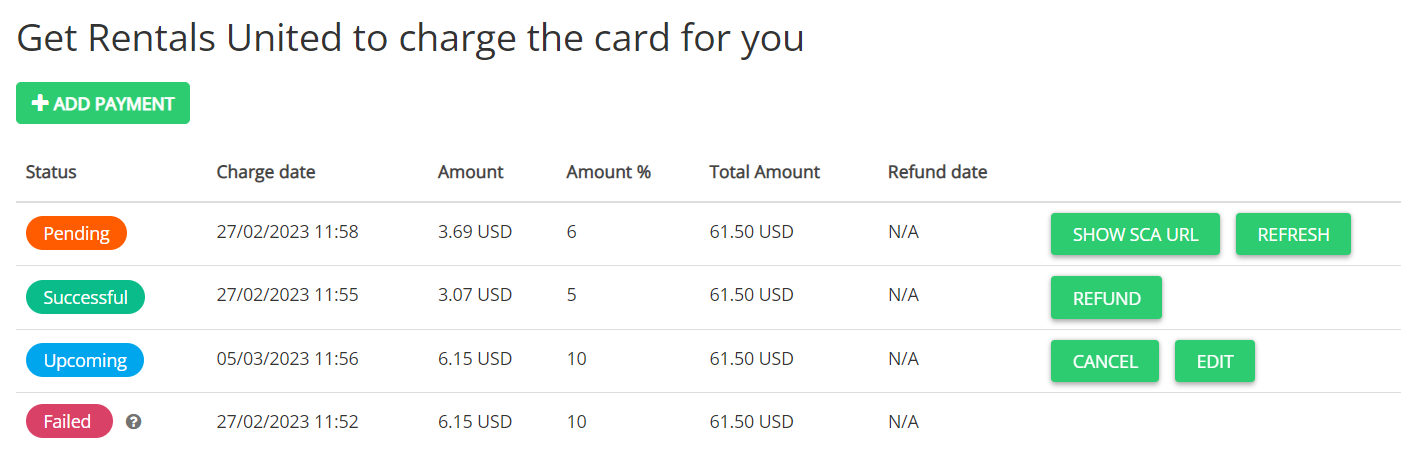
- Pass the URL to your guest with the instructions to confirm the payment.
Confirm the payment
Share the following steps with your guests and ask them to confirm the payment.
Step by step (for guest):
- Click the identity verification link.
- Verify the booking, payment and guest details.
-
Check the authorization box and click Complete payment.
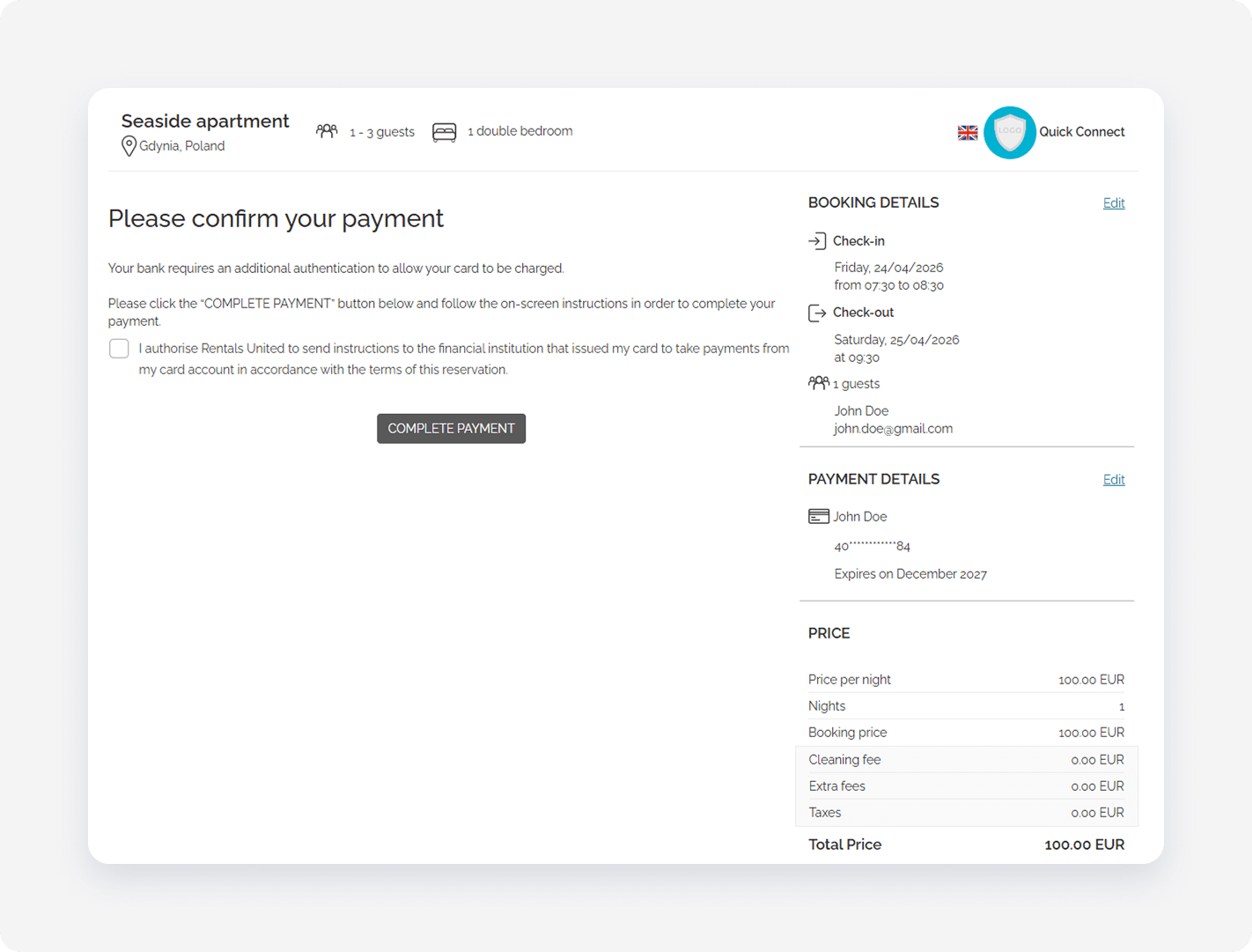
- After the guest the payment is confirmed, the credit card gets charged.
Failed payment
If the verification fails, the guest needs to provide a different credit card and confirm the booking details. New credit card details will be available in the reservation and in the scheduled payments. You won't be able to reveal this new card's details.