Processing a refund to a guest's credit card is a manual process that you can complete directly within your reservation details. Stripe manages the transaction and returns the funds to the guest's credit card used for the initial charge.
Refund a payment
Follow the steps below to issue a refund to a guest.
Step by step:
Sign in to your Rentals United account.
From the left-side menu, select Guest Planner and click the relevant reservation.
Scroll down and open the Payments tab.
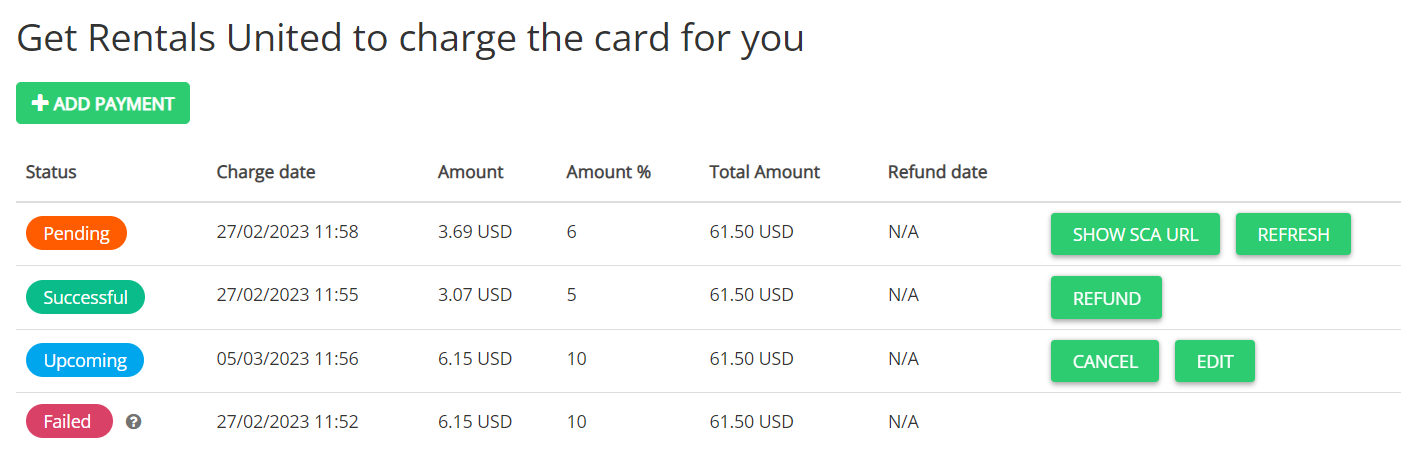
Locate the successful transaction in the charging history section.
Click Refund.
Note:
You can't enter a custom refund amount. The system automatically refunds the exact amount of the original charge to the guest's card.