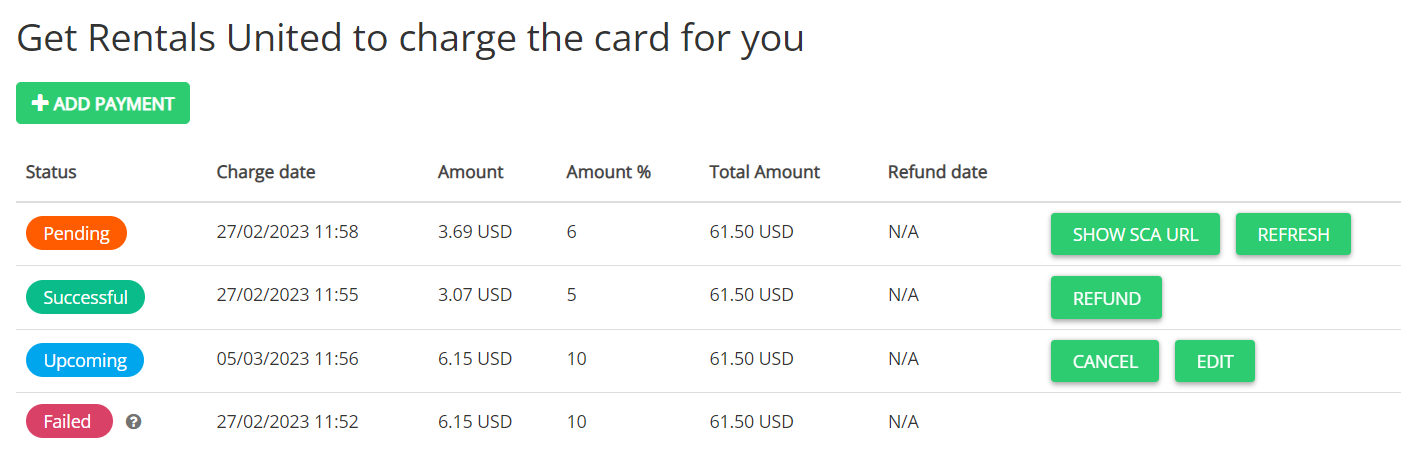
Rentals United doesn't validate booking statuses or cancellation policies automatically. This means the system executes scheduled installment payments for canceled reservations unless you manually remove them.
When a guest cancels a reservation, Rentals United sends you an email notification so you can cancel the upcoming automated charges.
Cancel an upcoming payment
Follow the steps below to remove a scheduled charge from a canceled reservation.
Step by step:
Sign in to your Rentals United account.
From the left-side menu, select Guest Planner and click the canceled reservation.
Scroll down and open the Payments tab.
Locate the upcoming scheduled charge and click Cancel.