Learn how to deactivate property rates in Rentals United to manage availability and pricing updates for sales channels. Deactivating rates helps prevent unwanted reservations.
Follow the steps below to deactivate rates in the hotel distribution channels, such as Agoda, Despegar, Emerging Travel Group, which don't work on advanced rate plans, such as Booking.com and Expedia.
Step by step:
In Rentals United platform, open Property Settings. Follow the steps here.
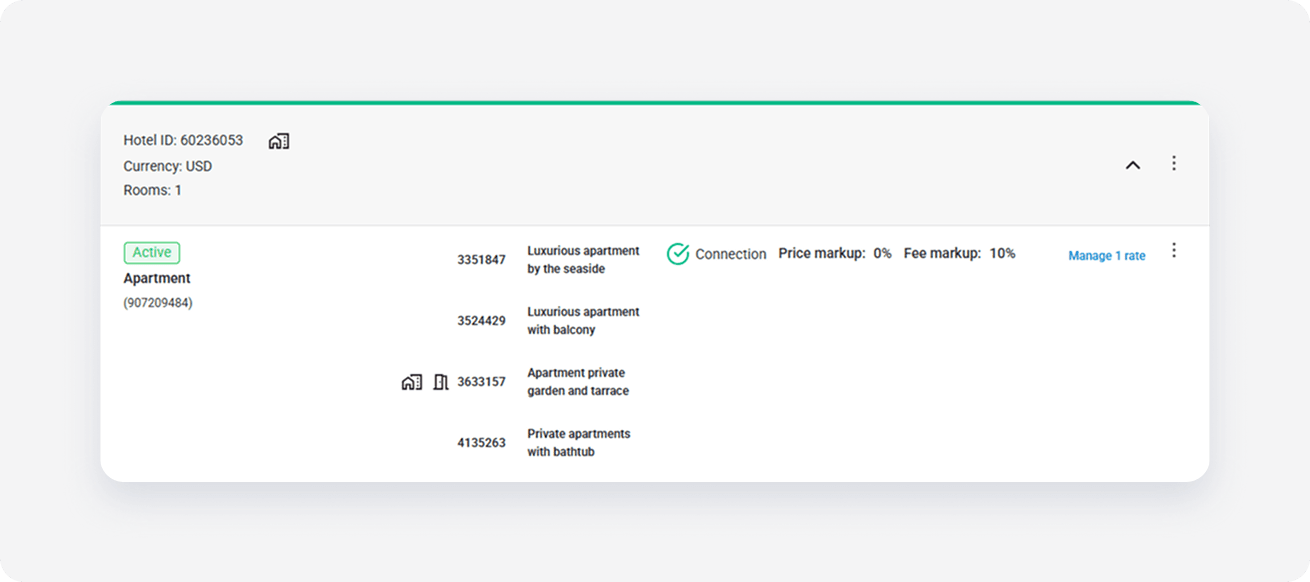
- Navigate to the room type that you want to deactivate rate plans.
-
Click Manage rates.
-
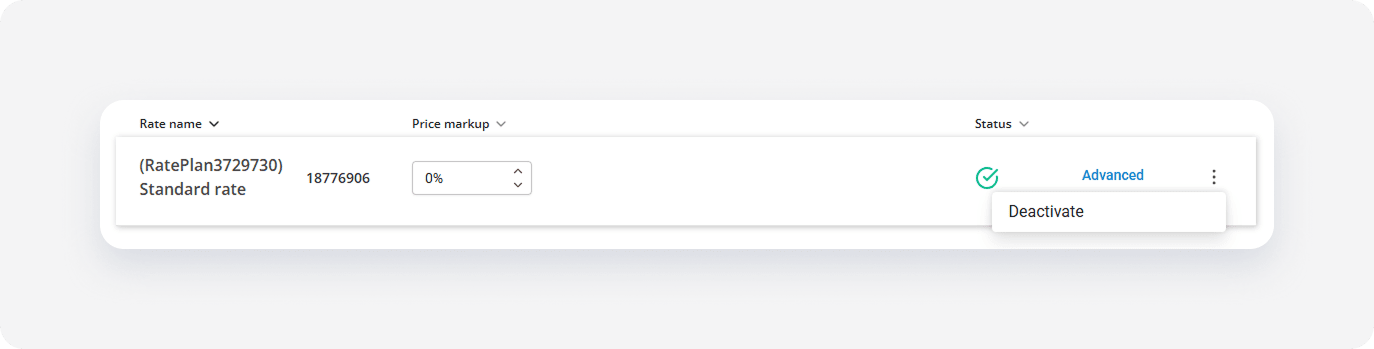
Click the three-dot menu and select Deactivate.
Note:
- If there are multiple rates in a group and you deactivate one - you stop sending availability and prices to the channel, leaving the property open to new reservations on the channel. This means that new reservations can be made through the channel, but the channel will not receive the updates in availability and pricing from Rentals United.
- If there is only one rate in the group or you deactivate the last rate, you need to choose if you want to either stop sending availability and prices to the channel, leaving the property open to new reservations on the channel, or to close the availability. If you close the availability, it means you will not receive reservations from the channel any more.
To open the availability again, click the Activate button next to the rate.
To entirely remove the rate plan from property settings, select the Confirm removal option from the three-dot menu. Make sure that the rate has been deactivated also in the channel dashboard.