Remove hotels and room types that are no longer being listed on a sales channel from your Property Settings view. Removing hotels and room types is possible for hotel distribution channels, such as Booking.com, Expedia or Agoda.
There are two options available now:
- Remove the whole hotel
- Remove room type
Note that removing hotels or room types from Property Settings doesn't stop your listings from being rented on the channel websites.
Before you start
Make sure to deactivate the the hotel or room type in the channel dashboard.
Remove hotel
Follow the steps below to remove an entire hotel together with its room types from Property Settings.
Step by step:
In your Rentals United account, open Property Settings. Follow the steps here.
- Navigate to the hotel you want to remove.
-
Click the three-dot menu on the hotel level and select Remove hotel.
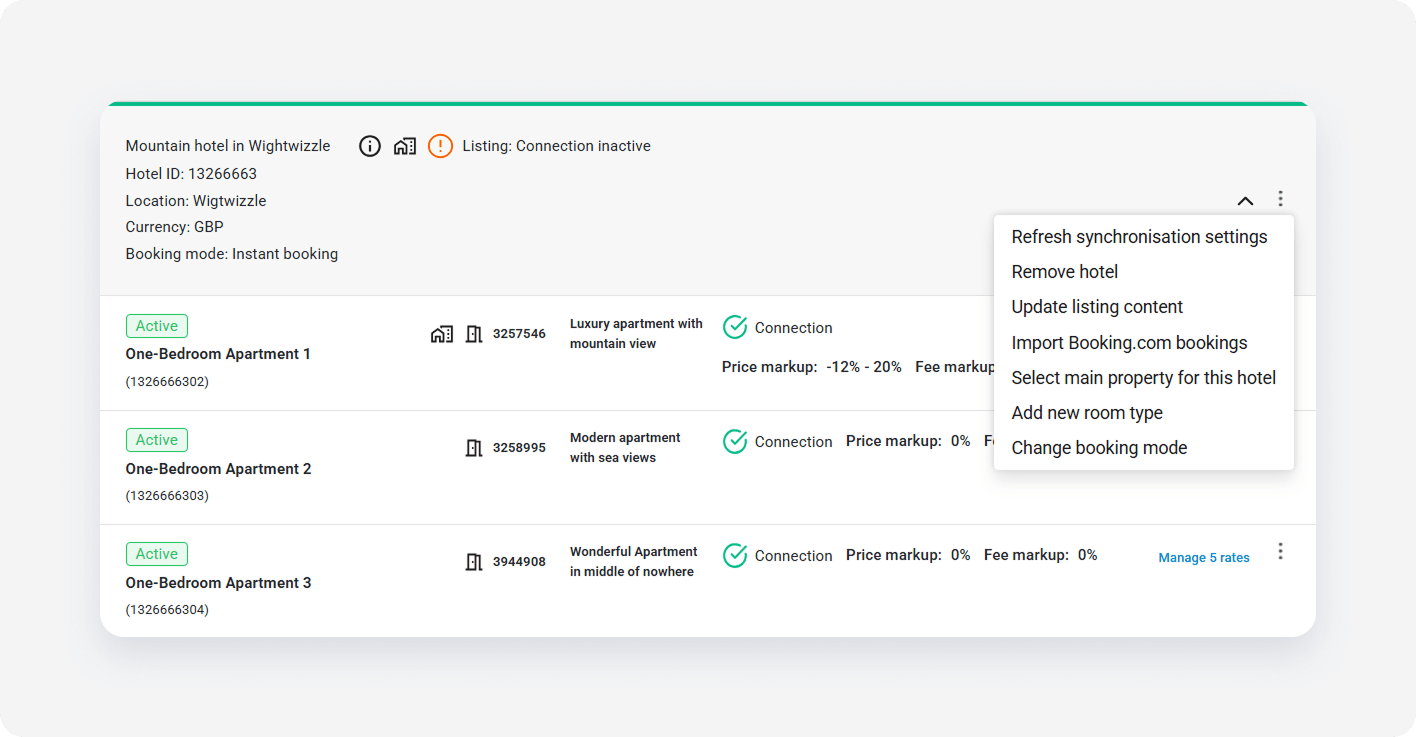
- Click the Refresh synchronization settings button to confirm.
- Click Confirm.
- Review the removed hotels in the notification.
Remove room type
Follow the steps below to remove an individual room type from Property Settings.
Step by step:
In your Rentals United account, open Property Settings. Follow the steps here.
- Navigate to the hotel you want to remove.
-
Click the three-dot menu on the room type level and select Remove room type.
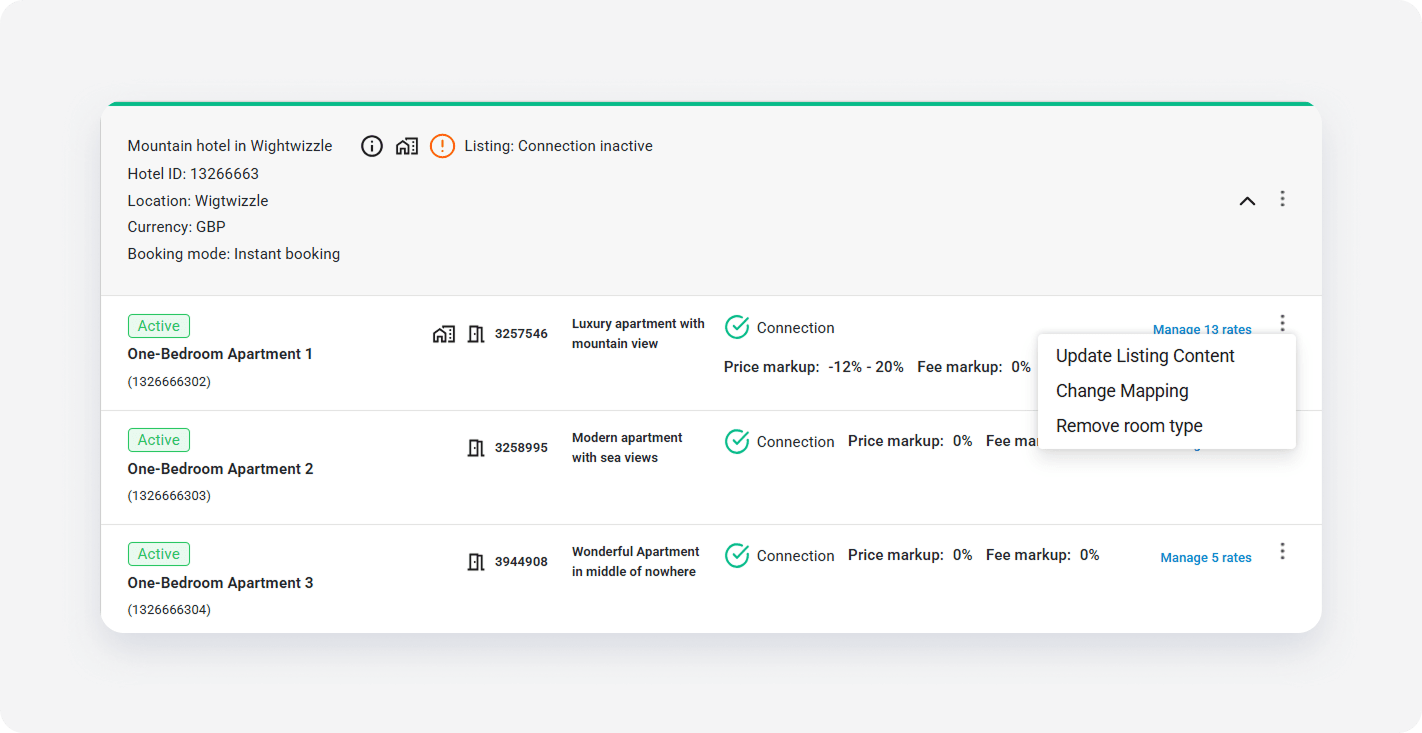
- Click the Refresh synchronization settings button to confirm.
- Click Confirm.
- Review the removed room types in the notification.