Disconnect listings from channels to stop renting your properties on Google Travel.
Step by step:
In Rentals United platform, open Property Settings. Follow the steps here.
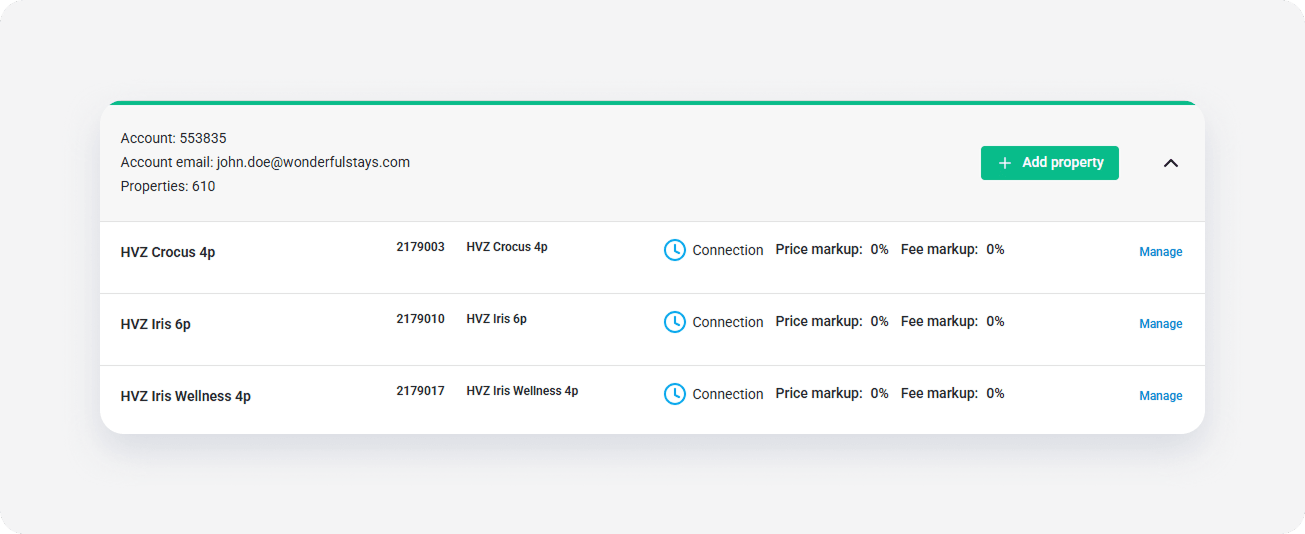
- Search for the property you want to deactivate by scrolling down or filtering the property out.
-
Click the Manage button.
-
A property management page is opened.
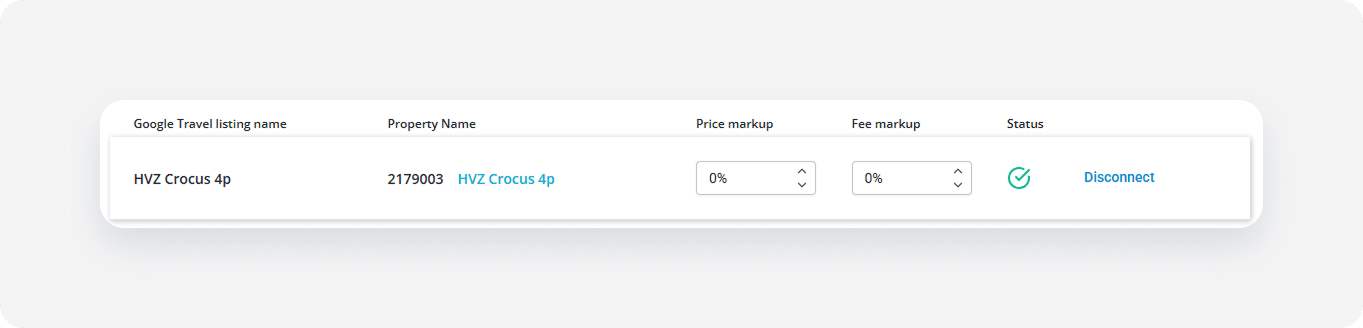
- Click the Disconnect button.
- Confirm the action by clicking Yes, disconnect.
Google Travel removes the listing from their website.
Important note
Disconnecting a listing doesn't remove it from booking services, such as Book Direct or My Website. A satisfied guest may save the link and use it again to book the same property even after it was removed from Google Travel.