Adding a new room type allows you to extend your offer to better target your guests’ needs.
For example, you have been renting only 2-bedroom apartments in your hotel, but you decided to offer a Studio room type, as well. You can add a new room type directly in Rentals United, so that your guests in Booking.com can choose from two room types:
- 2-bedroom apartment
- Studio
Step by step:
-
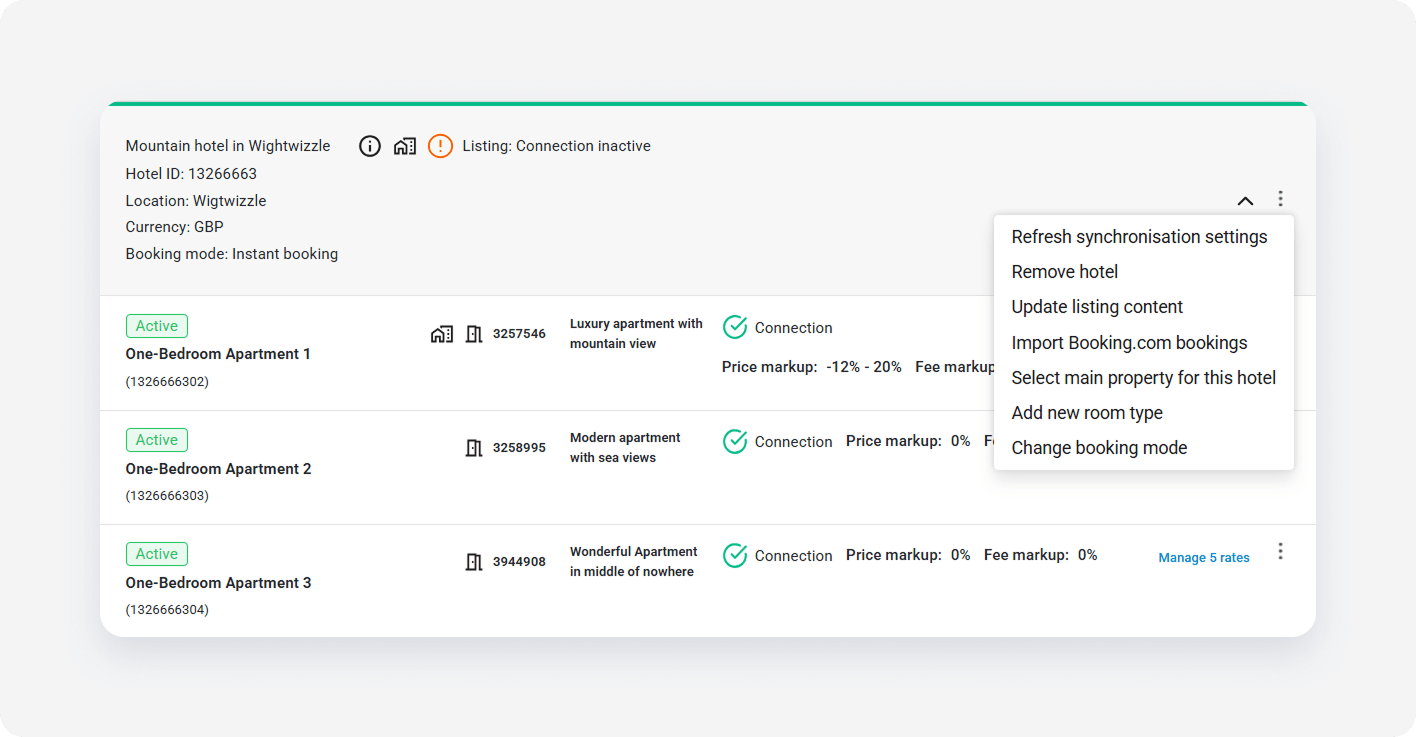
Click the three-dot menu on the hotel level. Choose Add new room type.
- From the property list, select the main property for your new room type. We will use this property’s data (photos, descriptions, prices) to fill out information about your new room type. Only one property can be selected as main. Click Continue.
-
From the Room type dropdown, choose the type for your room. From the Room type name dropdown, choose the name for your new room type.
Room type names selection depends on the room type and comes directly from Booking.com. Select the name carefully, as the guest will see exactly the name that you are choosing now when booking this room type. Booking.com has specific requirements for most of the room types. When selecting the name, make sure the properties you selected meet these requirements. The list of requirements can be found here.
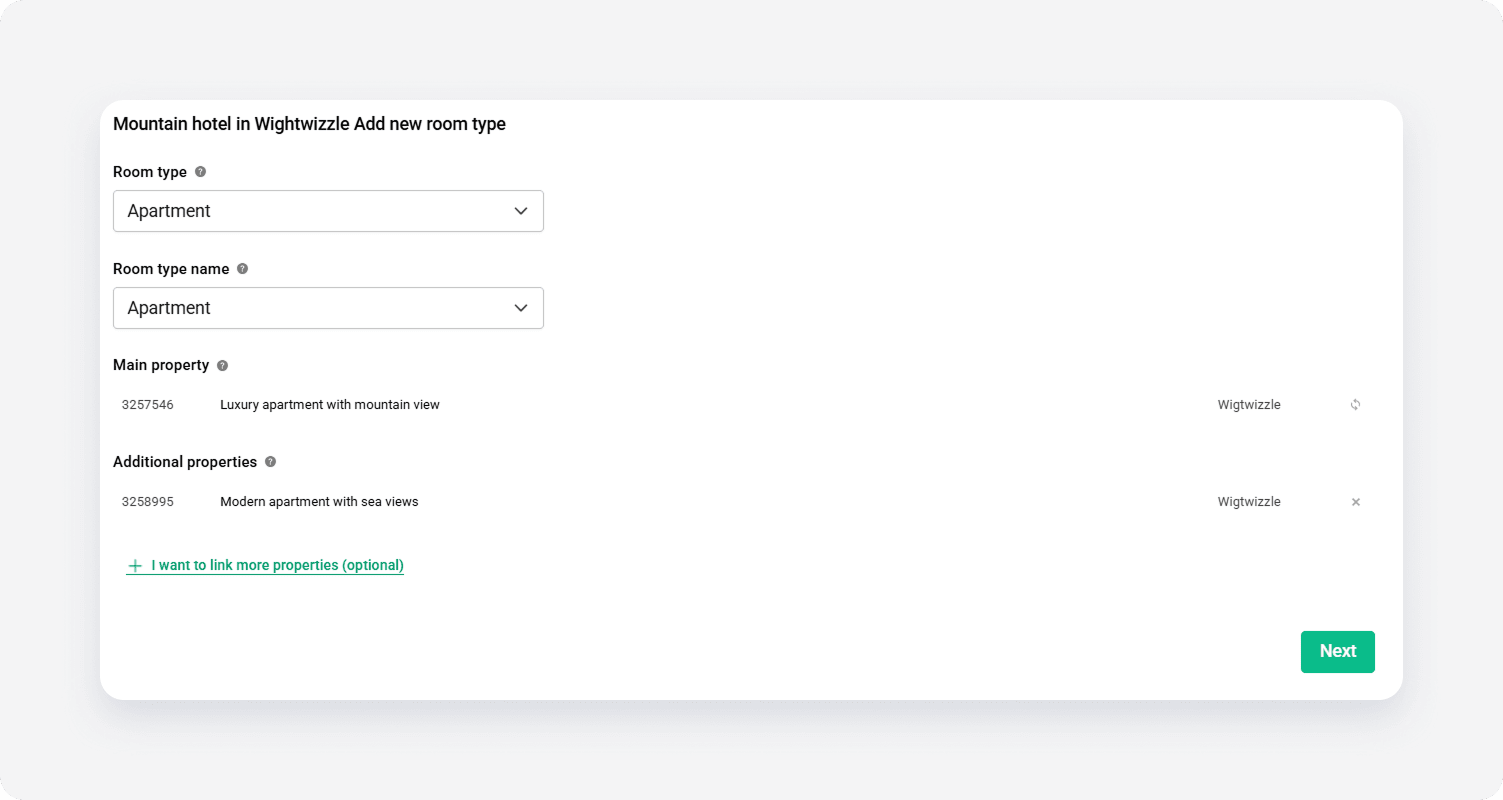
- Optionally, add more properties to this room type by clicking + I want to link more properties. You should add here as many properties as you want to rent as this specific room type. This way you will maximize availability and the booking opportunities. After you select properties, click Next to move forward.
- Add a new rate plan to this room type by adding a new rate plan or selecting one from the list of rate plans.
- Click Create room type to confirm.
- After you successfully add a rate plan to your room type, it gets updated on the Booking.com Extranet and the guests can book this room type immediately.