Selecting the main property for hotel and room type gives you more control over your rental offer in Expedia. You provide the guest with more detailed information about the booked listing and set realistic expectations. Your guest receives accurate details and is given the opportunity to select the best-fitted room type, which results in higher satisfaction and better experience.
- Clear source of information for hotel / room type
- Avoid confusion when updating hotel / main room types content
- Transparency when organizing property content
Main property for a hotel will be displayed in the search results and as the main listing page. See the exemplary listing page here
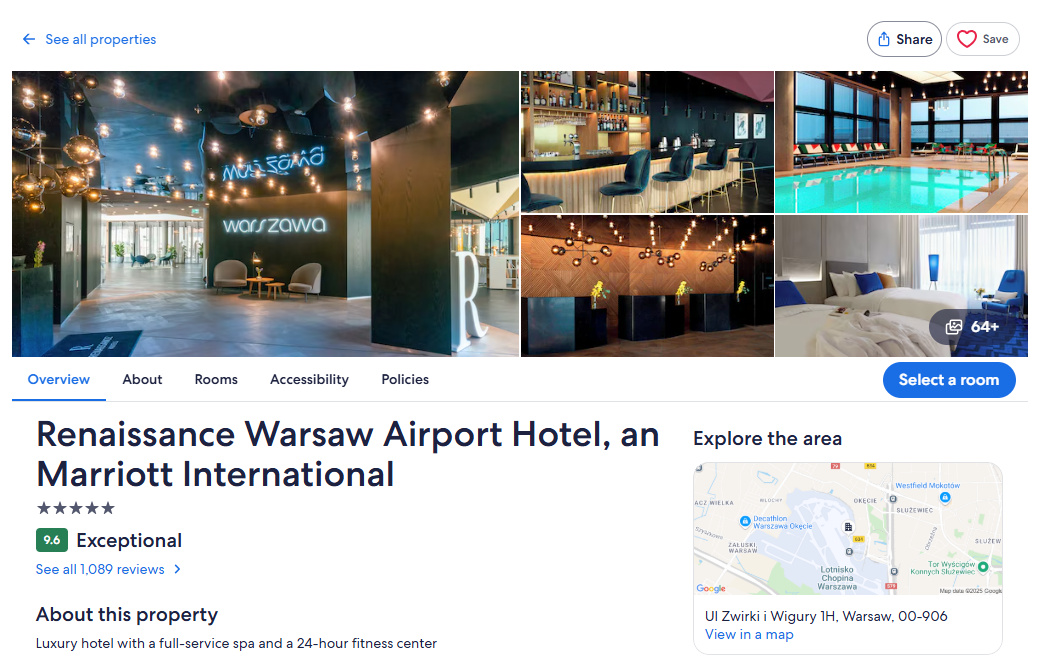
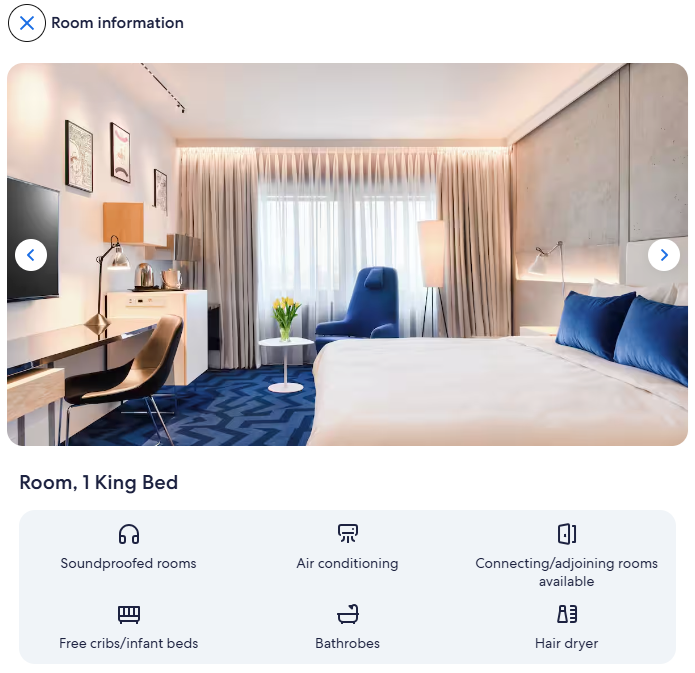
Main property for the room type will be displayed upon selecting a specific room type from the accommodation type section. See here.
Important notes
- When creating new connections, the first property added to a connection is marked as main by default
- If you have a hotel with only one room type and this room type is mapped to only one property, then this property will be selected as main property for the hotel and the room type by default
- The same property can be selected as main for both the hotel and room type
- Selecting a main property for a hotel and a room type is mandatory. Not having a main property selected will not allow you to update the listing content. You can filter out the connections that do not have the main property selected.
Select main property for hotel
Follow the steps below to select main property for hotel.
Step by step:
-
Click the three-dot menu on the property level. Choose Select main property for this room type.
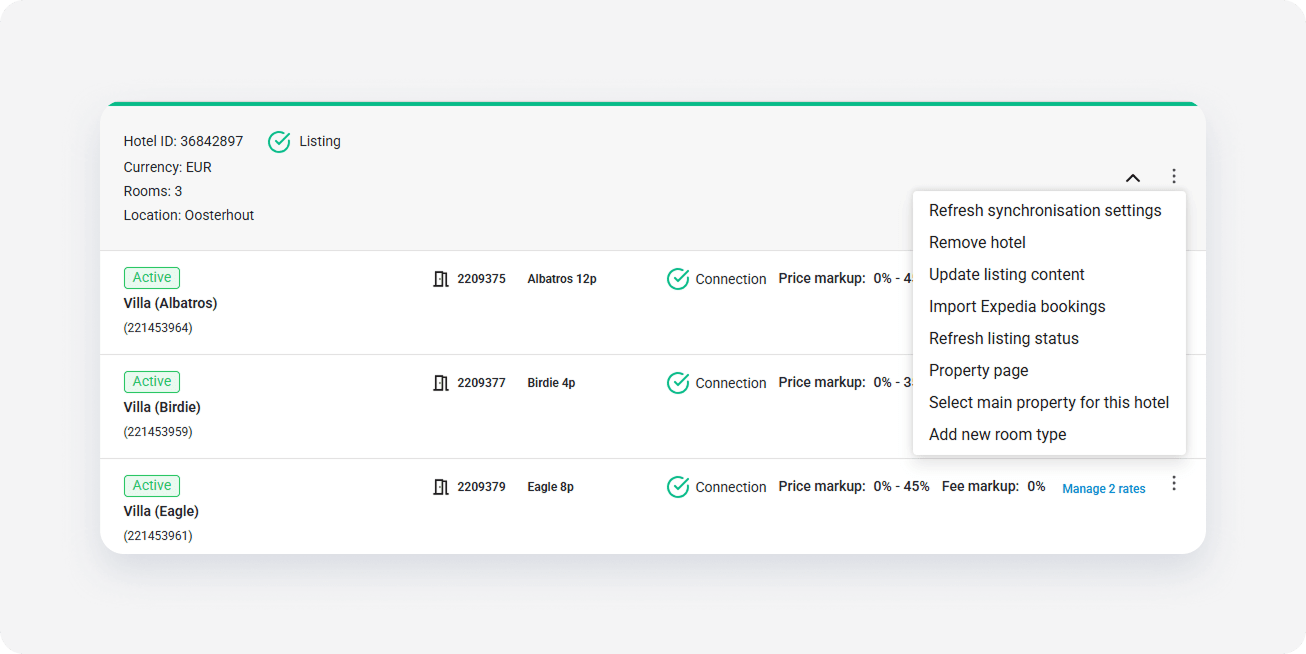
- Select the property from the dropdown list and click Save changes.
- The main property icon
 is assigned to the property selected as main for the hotel.
Select main property for room type
Follow the steps below to select main property for room type.
Step by step:
-
Click the three-dot menu on the property level. Choose Select main property for this room type.
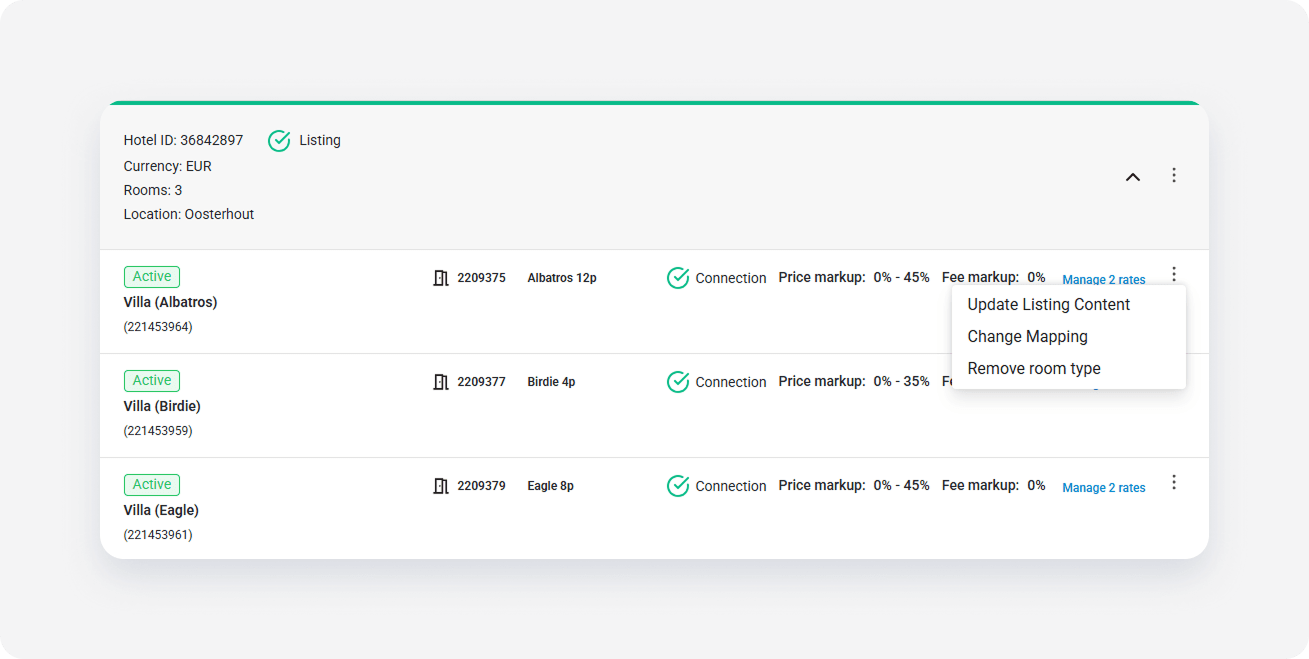
- Select the property from the dropdown list and click Save changes.
- The main property icon
 is assigned to the property selected as main for the room type.