Adding new listing to the channel allows you to manage availability, rates, and content from Rentals United.
Step by step:
In your Rentals United account, open Property Settings for Google Travel. Follow the steps here.
Click + Add property.
-
Choose the properties to add to this channel. Click Continue.
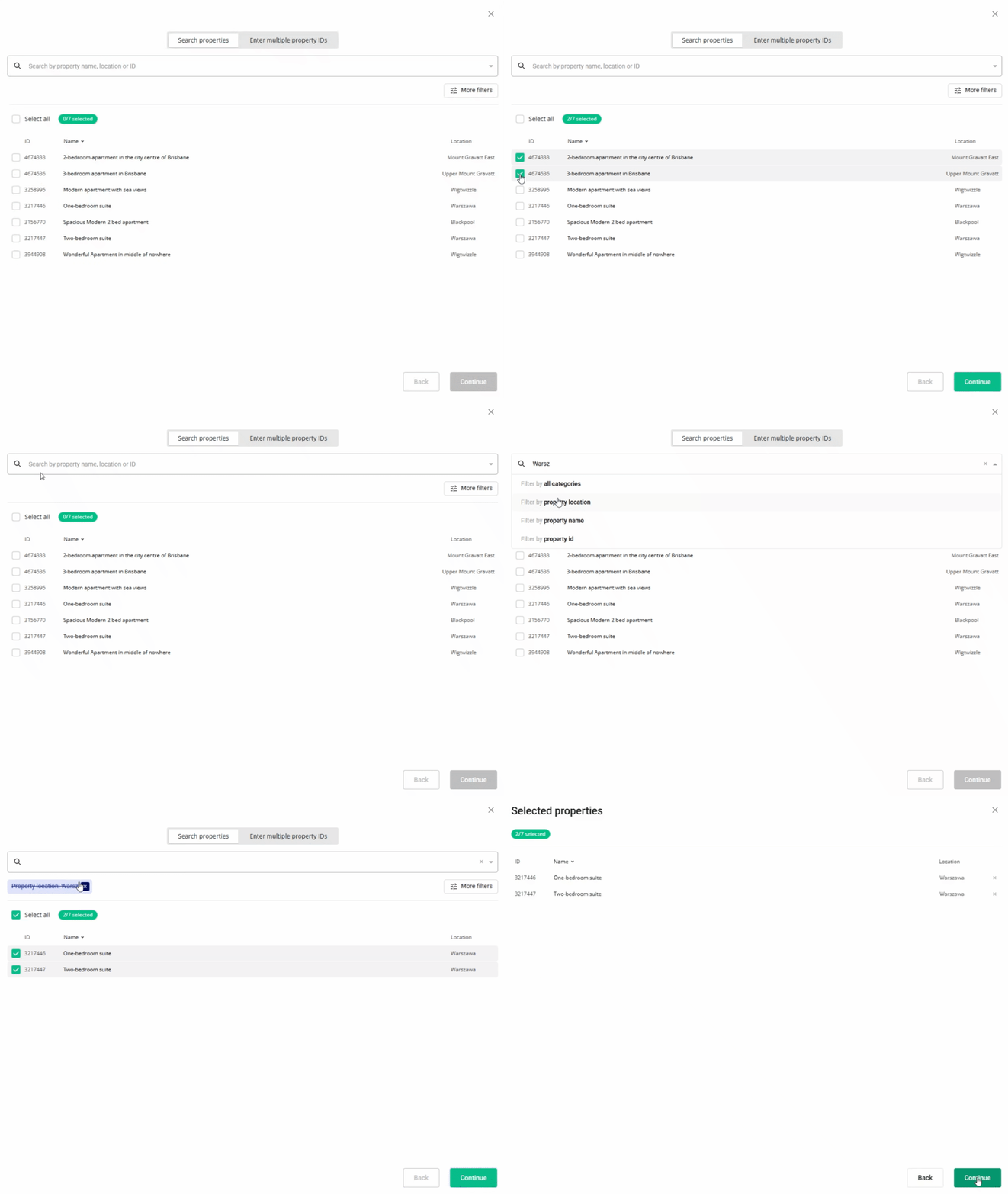
- Review the selected properties. Click Continue.
- We check the property against listing requirements and display the check summary for you. If some properties are not ready to publish, improve them.
- Adjust the markup for each listing.
- Click Publish properties. The listings enter the
 Pending status.
 - Wait until Google Travel publishes the listings.
Google Travel displays warnings about missing URL directing to your property on the sales channel's website. This URL isn't necessary for your connection to work. If you want to clear the warnings away, hover over the status icon and provide the URL to your property in Google Travel website.
x