If you edit your property's content in Rentals United and want your listing reflect them, you need to update your listing.
Note: Remember that price and availability updates sync automatically. You don't need to update your listing when you made price or availability changes to the property in Rentals United.
Step by step:
In Rentals United platform, open Property Settings for HVMB. Follow the steps here.
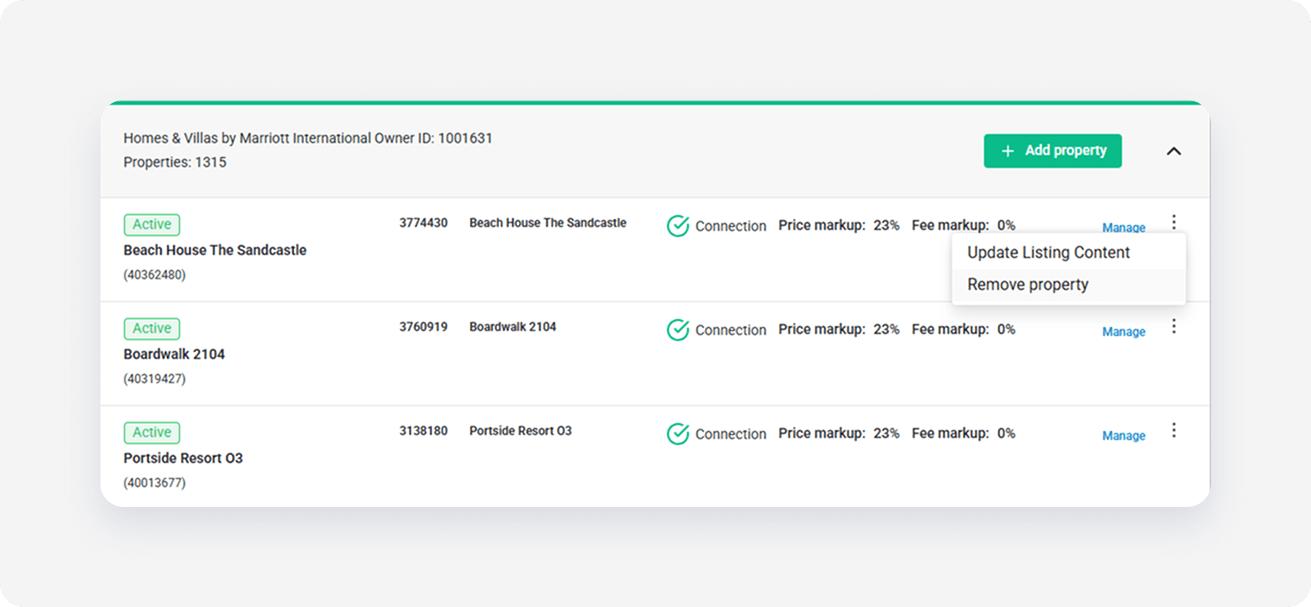
- On the hotel level, click the three-dot menu next to the hotel you want to update.
-
Choose Update listing content.
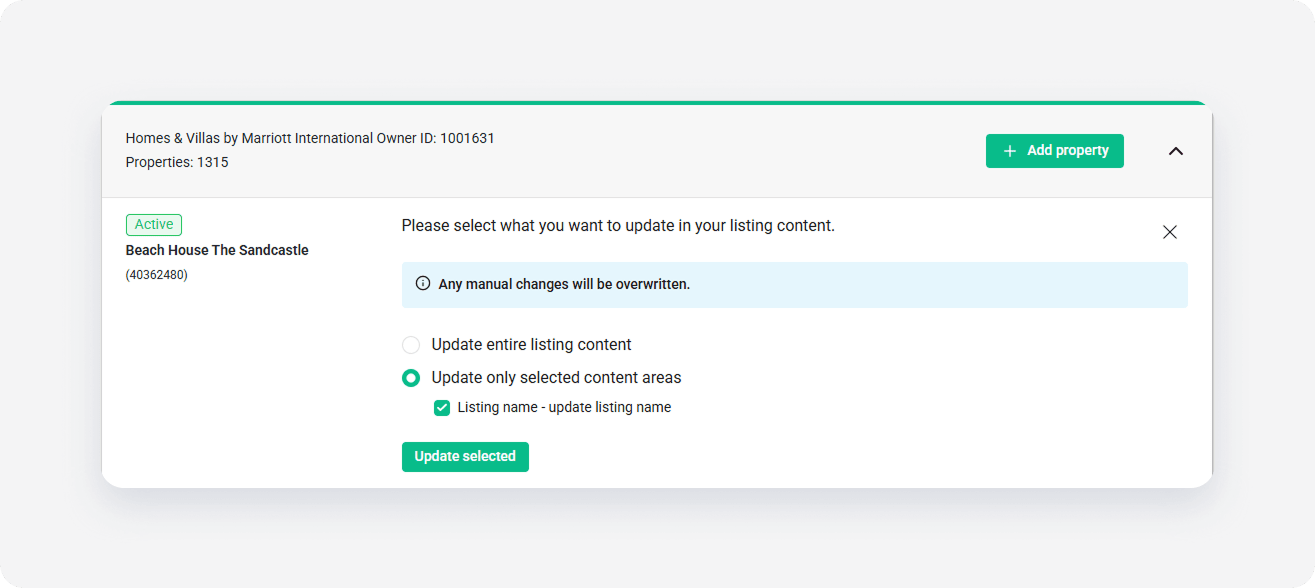
- Select the update option and click Update selected.
- Click OK to confirm.
x