Follow the steps below to remove a listing connection.
Step by step:
In Rentals United platform, open Property Settings. Follow the steps here.
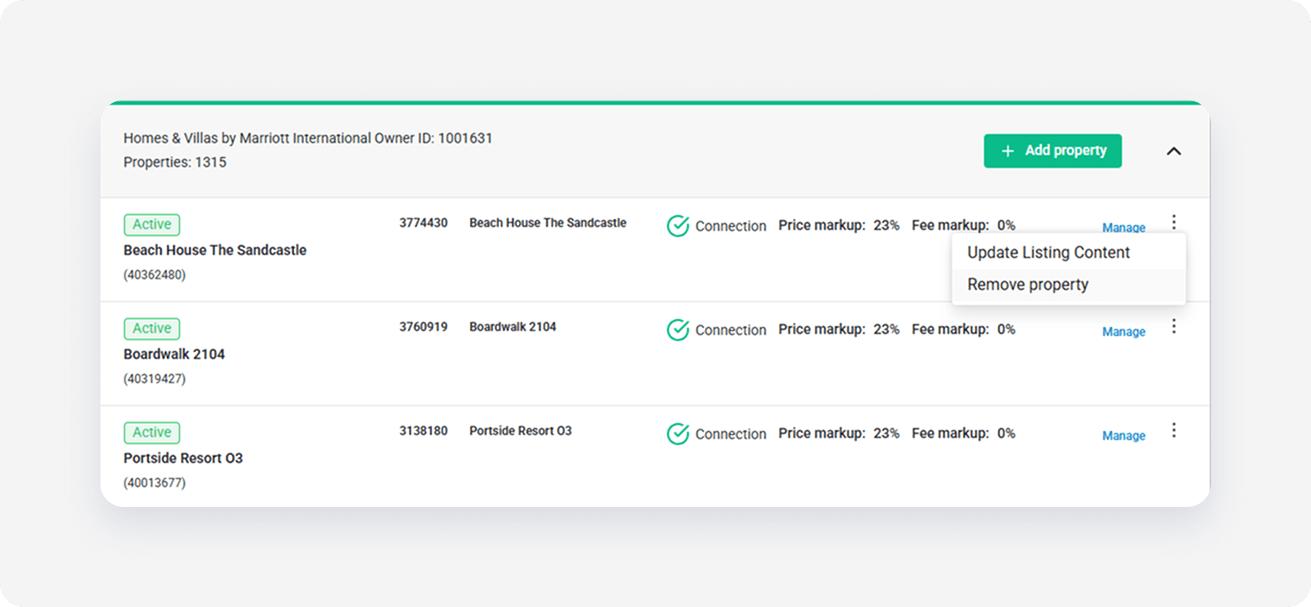
- Search for the listing you want to remove.
-
Click the three dot menu on the right and select the Remove property option.
-
In the popup, click the Confirm removal button.
Note: In case your listing is still available in HVMB, a popup informs you to remove the listing in the HVMB dashboard first.
x