Adding new listing to the channel allows you to manage availability, rates, and content from Rentals United.
Step by step:
In your Rentals United account, open Property Settings for Trip.com. Follow the steps here.
Click + Add property.
- Provide "1339" as the Code Context and click Next.
-
Choose the properties to add to this channel. Click Continue.
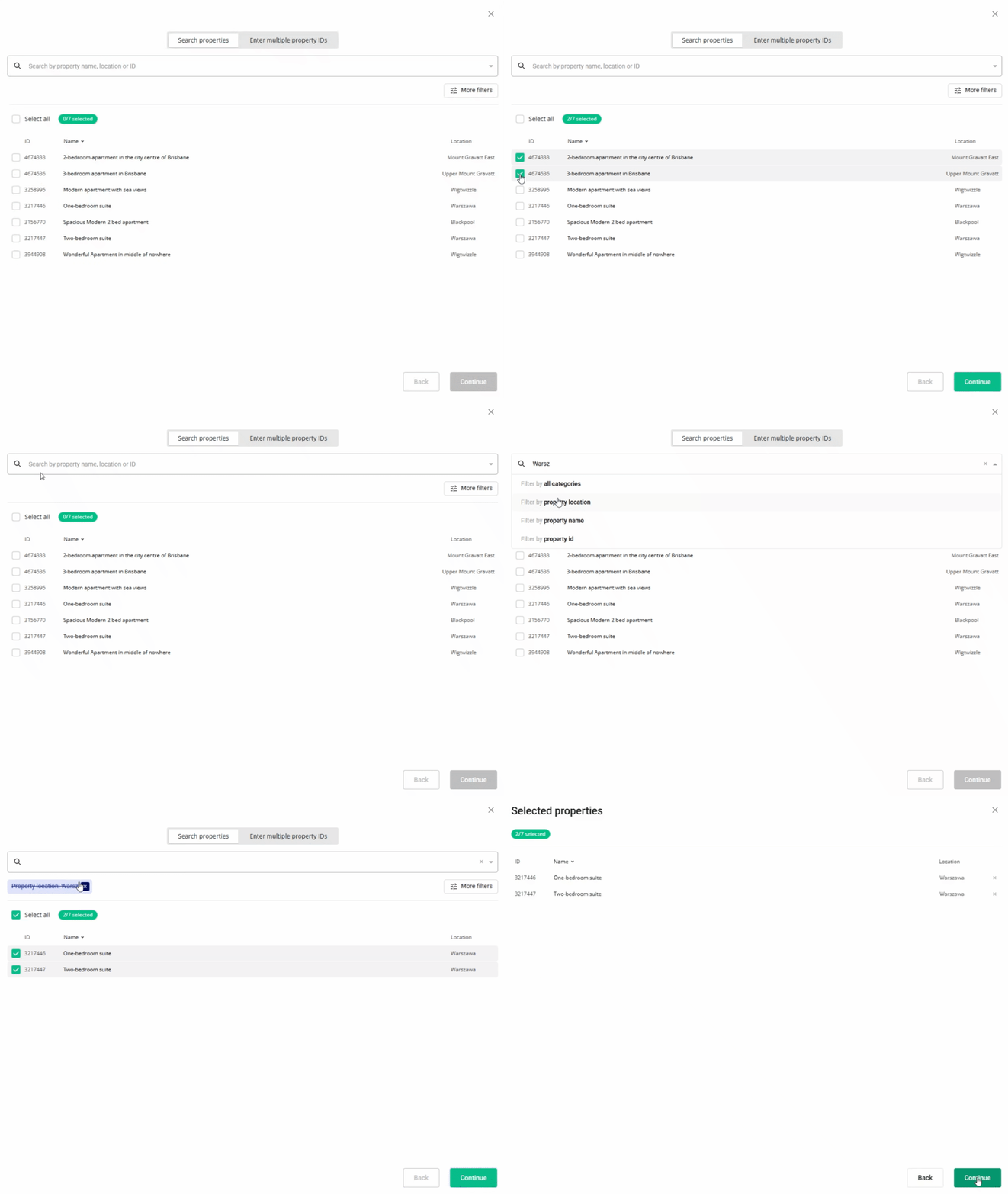
- Review the selected properties. Click Continue.
- We check the property against listing requirements and display the check summary for you. If some properties are not ready to publish, improve them.
- Adjust the markup for each listing.
- Click Publish properties. The listings enter the
 Pending status.
Each property added to Trip.com becomes a hotel with only one room type.
Trip.com has 24 hours to create a property in their system. Once Trip.com publishes the listing, our system updates the listing status to Active and updates the availability and pricing. Your property will enter in the Active status.
x