Updating listings
If you edit your property's content in Rentals United and want your listing reflect them, you need to update your listing.
Note: Remember that price and availability updates sync automatically. You don't need to update your listing when you made price or availability changes to the property in Rentals United.
Supported configurations
- one hotel - one room - one rate
If you need to update the channel for properties in a different setup, contact Support Team.
Step by step:
In Rentals United platform, open Property Settings. Follow the steps here.
- On the hotel level, click the three-dot menu next to the hotel you want to update.
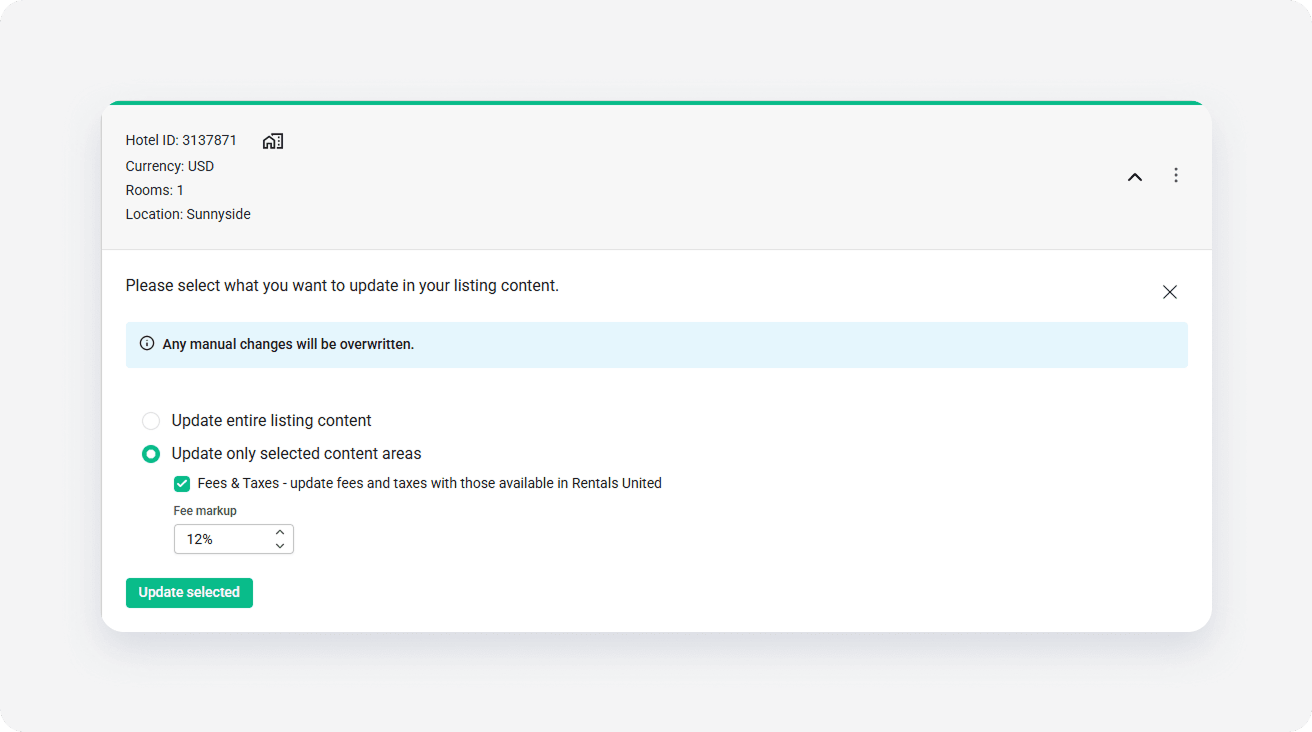
- Choose Update listing content.
- Select the update option and click Update selected.
- Click OK to confirm.
x