Fetching lets you sync the promotions existing in the channel (Airbnb and Vrbo), so you can manage them in Rentals United.
First-time fetch
Before you create your first promotion in Rentals United, sync all your existing promotions from the channel (Airbnb and Vrbo).
If you skip fetching, creating new promotions in Rentals United overwrite the promotion details in the channel.
Follow the steps below to fetch promotions for the first time.
Step by step:
- In your Rentals United account, open Property Settings. Follow the steps here.
-
Switch to the Promotions tab.
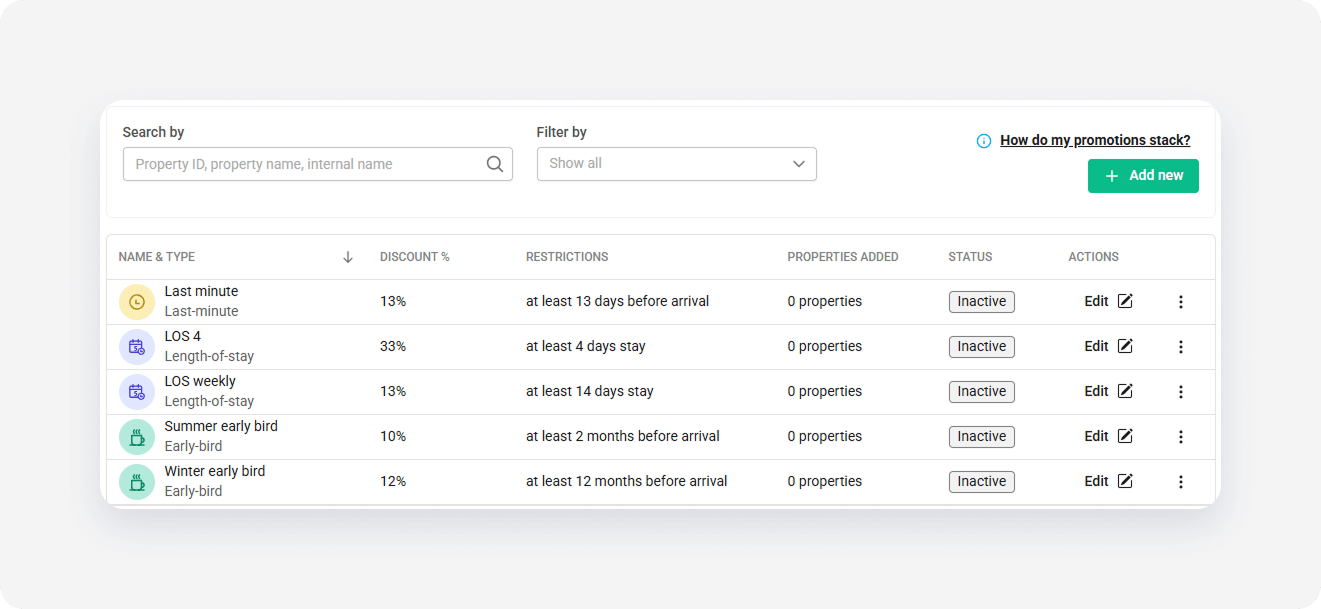
- Click + Add new.
- Select Yes, fetch data from the channel in the popup and click Next.
Fetch on demand (Airbnb only)
Property managers can sync new types of Airbnb promotions, such as "Mobile-only", to Rentals United without risk of loosing or overwriting any promotional details.
Once you added Airbnb promotions in Rentals United, you can still fetch any extra promotions you have in Airbnb on demand. Use fetching to sync new or extra promotions and manage them in Rentals United.
Step by step:
- In your Rentals United account, open Property Settings. Follow the steps here.
- Switch to the Promotions tab.
-
Click Fetch.
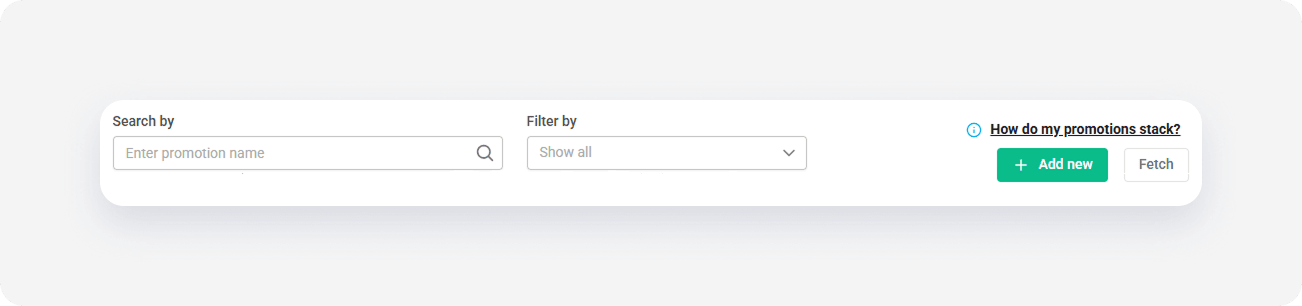
- Select Yes, fetch data from the channel in the popup and click Next.
Fetch complete
Once the fetch is complete, you receive an email notification. At the time of fetching the promotions data, you can't add a new promotion.