Booking.com offers a solution called Opportunities that helps you identify potential areas that may be improved to better meet your guests' expectations and offer them amazing services. This in turn results in increased number of bookings and revenue. Opportunities give you a range of features that are customized for your property and can be enabled or disabled as you choose. For more information, please see the Booking.com Help Center.
Types of Opportunities
There are two major types of Opportunities:
- Opportunities actioned directly in Rentals United - once you click the green button and confirm that you want to activate it, the property data in Booking.com will be altered with the selected Opportunity right away.
- Opportunities requiring a visit at the Booking.com dashboard - once you click the green button, you will be redirected to the Booking.com dashboard where you will be able to finalize the Opportunity implementation.
Access Opportunities
Follow the steps below to access Opportunities in Rentals United.
Step by step:
- In your Rentals United account, open Property Settings for Booking.com. Follow the steps here.
Click the Opportunities tab.
A list of opportunities displays in a list and organized per hotel.
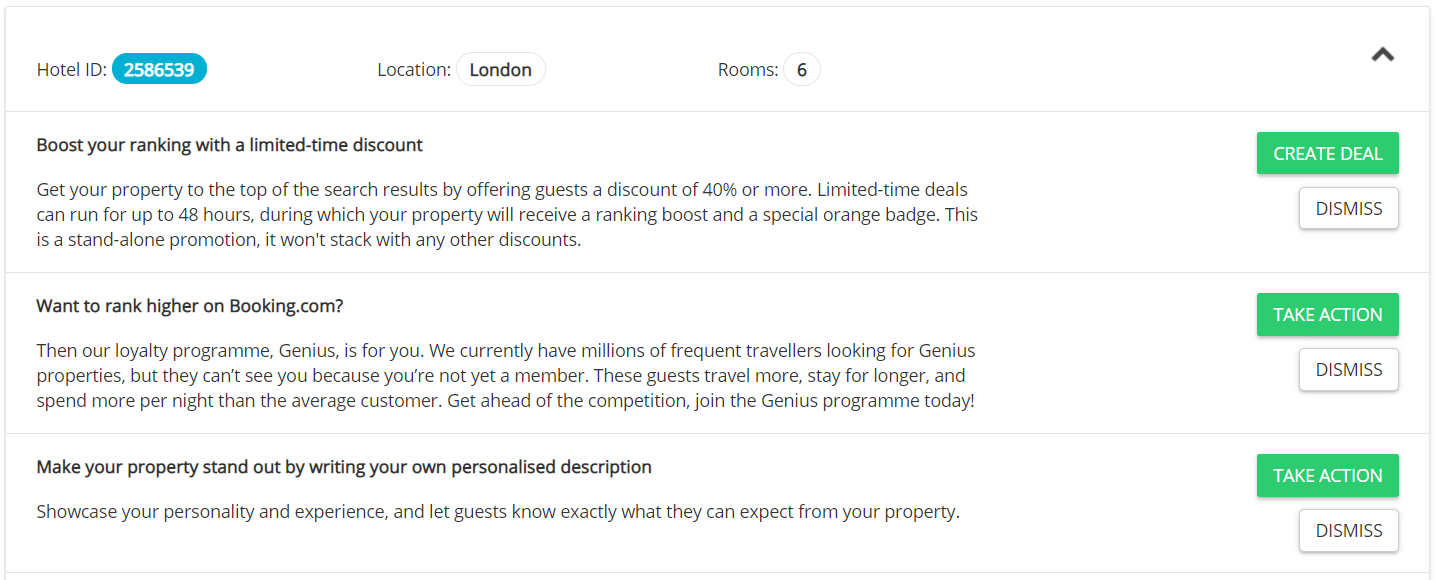
- Click the green button to activate an Opportunity and follow the instructions in the Rentals United platform.
Once you take action on a specific opportunity, Booking.com stops suggesting this opportunity. This opportunity disappears from Rentals United.