Guests on Booking.com can send structured requests for confirmed bookings. The structured messages appear in Rentals United, both in the Inbox and Guest Communication API. This article explains how to resolve structured messages to stay on top of guest communications.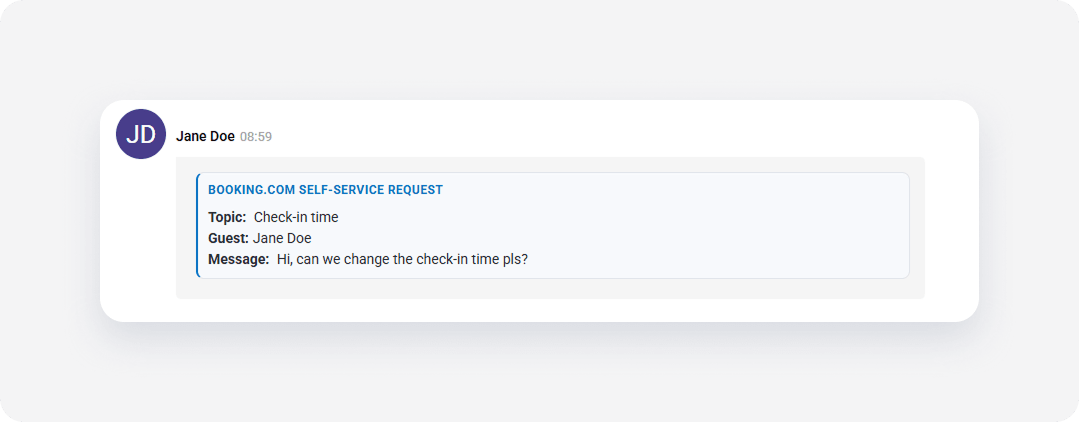
Manage guest requests
Depending on the request type, resolve requests directly in Rentals United or through the Booking.com extranet.
Resolve in Rentals United
Sending a free-text reply in Rentals United Inbox or and Guest Communication API automatically resolves the request on Booking.com and disables the reply option in the Booking.com extranet.
Important:
The first message you send after receiving a structured request is considered the official response to the guest request. Ensure your first response contains the full answer to the guest's request.
Reply directly in Rentals United for the following request types:
- Check-in time
- Check-out time
- Bed preference
- Extra crib
- Extra bed
Although the Booking.com extranet may show the request as pending, guests receive your free-text reply.
Resolving in Booking.com extranet
Certain requests require direct action in the Booking.com extranet. Replying in Rentals United doesn’t resolve these requests.
Log in to the Booking.com extranet to manage the following request types:
- Parking
- Date change
- Fee waiver (cancel for less)
- Cancel booking
| Category | Description | Resolve in |
|---|---|---|
| Check-in time | Change in check-in time | Rentals United or Booking.com extranet |
| Check-out time | Change in check-out time | Rentals United or Booking.com extranet |
| Bed preference | Guest specify preferred bed type | Rentals United or Booking.com extranet |
| Extra crib | Additional crib for the stay | Rentals United or Booking.com extranet |
| Extra bed | Additional bed for the stay | Rentals United or Booking.com extranet |
| Parking | Guest inquire about parking availability | Booking.com extranet |
| Date change | Change in reservation dates | Booking.com extranet |
| Cancel for less (fee waiver) | Request to waive cancellation fee. | Booking.com extranet |
| Cancel booking | Request to cancel reservation | Booking.com extranet |
Identify structured messages in API
To retrieve structured messages through Guest Communication API, use standard message endpoints. The structured message body contains an HTML snippet instead of plain text.
Messages contain specific attributes to identify request topics and handling requirements:
-
data-self-service-topic: Identifies the request category code (such ascheckinorchange_dates_nr). -
data-extranet-only: Indicatestrueorfalseto show whether the request requires action in the Booking.com extranet.