Instant booking process
Booking.com inserts reservations in Rentals United and fills it is with the details guest provided while booking in the channel. Booking.com doesn't quote Rentals United to check the prices and availability, but uses the information that is in the channel.
- A guest enters the reservation page on the Booking.com website and provides the details of a reservation (dates, number of guests etc.).
- If the property is available to rent, the guest completes the reservation process on the Booking.com website by providing their personal data.
-
Booking.com inserts a booking to Rentals United.
When you connected several Rentals United properties to a single room type (multi-unit group), reservations assign to a property depending on their moves configuration.
- You receive an email with new reservation details (sent to your "Confirmation email").
Reservation details
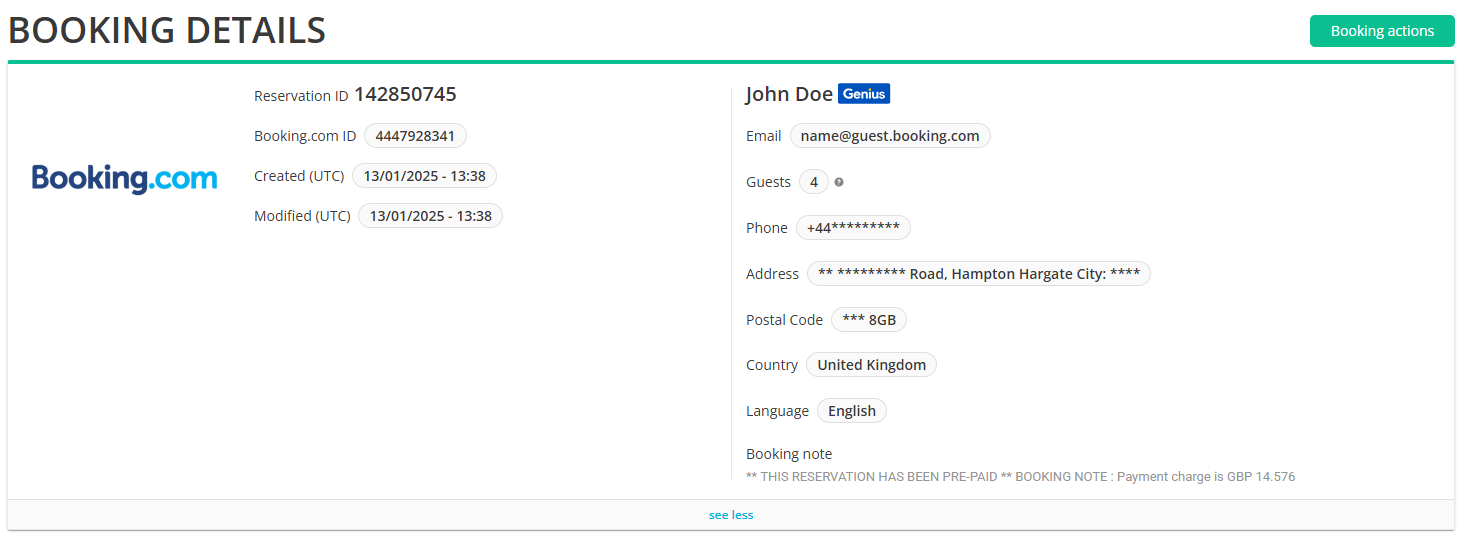
When a reservation arrives, Booking.com provides the standard guest information (such as name, surname) along with booking details including the property name, number of guests, stay dates, and price. All of this information is available.
When a reservation arrives, Booking.com provides standard guest information, such as the guest's name and surname. You can also view booking details, including the property name, number of guests, stay dates, and price. Find this information in Guest Planner under the "Booking details".
If you are an API user, you can get access to this information via the following API methods:
| Item | More info | Example |
|---|---|---|
| Guest details |
|
 |
| Booking details |
|
|
| Property details |
|
 |
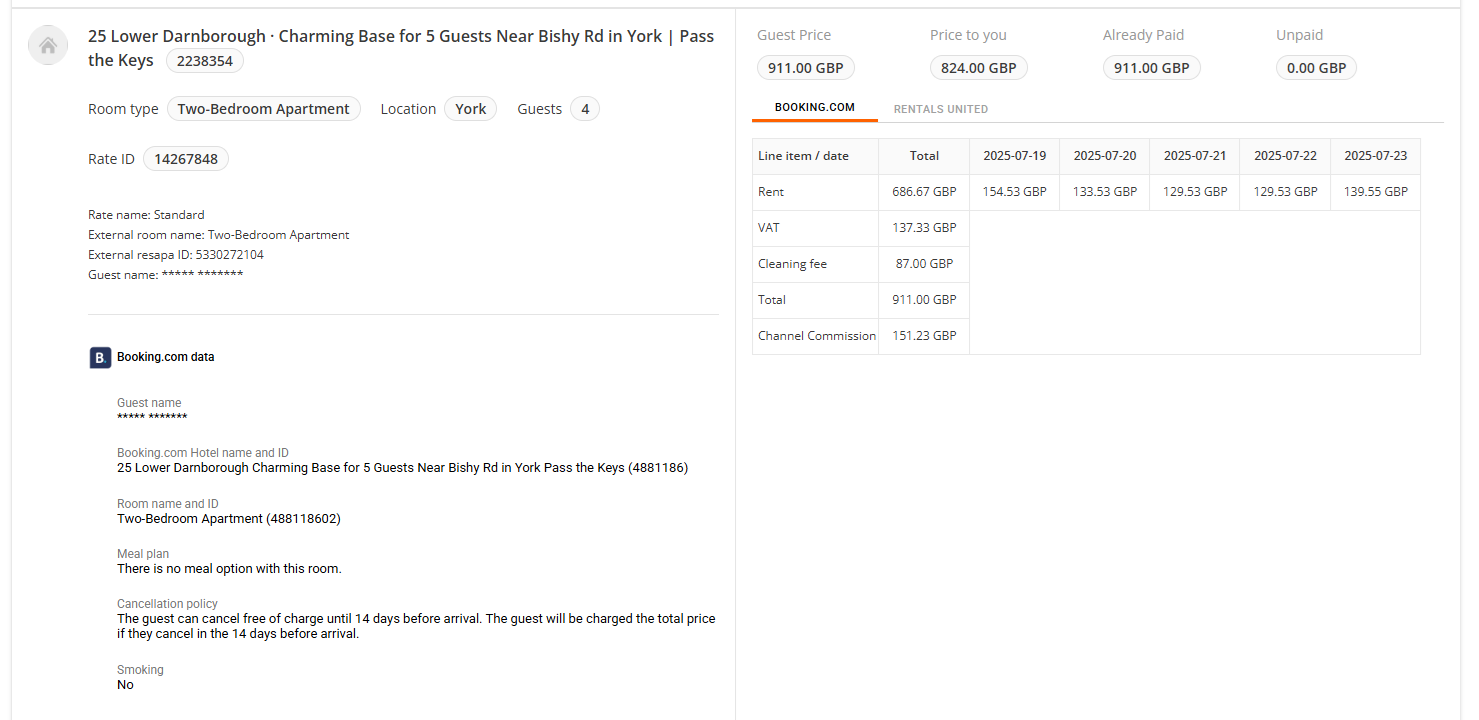
| Rate details according to Booking.com |
If any of the above information is not available, it means Booking.com does not provide it for this reservation. It will not be displayed in the reservation. |
 |
| Channel breakdown according to Booking.com |
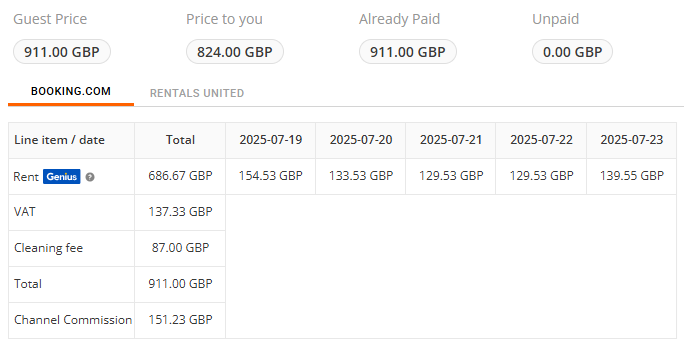
Sales Channel provides the final reservation price breakdown. Whenever available, it should be used instead of the Rentals United breakdown.
You should follow this breakdown to access the final and most reliable information about your reservation costs. Additional information:
|
 |
| Channel breakdown according to Rentals United |
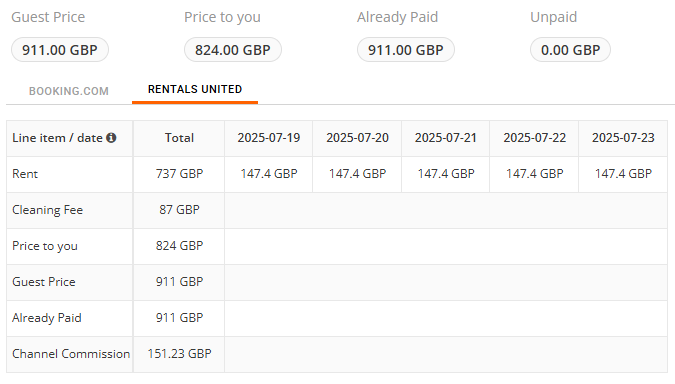
Rentals United also provides a reservation breakdown. This breakdown follows your set-up in Rentals United. It may slightly differ from the channel breakdown due to the following reasons:
You should use it only to verify your reservation costs set up in Rentals United.
|
 |
| Payments |
Booking.com shares information on the payment. Depending on the payment method, it can be guest's credit card or virtual credit card. In case of Virtual Credit Card (VCC), Booking.com provides us with the following details:
The above details are saved in the dedicated API fields and available also in the reservation's comments. |
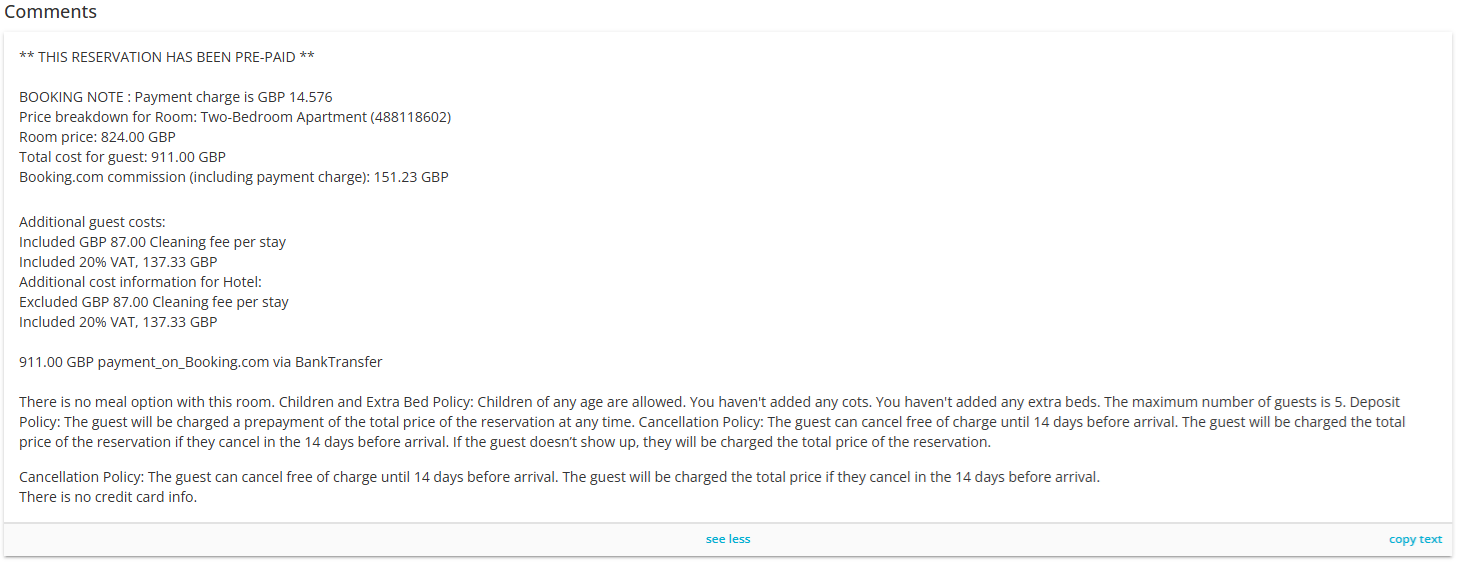 |
| Comments | Comments include additional information coming from Booking.com. This information is presented as received from Booking.com and unedited. Mostly it is a descriptive explanation of all the booking details already presented in the dedicated fields. | |
Modifying a reservation
Booking.com to Rentals United
Modifications initiated in Booking.com and synced to Rentals United in real time.
Rentals United to Booking.com
Modifications made in Rentals United are synced to Booking.com on some limitations:
- When modifying the reservation via the Report stay change flow, the changes will be synced to Booking.com.
- When modifying the reservation in Big Card / Edit bookings, the changes will not be synced with Booking.com.
Cancelling a reservation
Booking.com to Rentals United
Cancellations initiated in Booking.com and synced to Rentals United in real time. If you need to cancel a reservation, you can do it directly in the Booking.com extranet or reach out to your Booking.com contact directly.
Rentals United to Booking.com
Cancellations made in Rentals United are synced to Booking.com on some limitations:
- When cancelling the reservation via the Report no-show flow, the booking will be cancelled in Booking.com.
- It is not possible to cancel the reservation Big Card / Edit bookings.