Amenities

Amenities are a vital part of your property’s content, as they help guests visualize their stay and choose the home that best fits their needs. While Rentals United offers hundreds of amenity options, keep in mind that each sales channel has its own limitations and may not support every selection.
- API endpoint: Pull_ListSpecProp_RS/Property/Amenities
- It is synchronized from the main property for a room type

Number of bedrooms
The number of bedrooms refers to the total count of rooms specifically intended for sleeping. This is a critical piece of information that helps guests determine if the property meets their needs and ensures your listing appears in filtered search results on booking channels.
API endpoint: Pull_ListSpecProp_RS/Property/CompositionRooms
- It is synchronized from the main property for a room type
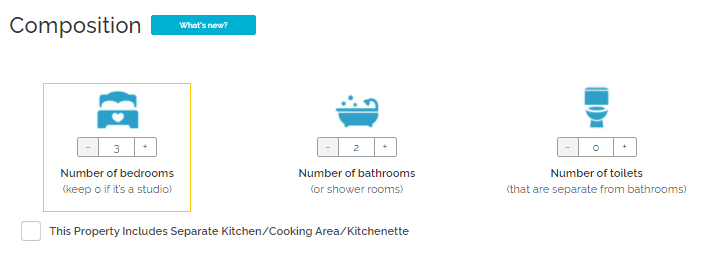
Number of bathrooms
The number of bathrooms refers to the total count of rooms equipped with a shower or a bath. Providing an accurate count helps guests understand the property's facilities and is a key filter used by travelers when searching for accommodations on booking channels.
API endpoint: Pull_ListSpecProp_RS/Property/CompositionRooms
- It is synchronized from the main property for a room type
Booking.com provides options to modify the configuration of your bathroom. You can do it by selecting specific amenities in Rentals United and adding them to the "Bathroom" room type in the rooms configuration. See more here.
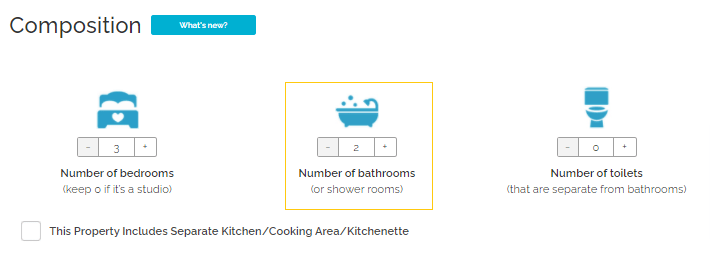
Number of toilets (N/A)
Kitchen
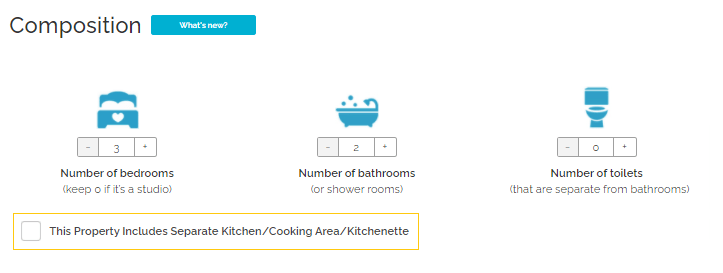
The kitchen field identifies a dedicated, separate kitchen area within your property. In your Rentals United account, marking this checkbox creates a specific "kitchen" room type for the property. This ensures your property's layout is accurately reflected in Rentals United.
API endpoint: Pull_ListSpecProp_RS/Property/CompositionRooms
- It is synchronized from the main property for a room type
Kitchen appears in your listing page on Booking.com as an amenity, not as a separate room.
Bed types
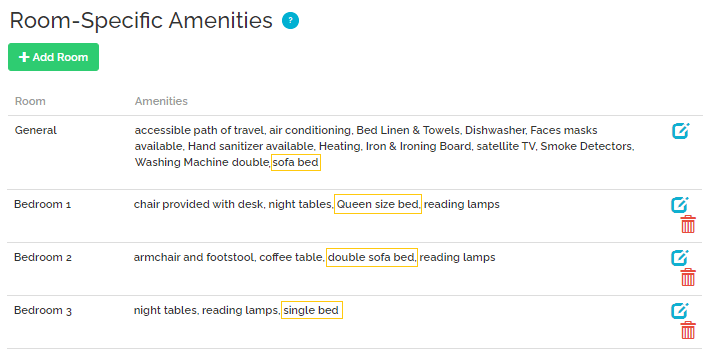
Selecting the correct bed types is essential for providing guests with an accurate understanding of the sleeping arrangements. In your Rentals United account, you can choose from a wide variety of bed types to match your property's specific setup. This information helps booking channels display the maximum occupancy.
- API endpoint: Pull_ListSpecProp_RS/Property/Amenities
- It is synchronized from the main property for a room type
We'll match the bed types from Rentals United with the ones available in Booking.com. The table below shows which beds are matched and how they show up on your listing page.
| RU Amenity ID | RU Amenity Name | Booking.com Bed Type ID | Booking.com Bed Name |
|---|---|---|---|
| 61 | Double bed | 2 | Double Bed |
| 200 | Double sofa bed | 5 | Single Sofa Bed |
| 237 | Sofa bed | 5 | Single Sofa Bed |
| 323 | Single bed | 1 | Single Bed |
| 324 | King size bed | 3 | King Size Bed |
| 440 | Pair of twin beds | 1 | Single Bed |
| 444 | Bunk bed | 4 | Bunk Bed |
| 485 | Queen size bed | 6 | Queen Size Bed |
| 515 | Wall bed | 1 | Single Bed |
| 778 | Murphy bed | 1 | Single Bed |
| 939 | French bed | 1 | Single Bed |
| 1344 | King size bed (alt) | 3 | King Size Bed |
| 1346 | Futon mat | 7 | Futon Mat |
| 1347 | Queen size bed (alt) | 6 | Queen Size Bed |
| 1825 | Double futon mat | 7 | Futon Mat |
| 1995 | Double bed (160cm) | 6 | Queen Size Bed |
Bedding composition 
- It is synchronized from the main property for a room type
Matching number of beds
The number of beds at your property must match the maximum number of guests accepted in the room. If the number of beds doesn't match the maximum number of guests, you'll be informed about it through a warning. To clear it away, match the number of beds with the maximum number of guests.
Auto-distribution of beds
In case you placed all your beds in the "General" section (for example, your PMS does not provide an option to place beds in the rooms), we'll try to distribute them across the bedrooms. This works only if the number of beds in the "General" section matches the number of bedrooms or there is only one bedroom at the property. Otherwise, the beds from the "General" section may not be synchronized with Booking.com correctly.
Amenities distribution across rooms
- Hotel amenities are synchronized from the main property for a hotel

- Room amenities are synchronized from the main property for a room type
- Some amenities are only mapped for a hotel, some for room types
Amenities placed in different rooms (e.g. "Kitchen", "Bathroom") sync to Booking.com, however Booking.com doesn't show in which rooms of the property they are placed. All amenities show up as available at a given room type.
Ensuite bathroom
To create an ensuite bathroom, add specific amenities to your "Bathroom" room type in your room set-up.
- Private bathroom (489)
Shared bathroom
To create a shared bathroom, add specific amenities to your Bathroom room type in your room set-up.
- Shared bathroom (490)
Bathroom configuration in Hostels
If your property type in Booking.com is Hostel (see here), you can modify the configuration of your bathroom with regards to gender, number of people who can access it and its location at the property. Bathroom details in Booking.com are adjusted based on the amenities in Rentals United.
Gender
- Shared bathroom (female only) (918)
- Shared bathroom (male only) (919)
- Shared bathroom (mixed gender) (920)
Number of people who can access the bathroom
- Shared bathroom (1–4 guests) (21)
- Shared bathroom (5–10 guests) (922)
- Shared bathroom (11–20 guests) (923)
- Shared bathroom (21–30 guests) (924)
- Shared bathroom (31–40 guests) (925)
- Shared bathroom (41–50 guests) (926)
- Shared bathroom (50+ guests) (927)
Bathroom location
- Shared bathroom (next door) (928)
- Shared bathroom (down the hall) (929)
- Shared bathroom (opposite room) (930)
- Shared bathroom (in the hallway) (931)
If you don't select any of the additional amenities, we create a regular bathroom without any specific conditions.
- Bathroom: Shared
- Location: Other
- Gender: Mixed
- Number of people who can access the bathroom: 5 to 10
Bathroom facilities for Hostels
If your property type in Booking.com is Hostel (see here), your bathrooms can have additional advanced configuration. Therefore, selected amenities are sent on the bathroom level for hostels. For other property types, these amenities are sent in a standard way, on the room level.
Key policies and facilities
Children policy
Your property in Booking.com shows up as "Children allowed" by default. To change this setting, select one of the amenities from the table below.
| RU amenity ID | Rentals United amenity |
|---|---|
| 857 | No children under 4 |
| 870 | No children under 6 |
| 858 | No children under 12 |
| 942 | Children not allowed |
Pets policy
We set the pet policy with Booking.com based on the amenities you choose. Refer to the table below to see which amenities influence the pet policy.
| RU amenity ID | Rentals United amenity |
|---|---|
| 733 | No pets allowed |
| 595 | Pets allowed |
| 813 | Ask for pets |
| 842 | Pets paid |
| 843 | Pets accepted under request |
Pet charges
To set the paid pets policy, select a pet-friendly amenity from the table above and configure a "Pet fee" in Step 5: Price and availability. Guests will see information that charges may apply.
- To set the free of charge pets policy, make sure that you don't have a "Pet fee" in your fee settings in Step 5: Price and availability and the "Pets paid" amenity.
Party policy
Your property in Booking.com shows up as "Parties not allowed" by default. To change this setting, select one of the amenities from the table below.
| RU amenity ID | Rentals United amenity |
|---|---|
| 856 | No parties |
| 1733 | Parties allowed |
Smoking policy
Your property in Booking.com shows up as "Smoking not allowed" by default. To change this setting, select one of the amenities from the table below.
| RU amenity ID | Rentals United amenity |
|---|---|
| 1735 | Smoking not allowed |
| 725 | No Smoking Rooms/Facilities |
| 799 | Smoking |
| 802 | Smoking allowed |
| 1002 | Designated smoking area |
Meals
Booking.com requires meal policies to be provided along with the pricing. Rentals United does not support this option now. Define the meal policies in Booking.com.
Parking
The parking details in Booking.com show up according to the amenities you select in Rentals United. The below table presents what details are passed to Booking.com.
| RU amenity ID | Rentals United amenity |
|---|---|
| 295 | On street parking |
| 296 | Underground parking |
| 302 | Guarded parking |
| 504 | Private parking |
| 702 | Free Parking |
| 793 | Parking |
| 794 | Outdoor Parking |
| 795 | Valet Parking |
| 803 | Free parking on the street |
| 804 | Paid parking on the street |
| 805 | Free parking with garage |
| 806 | Paid parking with garage |
| 827 | Garage |
Multiple parking spaces
If you select multiple parking amenities, Booking.com displays information that multiple parking spaces are available at the property, for example "Parking 1", "Parking 2".
Parking reservation settings
All parking amenities are sent to with information that the parking reservation is not required. To change this setting, add the following amenities to the "General" section in the room configuration in Rentals United. Booking.com will display "Parking reservation required".
- Parking limited spaces available (1546)
- Parking reservation required (1728)
Internet
The internet details in Booking.com show up according to the amenities you select in Rentals United. The below table presents what details are passed to Booking.com.
| RU amenity ID | Rentals United amenity |
|---|---|
| 174 | Internet connection |
| 199 | Computer with free ASDL internet access |
| 314 | Internet (computer supplied) |
| 339 | Free internet access |
| 368 | Free wireless internet |
| 433 | Free high speed wireless internet |
| 438 | High speed Internet access |
| 792 | Wireless Internet |
| 807 | Free cable internet |
| 808 | Paid cable internet |
| 809 | Paid wireless internet |
| 846 | Internet connection on request |
Internet coverage settings
All properties are sent to Booking.com with information that the internet is accessible at the entire property. To change this setting, add the following amenities to the "General" section in the room configuration.
- Internet coverage public areas (1729)
- Internet coverage all rooms (1730)
- Internet coverage some rooms (1731)
- Internet coverage business center (1732)
Check-in policy
Your property in Booking.com includes the check-in details provided in Step 6: Check-in and check-out: Arrival information by default. To change this setting, add the following amenities. Guests will receive this information after the reservation is made, but before the check-in.
| RU ID | Rentals United | Booking.com displayed text |
|---|---|---|
| 616 | Doorman | The keys are at the reception |
| 1818 | Lockboxes & Key Safes check-in | The keys are in a lock box |
| 688 | Electronic door locks |
There is a smart lock at the property. Additionally, we synchronize Step 6: Check-in and check-out: Arrival information |
| 1819 | Keypad check-in | There is a door code |
| 1817 | In-person check-in | Someone will meet the guest |
| 1820 | Other check-in | We synchronize Step 6: Check-in and check-out: Arrival information |
Paid amenities
In the Booking.com extranet, property managers can mark certain amenities as paid or free, such as sport or SPA facilities. Clearly displaying this information helps travelers understand what’s included in their stay and make more informed booking decisions.
Refer to the table below for a full list of amenities that display as paid in Booking.com.
| RU ID | Rentals United | Booking.com displayed text |
|---|---|---|
| 1542 | airport shuttle service surcharge | Airport shuttle |
| 1990 | Paid Bed Linen & Towels | Towels/linens |
| 1991 | Paid live entertainment | Live music performances |
| 1992 | Paid sauna | Sauna |
| 1993 | Paid tennis equipment | Tennis equipment |
| 1994 | Paid themed dinner nights | Themed dinner nights |
Languages spoken at the property
Select which languages are spoken at your property and inform your guests about multilingual service. Guests will see this information on the listing page.
Choose all the spoken languages from the following list of amenities and add them to your property.
| ID | Rentals United amenity |
|---|---|
| 1922 | Language spoken at the property: Arabic |
| 1925 | Language spoken at the property: Bulgarian |
| 1926 | Language spoken at the property: Catalan |
| 1927 | Language spoken at the property: Czech |
| 1928 | Language spoken at the property: Danish |
| 1929 | Language spoken at the property: German |
| 1930 | Language spoken at the property: Greek |
| 1931 | Language spoken at the property: English (UK) |
| 1932 | Language spoken at the property: English (American) |
| 1933 | Language spoken at the property: Spanish |
| 1934 | Language spoken at the property: Spanish (Argentine) |
| 1935 | Language spoken at the property: Estonian |
| 1936 | Language spoken at the property: French |
| 1937 | Language spoken at the property: Finnish |
| 1938 | Language spoken at the property: Hebrew |
| 1939 | Language spoken at the property: Hindi |
| 1940 | Language spoken at the property: Croatian |
| 1941 | Language spoken at the property: Hungarian |
| 1942 | Language spoken at the property: Indonesian |
| 1943 | Language spoken at the property: Icelandic |
| 1944 | Language spoken at the property: Italian |
| 1945 | Language spoken at the property: Japanese |
| 1946 | Language spoken at the property: Khmer |
| 1947 | Language spoken at the property: Korean |
| 1949 | Language spoken at the property: Lithuanian |
| 1950 | Language spoken at the property: Latvian |
| 1951 | Language spoken at the property: Malay |
| 1952 | Language spoken at the property: Dutch |
| 1953 | Language spoken at the property: Norwegian |
| 1954 | Language spoken at the property: Polish |
| 1955 | Language spoken at the property: Portuguese (Brazilian) |
| 1956 | Language spoken at the property: Portuguese |
| 1957 | Language spoken at the property: Romanian |
| 1958 | Language spoken at the property: Russian |
| 1959 | Language spoken at the property: Slovak |
| 1960 | Language spoken at the property: Slovenian |
| 1961 | Language spoken at the property: Serbian |
| 1962 | Language spoken at the property: Swedish |
| 1963 | Language spoken at the property: Tagalog |
| 1964 | Language spoken at the property: Thai |
| 1965 | Language spoken at the property: Turkish |
| 1966 | Language spoken at the property: Ukrainian |
| 1967 | Language spoken at the property: Vietnamese |
| 1968 | Language spoken at the property: Cantonese |
| 1969 | Language spoken at the property: Chinese (Simplified) |
| 1970 | Language spoken at the property: Berber |
| 1971 | Language spoken at the property: Mandarin |
| 1972 | Language spoken at the property: Montenegrin |
| 1973 | Language spoken at the property: Guarani |
| 1974 | Language spoken at the property: Javanese |
| 1975 | Language spoken at the property: Cantonese |
Standard phrases
| RU ID | Rentals United amenity | Booking.com displayed text |
|---|---|---|
| 1741 | Guest ID required on check-in | Guests must show photo identification and credit card when checking in. |
| 1589 | Must contact property for pickup on arrival | Guests must inform the property in advance of their expected arrival time. |
| 1910 | Pre-pay by bank transfer | Guests must pay for their stay in advance with a bank transfer. |
| 1911 | Excluded accommodation tax | An accommodation-tax per person per night is not included in the price and needs to be paid at the property. |
| 1748 | Tattoos not allowed | Guests with tattoos are not allowed to use certain facilities at the hotel, such as communal baths. |
| 1912 | Invoice request for pre-paid | If guests require an invoice when booking a prepaid rate, they must write this request and their company details in the Ask a question box. |
| 1913 | Full charge early departure | In the event of an early departure, the property will charge guests the full amount for their stay. |
| 1749 | Pedestrian zone | This property is located within a pedestrian-only zone. |
| 1546 | Parking limited spaces available | Parking is subject to availability due to limited spaces. |
| 1744 | Access by unpaved road | This property is accessible via an unpaved road, which may be unsuitable for some vehicles. |
| 1914 | On-site functions noise | This property may host on-site functions and some rooms may be affected by noise. |
| 1733 | Parties allowed | This property will not accommodate hen, stag or similar parties. |
| 1751 | Residential area | This property is located in a residential area and guests are asked to refrain from excessive noise. |
| 1752 | Busy area | This property is located in a busy area and guests may experience noise. |
| 1915 | Half board excludes drinks | When booking half board, please note that drinks are not included. |
| 931 | Car necessary | Guests are advised to bring their own vehicle as this property is not serviced by public transport. |
| 932 | Car recommended | Guests are advised to bring their own vehicle as this property is not serviced by public transport. |
| 1916 | Water usage Restrictions | Dear Visitor, this region is currently experiencing drought conditions. Please be aware that certain properties are subject to compliance with local water usage restrictions. |
| 1917 | Short-term stay regulation | This property provides premises for short term stays and does not provide hotel services. |
| 1918 | Japan long stay terms | While this property offers long stays beyond one month, the property does not offer a lease to any guests. Accordingly, any guests who participate in this offering do not have any rights or interests as lessee for the offered property but are subject to applicable hotel stay/lodging terms and conditions. |
| 1919 | Sign rental agreement | Guests will receive a rental agreement which must be signed and returned to the property prior to arrival. If guests do not receive the agreement on time, then they should contact the property management company at the number on the booking confirmation. |
| 1920 | Under 18 check-in rules | Guests under the age of 18 can only check in with a parent or official guardian. |
