This article explains how to select cancellation policy for all listings in your account directly in Rentals United.
Available cancellation policies
All Airbnb cancellation policies are listed in the Channel Settings tab. You can choose your one cancellation policy option that will be applied for all your account. Choose your cancellation policy from the list:
| ID | Name | Description |
|---|---|---|
| 0 | Property specific | Considers the policy set at the property level and checks it against available system options. |
| 1 | Flexible |
Guests can cancel at least 24 hours before check-in for a full refund. If canceling after check-in, host will receive 100% for each night the guest stays, plus one additional night. |
| 2 | Moderate |
Guests can cancel at least five days before check-in for a full refund. If canceling after that, host will receive 100% for each night the guest stays, plus one additional night, and 50% for all unspent nights. |
| 7 | Limited | Guests who cancel 7-14 days before check-in get 50% back. After that, their trip is non-refundable. |
| 6 | Firm |
Guests can cancel at least 30 days before check-in for a full refund. If canceling between seven and 30 days before check-in, host will receive 50% for all nights. If cancelled less than seven days before check-in, host will receive 100% for all nights. If booked fewer than 30 days before check-in, guests can cancel within 48 hours of booking and at least 14 days before check-in for a full refund. |
The cancellation policy terms differ depending on the length of stay or the property's location. Refer to this Airbnb Help Centre article for details about the cancellation policies and applied fees.
If you select a cancellation policy for which you're not eligible, you will see "Invalid cancellation policy" error in the Property Settings.
"Limited" cancellation policy restrictions
The "Limited" cancellation policy option is allowed in the listed countries:
- Canada
- Argentina
- Netherlands
- Sweden
- Poland
- Turkey
- Philippines
- Morocco
- South Africa
- Chile
- Colombia
Set cancellation policy
Step by step:
In Rentals United account, open Channel Settings. Follow the steps here.
- Unfold the Cancellation Policy section. Select one of the cancellation policies available in the dropdown list.
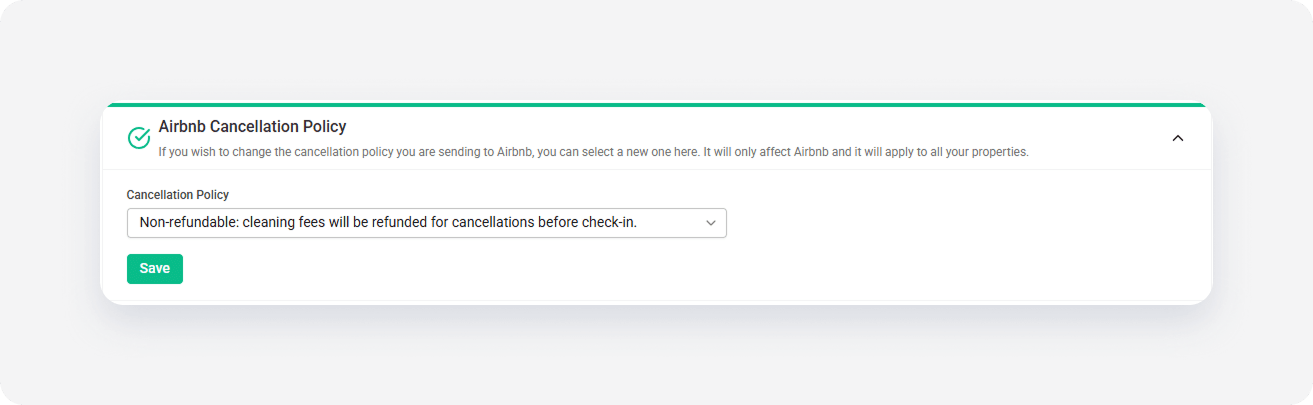
- Click the Save button.