Each listing inherits its cancellation policy from the channel settings by default. If you need to apply a different policy to a specific listing on Airbnb or Vrbo, you can override these settings within Rentals United.
Listing level cancellation policies
When you manage your Airbnb or Vrbo listings, you can choose to follow the settings from Channel Settings or set a unique policy for a specific property. If you don't define a listing-level policy, Rentals United automatically applies your global channel-level setting.
Syncing and updates
- Channel settings changes: If you update the cancellation policy at the channel level, it only overwrites listings that are still using the "Default" channel setting.
- Automatic updates: When you change a policy for a specific listing, Rentals United automatically queues an update to the channel.
Set cancellation policy for a specific listing
Follow the steps below to override the channel-level cancellation policy for a single listing.
Step by step:
- In Rentals United account, open Property Settings for Airbnb or Vrbo. Follow the steps here.
-
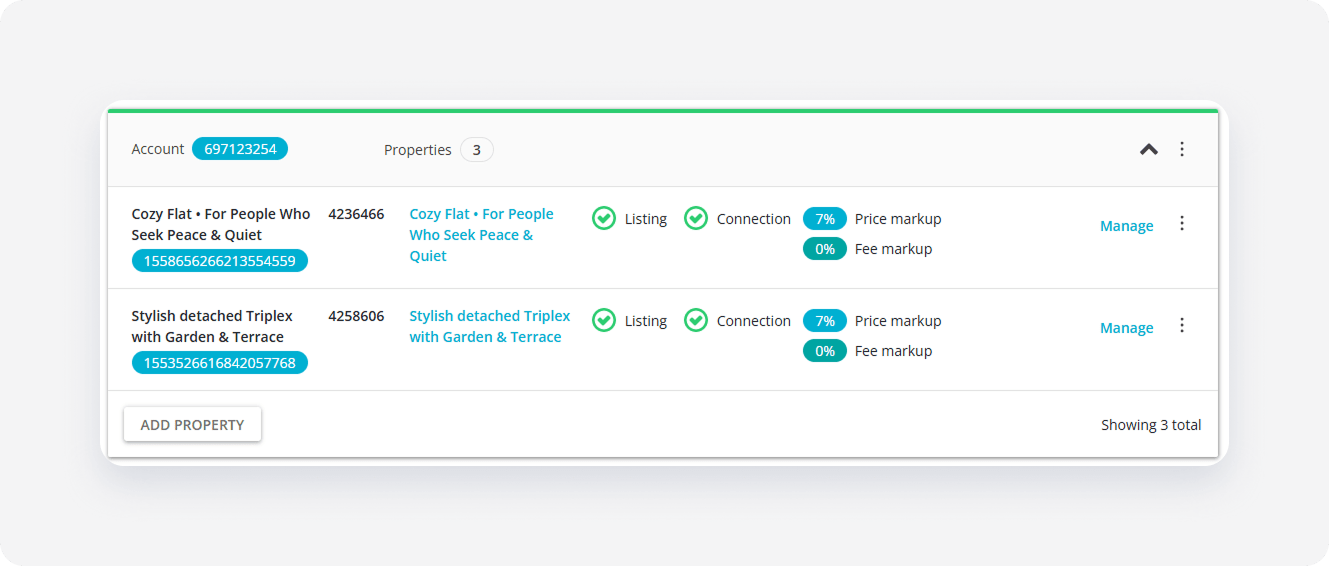
Click Manage next to the relevant listing.
- Navigate to the Cancellation policy section.
-
From the dropdown, select the cancellation policy to set on this listing.
- Airbnb: Choose from the standard Airbnb options, such as "Flexible" or "Moderate".
- Vrbo: Choose from multiple cancellation policy options.
Note:
The "Default" policy inherits the setting from the Channel Settings.

- Click Save changes.