Keep your booking channel listings consistent with your Rentals United data without manual effort. When you enable the automatic listing content update, changes you make to your property content in Rentals United sync to your connected sales channels automatically.
Important sync information
- Sync frequency and timing: Changes are pushed to channels every four hours. Most updates appear on the booking channel within 24 hours, though the exact timing depends on the specific channel's processing speed.
- Settings level: Automatic content update is managed at the account level. Once enabled, it applies to all eligible listings connected to the channel.
- Scope of updates: The automatic update covers property content only (descriptions, photos, fees and taxes). The automatic content update includes data that can influence your pricing, such as taxes and fees. However, it doesn't sync standard rates and availability.
- Synchronization mode: For Airbnb listings, the automatic update only applies to properties set to "Sync Everything" mode. Listings using "Limited Sync" are skipped and require manual updates.
Enable automatic content updates
Follow the steps below to enable this feature.
Step by step:
- In Rentals United account, open Channel Settings. Follow the steps here.
Locate the Automatic listing content update section.
Select the Automatically update Airbnb listings when content change is identified option.
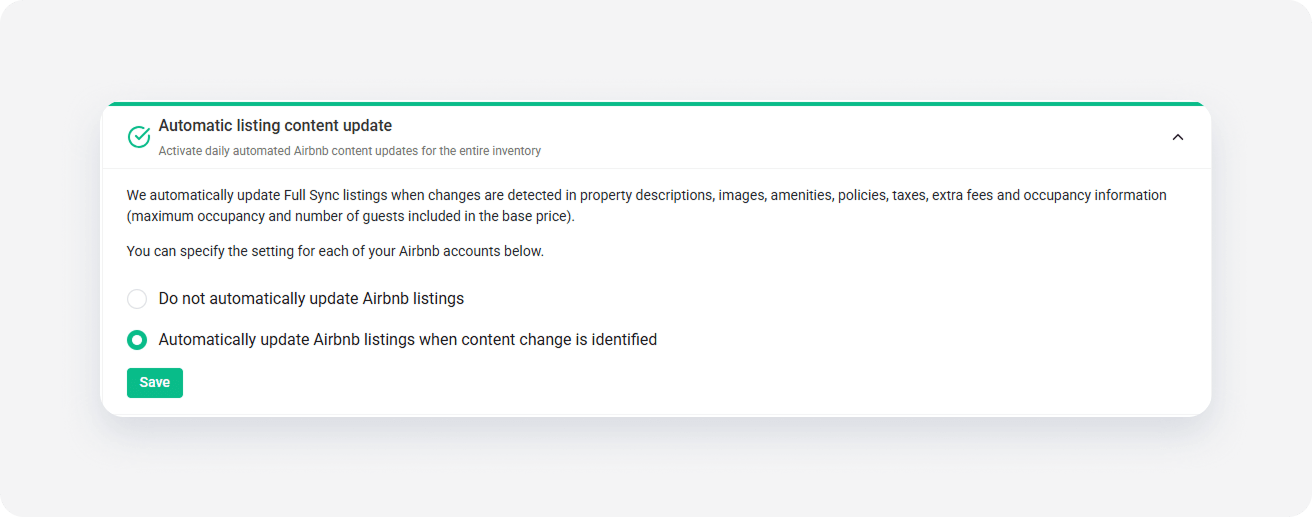
Click Save.
Troubleshooting content updates
Listing not updated in the channel
If your changes don't appear in the channel, verify that your property meets the channel's minimum content requirements. Listings that fall below these requirements won't update, and you won't see a related notification in the Property Settings.
Error messages
If an update fails, you can find a specific update error message in the Property Settings section of the sales channel.
Failed property pushes
If you have properties that failed to connect to a channel in the past, enabling this feature will trigger a new attempt to add these listings to the channel. If you don't want these properties to sync, you must clear the original error from the initial connection attempt.