Signup
Creating an account with Rentals United is quick and straightforward, giving you instant access to features that help you manage your property portfolio more efficiently.
-
Centralise your portfolio and connections to one single platform.
-
Connect your listings to multiple OTAs and expand your booking reach.
-
Keep your availability and pricing perfectly synchronised.
Signing up takes only a few minutes and allows you to streamline daily operations while expanding your booking reach across key sales channels.
Sign up
-
Go to Rentals United Sign Up page.
-
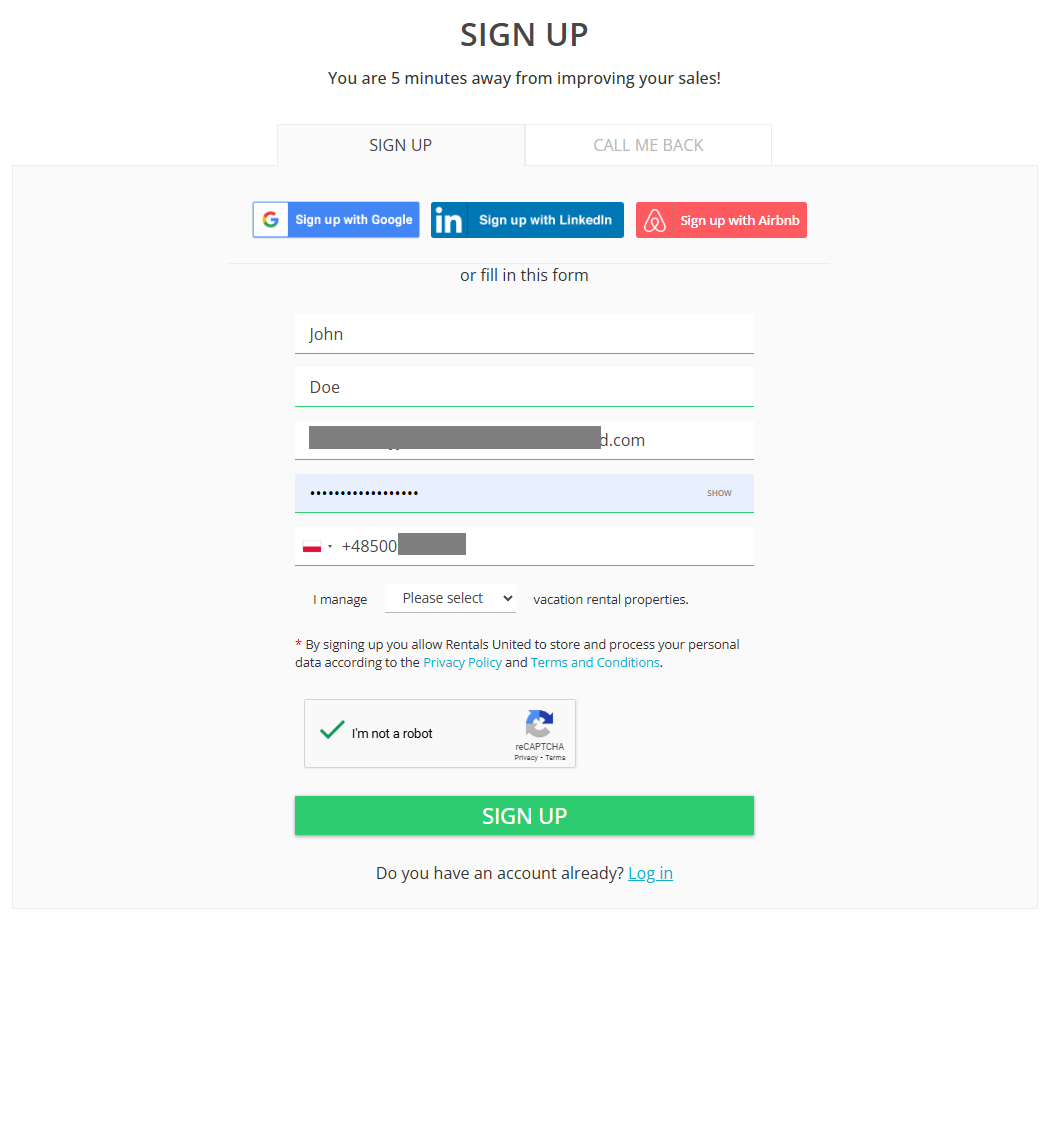
Fill in all the account details and click Sign up.
-
Enter the mandatory invoicing details, such as address, phone number, the EU VAT number and contact details. This information will be used in your invoices, so make sure it is correct.
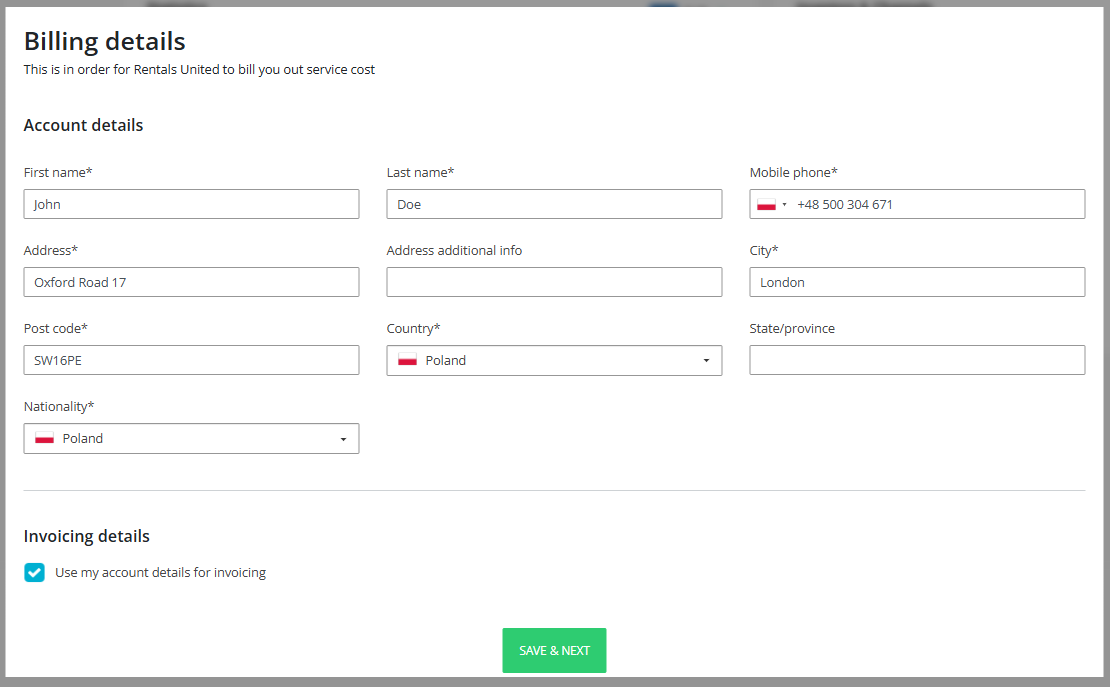
If your invoicing information matches your account details, simply select the option to use the same information for invoicing. If your billing information is different, enter the correct details in the dedicated Invoicing section.
-
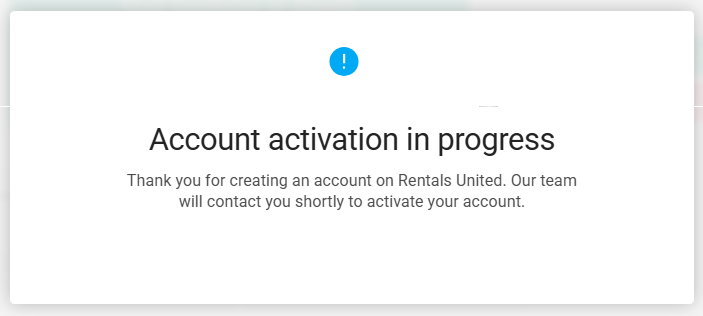
Your account awaits activation. Our team will contact you shortly and your account will be enabled.
Choose property source
After you log in to your account for the first time, you need to choose how your properties are created in Rentals United.
-
Import from Airbnb
-
Manual
-
Connect with PMS
Option 1: Import form Airbnb
-
Users who have properties in Airbnb and are not connected to a PMS
Steps to follow
-
Select Import form my Airbnb account and click Sign in to Airbnb.
-
A confirmation window pops up. Confirm the conditions and click I understand, import properties now.
-
You are redirected to the Airbnb log-in page. Provide your credentials and allow Rentals United to access your Airbnb account.
-
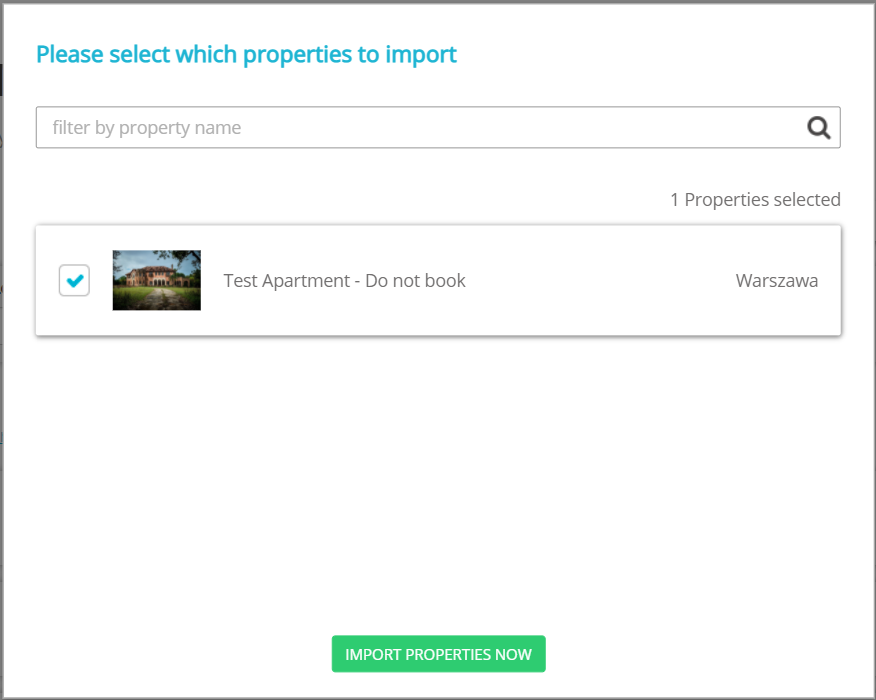
Select properties to import and click Import properties now.
-
The imported properties will appear in All properties tab.
Important notes
-
The import process may take a while (even more than 1 hour) and you cannot reset it while running.
-
After the process ends and some properties were not imported, you can try again. See the steps here.
-
After your properties are imported, you may be still need to add or improve some content. See how to check the property status and edit it.
Next steps
At this point, your properties from Airbnb are only recreated in Rentals United.
Connect to Airbnb and enable reservation sync. Follow the steps here.
Connect to other channels and expand your reach. See the list of available channels here.
Option 2: Manual
-
Users who want to create inventory from scratch and manage it from Rentals United
-
Users who are not connected to a PMS (if you are, use PMS import)
-
Users who do not have any properties in Airbnb (if you have, use Airbnb import)
-
Users who plan to use API
Create your property portfolio just in a few minutes! Click here to learn more.
Option 3: Connect with PMS
-
Users who use a PMS
Steps to follow
-
Select All the information will come from my PMS account and click Select my PMS.
-
Select your PMS from the dropdown.
-
Click Get in touch with our experts . You will soon be contacted by one of our experts who will assist you in onboarding.
Some PMSs allow for configuring the connection by the users themselves. In such case you will see a Configure your PMS button. Fill out the details of your connection and click Import all my properties. Follow the PMS Integration docs for the onboarding instructions and PMS Settings for sync settings details. If you still have doubts how to onboard, contact
Configure payment method
The next step is to set up a payment method for your account. This ensures that all charges for your invoices are processed securely and without interruption. Adding your preferred payment option now will help keep your account active and ready for connecting to sales channels and receiving reservation. Follow the detailed instructions in the next section here.